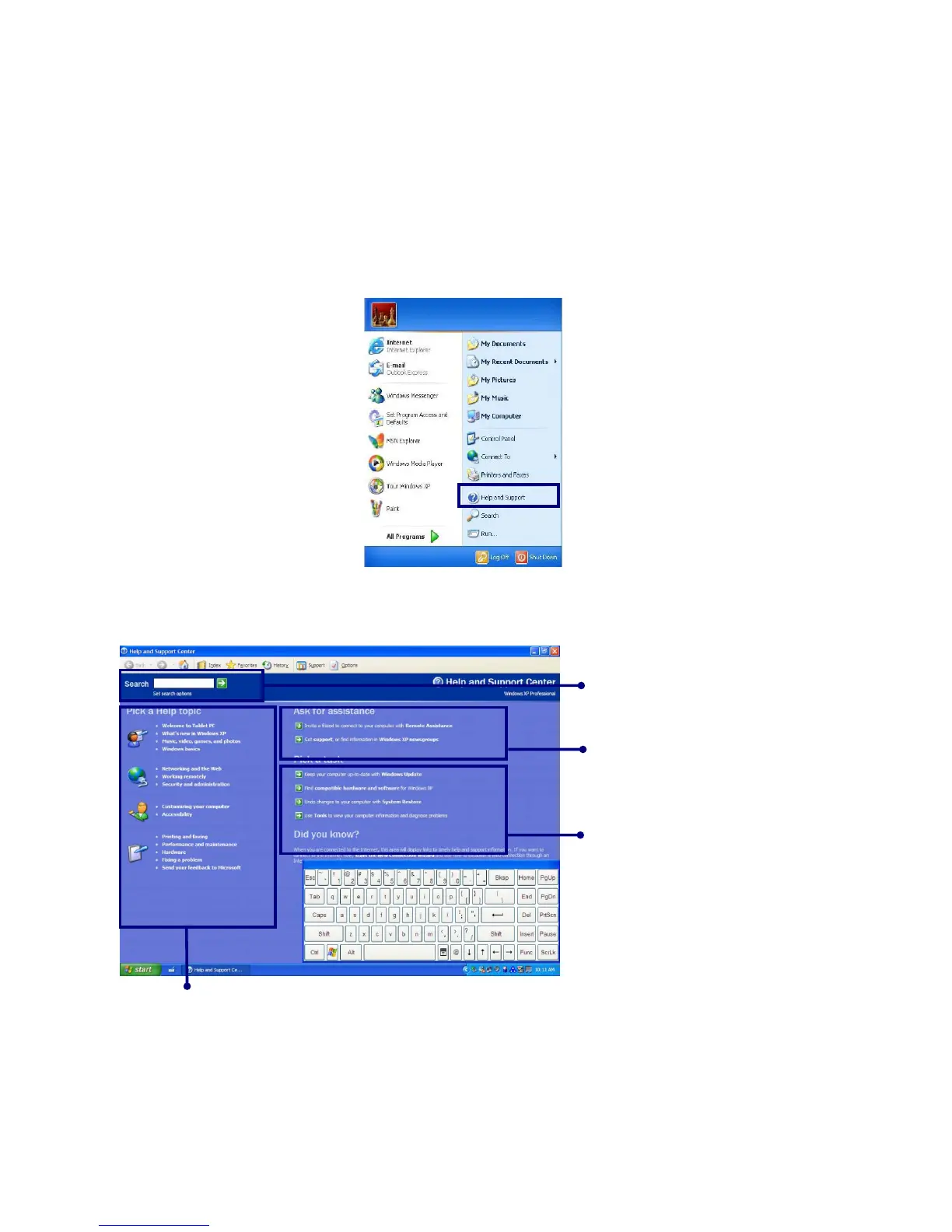
Help and Support
Click [Help and Support] to learn how to troubleshoot problems you may
encounter while using the computer.
Click [Start]->[Help and Support].
LG
The following window appears.
You can search for useful
Help and Support
information.
You can connect to the
Internet and ask for
assistance online.
You can setup and
configure your computer
to personalize your
computing environment
Click to learn the features and troubleshooting information
- 43 -



 To Next Page