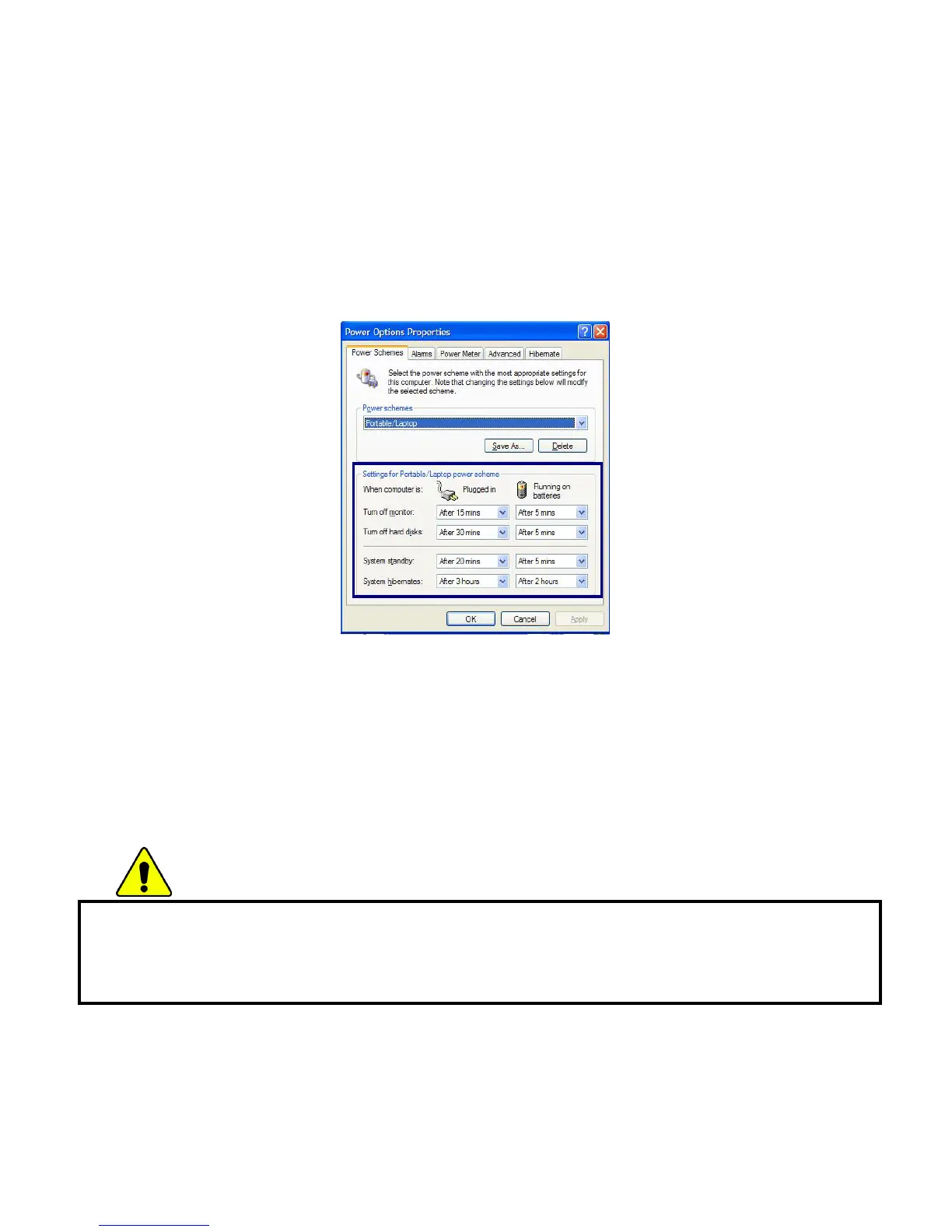
In Power Options Properties window, change the settings best suited for your
computing environment.
Power Options Properties
Click [Power Schemes] tab.
Drop down the menu and select [Portable/Laptop] to set notebook PC with the
appropriate power schemes. This includes detailed timeline for [Turn off monitor],
[Turn off hard disks], [System standby], and [System hibernates].
Note:
If the computer enters System standby mode, the hard disk is turned off to conserve
the battery power.
In System standby mode, you cannot save your work. Be sure to save your work
before entering System standby mode.
When the computer enters System hibernation, the computer saves all your work in
the hard disk and turns off the computer.
Caution
If the computer enters System standby or hibernation mode while playing a
computer game, a serious error may occur. Be sure to quit the computer game
before entering a power-saving mode.
- 52 -



 To Next Page