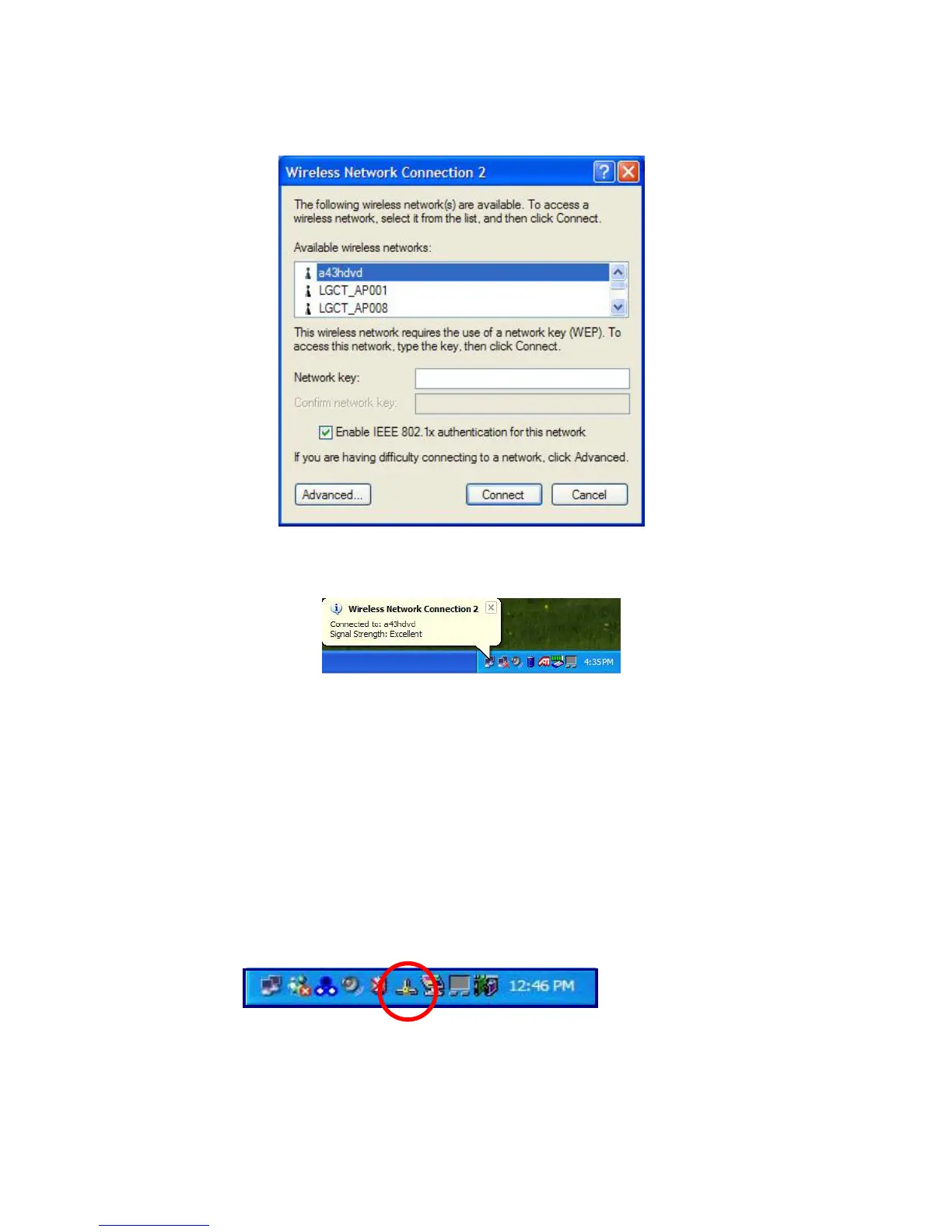
Select AP(Access Point) you want to connect to and type necessary information. Click
[Connect].
If you place the mouse pointer on the Wireless network icon on the Taskbar, you can
see the status of the wireless network.
Using IP Operator
IP Operator is useful to access to network everywhere by notebook.
User access to network at the several places (Home, Office, and Vendor etc.)
can save and modify the network environment (IP address, Domain, Workgroup).
For more detailed information, refer to [IP Operator].
Double click [IP Operator] icon on Desktop System tray.
- 67 -



 To Next Page