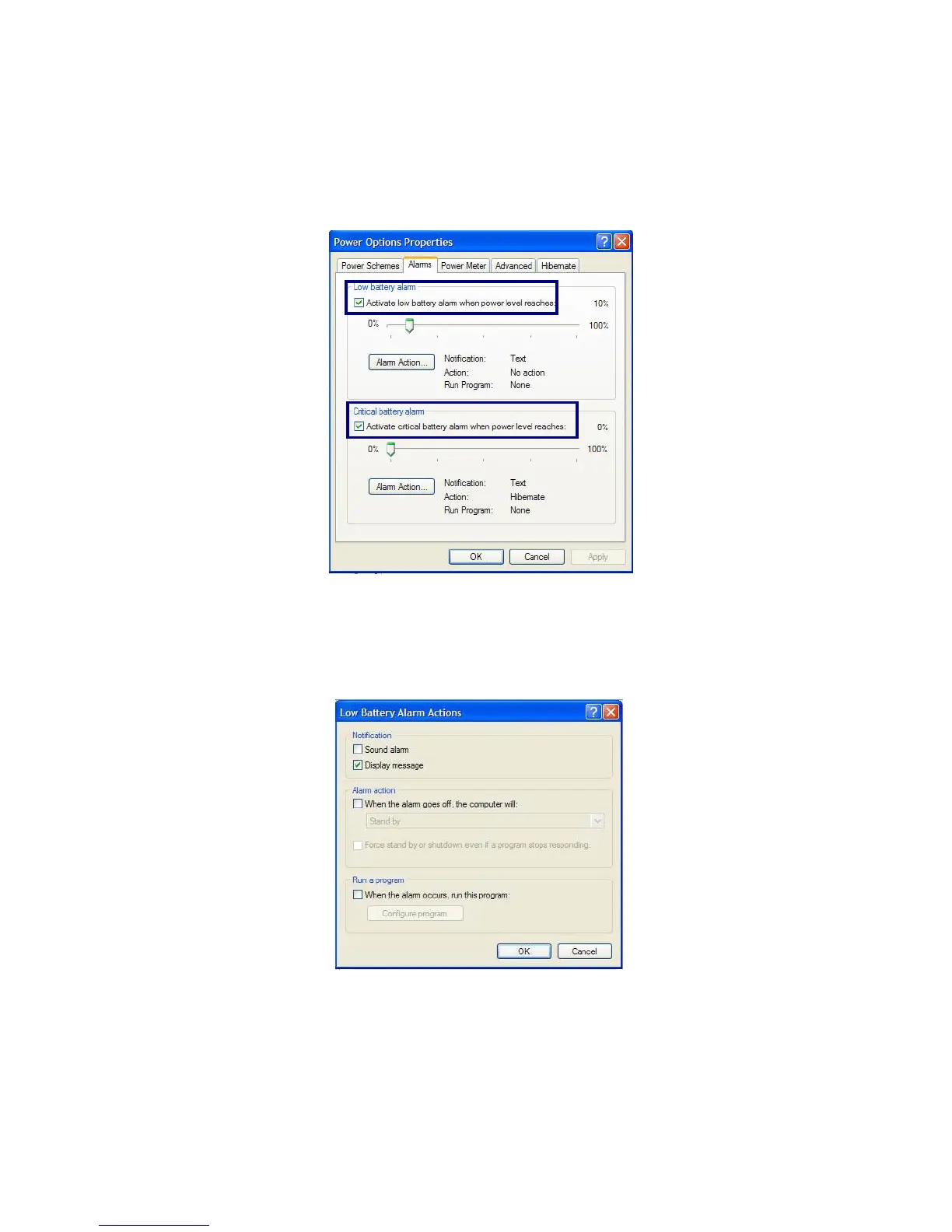
Power Options Properties
Click [Alarms] tab. Check [Low battery alarm] and [Critical battery alarm],
and move the sliders to set the power level to activate low battery alarm and critical
battery alarm.
You can be notified with Sound alarm or Display message. You can also set the alarm
action such as putting the computer into System standby mode or System
hibernation mode. You can also run a specific program when the alarm goes off.
- 53 -



 To Next Page