Setting up Local Area Network (LAN) connections
Local Area Network (LAN) connection provides high-speed network connection for
your home or company. When using Wireless LAN, refer to “Using Wireless LAN”
(page 65).
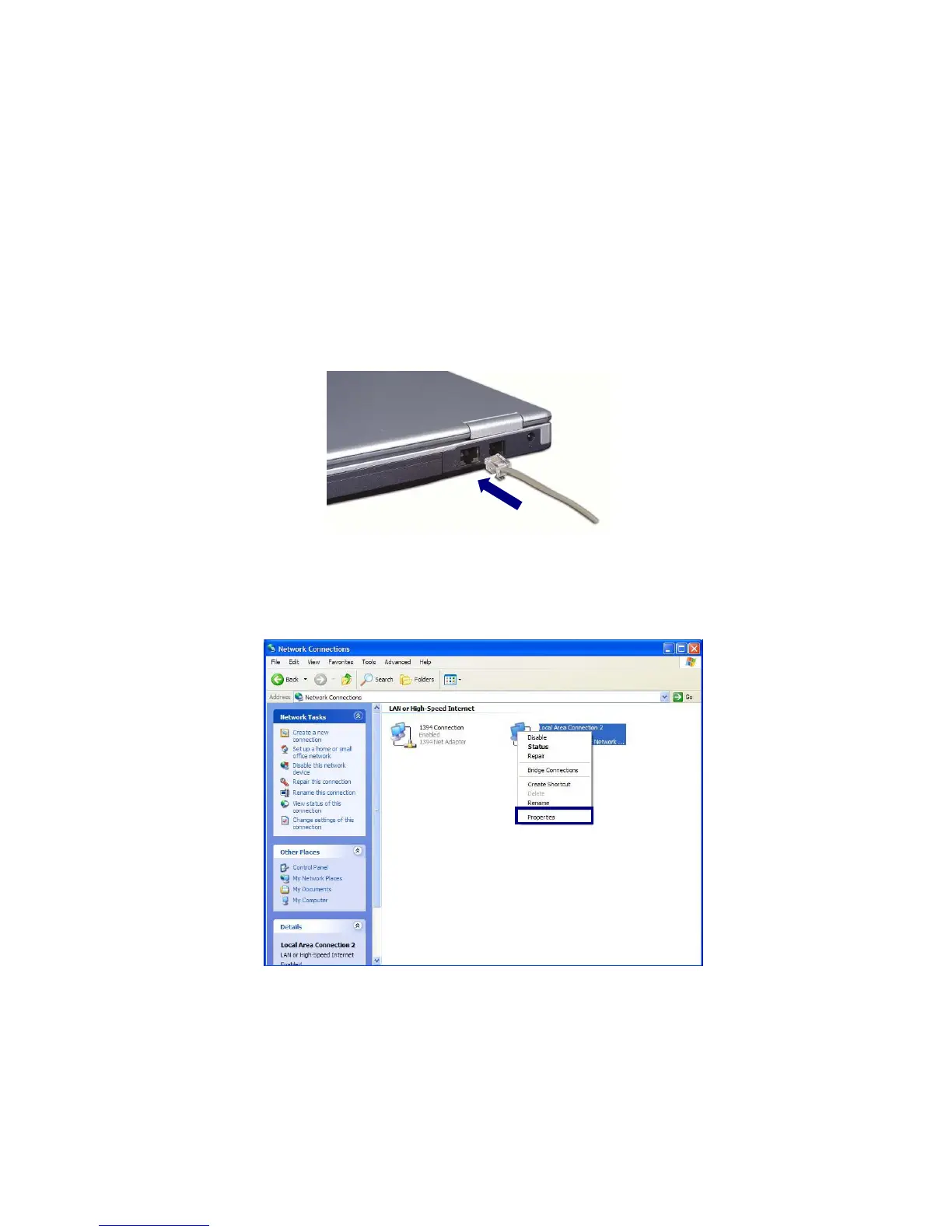
Attach a LAN cable to the Ethernet (LAN) connector.
Click [Start]->[Control Panel]->[Switch to Classic View]->
[Network Connections].
Right-click a Local Area Connection and select [Properties].
- 47 -



 To Next Page