Using the touch pad
1
2
3
The touch pad can be used with a mouse at the same time. It has a scroll
button, which functions similar to a scroll wheel on a mouse.
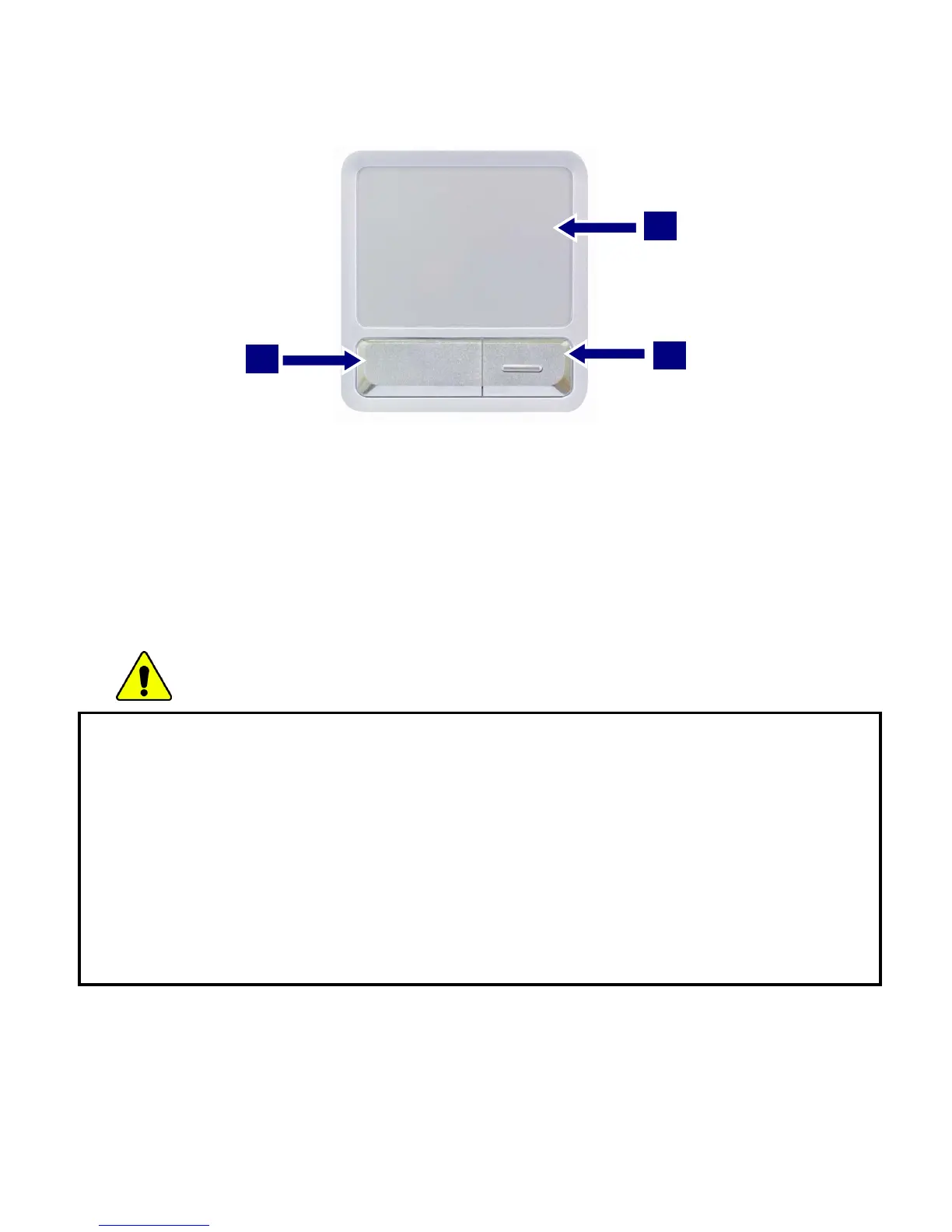
1. Touch pad: used to move the pointer.
2. Left button: used to select or click items.
3. Right button: functions similar to the right button on a mouse.
Caution
Guidelines on using the touch pad
Do not touch the touch pad with a sharp or pointed object as doing so may damage
the touch pad.
Do not remove the cover sheet of the touch pad as doing so may damage the touch
pad.
Do not use the touch pad with two fingers, wearing gloves, or wet hand as it may not
function correctly. Using the touch pad with a dirty or oily finger may damage the
touch pad.
Do not exert too much pressure on the touch pad as doing so may result in injuries
to your finger or wrist.
- 77 -



 To Next Page