10
1
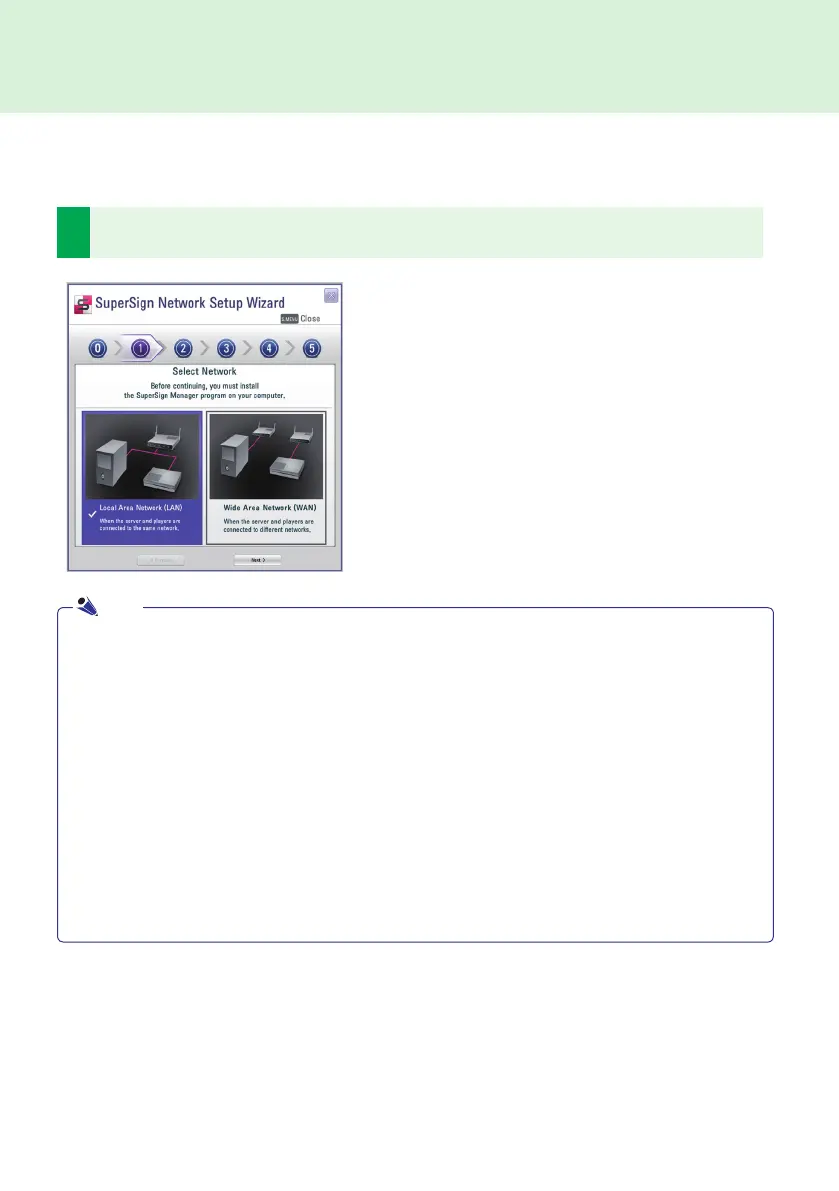
Select the network environment that you want to use to connect to SuperSign Manager and SuperSign
Player.
Follow the steps below to setup network connections by using the Wizard.
● If the default gateway address and the subnet mask set to the SuperSign Manager are the same as the
SuperSign Player, they are connected to the same network.
● To find the default gateway address and subnet mask set to your SuperSign Manager, go to the desktop of
the server on which the SuperSign Manager is installed and navigate through the following:
1. Click Start > Control Panel.
2. On the control panel, double-click Network Connections.
3. Right-click Local Area Connection.
4. Click Properties.
5. Select Internet Protocol (TCP/IP), and then click Properties.
6. The Internet Protocol (TCP/IP) Registration Information dialog box appears.
7. Check the default gateway address and the subnet mask.
● For SuperSign Player network settings, see SuperSign Player Settings > Network Settings in this
manual.
● Choose LAN when the SuperSign Manger and the Super-
Sign player are connected to the same network.
● Choose WAN when the SuperSign Manger and the Super-
Sign player are connected to different networks.
Note
SuperSign Player



 To Next Page