12
SuperSign Player
6
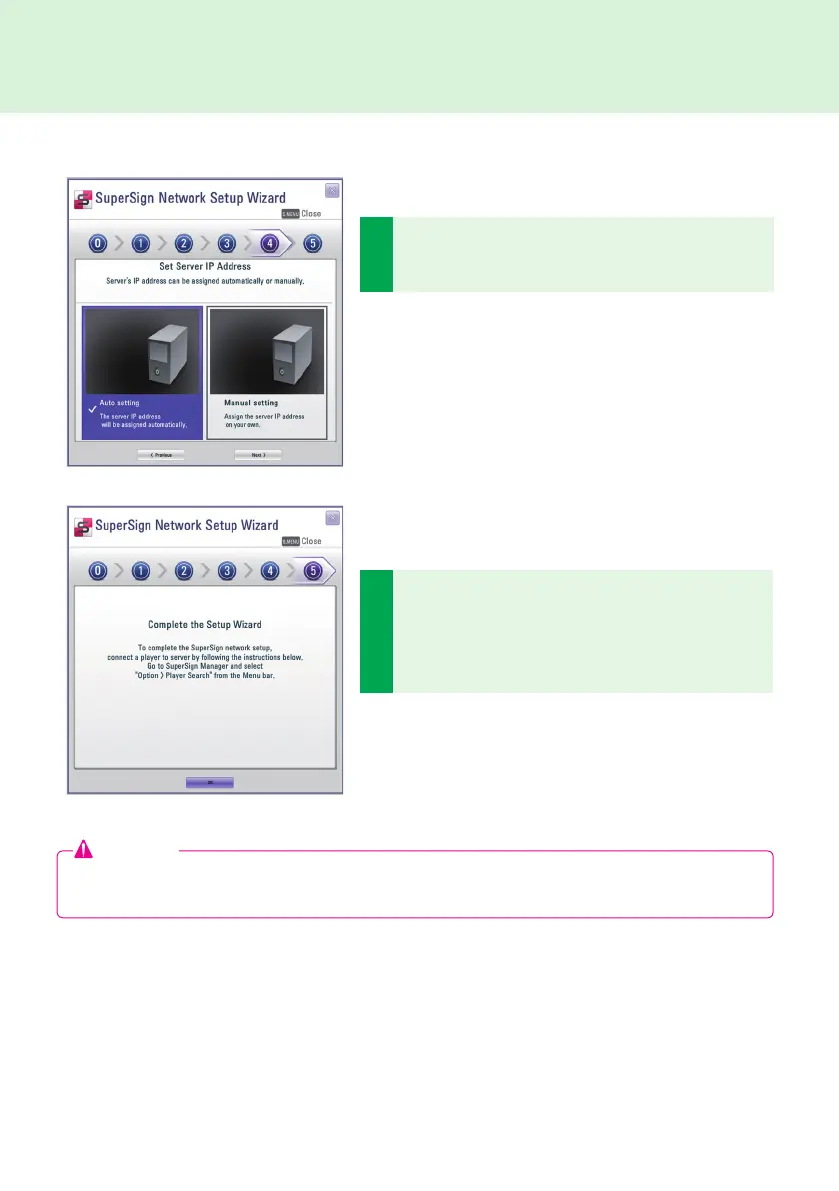
A connection will be made if the player is connected with
a network cable properly. To complete the network con-
nection, move to SuperSign Manager and select Option
> Player Search search in the Menu bar. Please check
the connection to players by running "Player search".
5
Set the IP address for the server on which SuperSign
Manager is installed. The server's IP address can be as-
signed automatically or manually.
● Choose the Auto setting when you want the Wizard to
automatically assign the IP address to the server.
● Choose the Manual Setting when you want to assign the
IP address yourself.
Attention
● If you receive an error message, make sure that the server and player are connected to the network and
try again.



 To Next Page