Section 5. Configurations
5-5
Data Labels
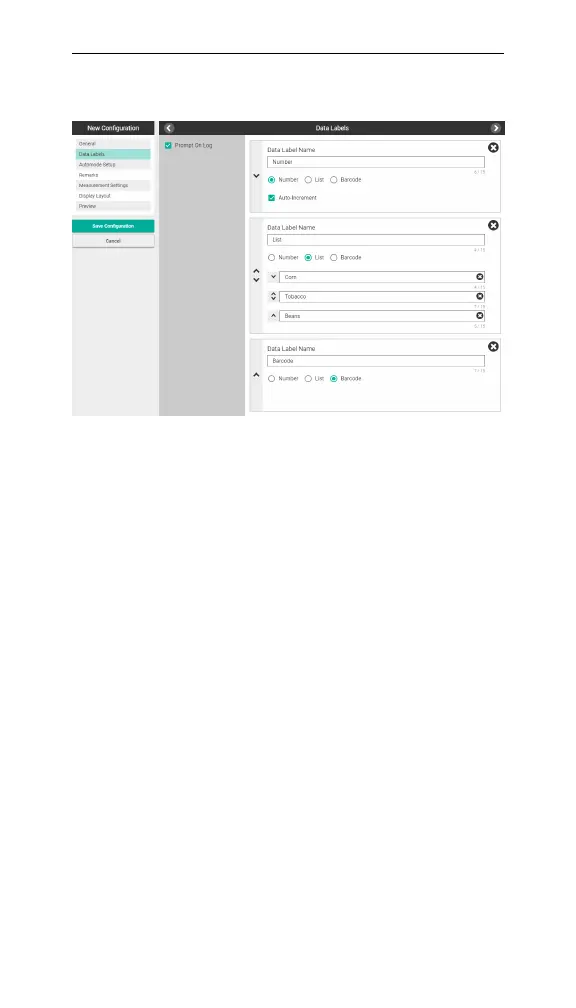
Figure 5-3. The Data Labels screen.
In Data Labels, you can create labels using a number,
list, or barcode format. One label must be a barcode to
enable the barcode scanner. Each configuration can
have up to three labels.
Check Prompt On Log if you want to set a data label
after taking each measurement. If Prompt On Log is not
checked, you set data label values prior to taking a meas-
urement.
Enabling Prompt On Log is useful when measuring a
variety of leaves that require individual labeling, for
example, when screening different genotypes.
When Prompt On Log is unchecked, each label selected
prior to taking a measurement will apply to subsequent
measurements until a new label is chosen.
Select New Data Label. Add a Data Label Name, then
select Number, List, or Barcode.



 To Next Page