LI-600 Porometer/Fluorometer Instruction Manual
5-6
Number: Check the Auto-Increment box for automatic
numbering.
List: Add up to three selections with the plus button;
drag and drop them to change their order.
Barcode: Enable the barcode scanner.
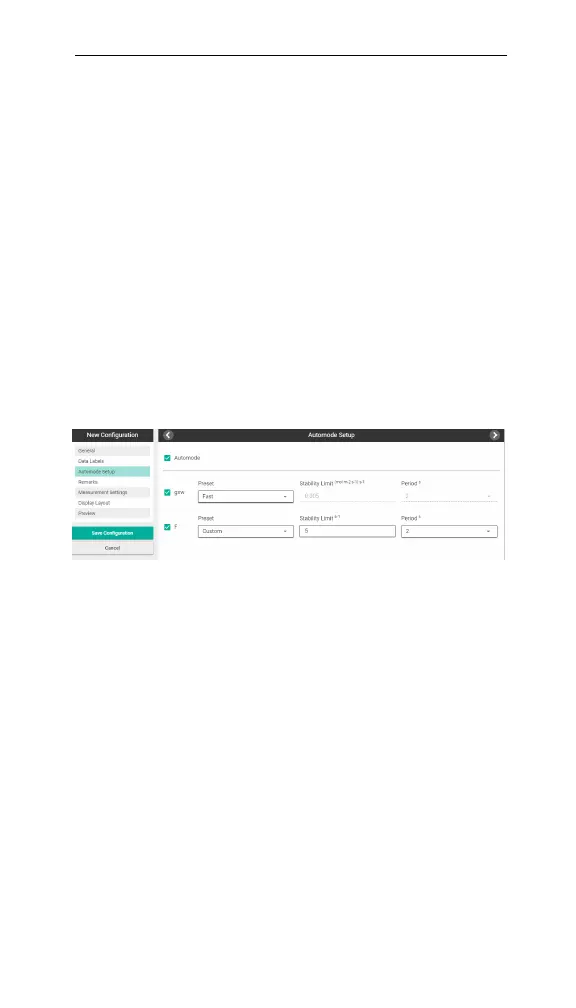
Automode Setup
In Automode Setup, select Automode, gsw, and/or F
(fluorometer).
Select Automode to access the gsw and F variable
options. At least one variable must be selected to enable
Auto Mode.
Figure 5-4. Automode Setup screen.
Then select the variables (gsw, F, or both), then a Preset
(Fast, Medium, or Custom). If selecting Fast or
Medium: the Stability Limit (gsw-specific option), Slope
Limit (F-specific option), and Period over which to cal-
culate the change are automatically determined. If select-
ing Custom, you can set Stability Limit, Slope Limit,
and Period (1, 2, or 4 seconds). (See Table 5-1 on the
facing page.)



 To Next Page