12
EVOS
®
FL and EVOS
®
FL Color User Guide
2. Installing the EVOS
®
FL Imaging System
Standard Items Included
Before setting up the EVOS
FL Imaging System, unpack the unit and accessories
and verify all parts are present. Contact your distributor if anything is missing.
Note: If you do not have your distributor information, contact Technical
Support (see page 54).
• EVOS
®
FL or EVOS
®
FL Color Imaging System
• Power Adapter and Power Cord
• Dust Cover
• USB Flash Drive (preconfigured with instrument documentation)
• Accessories Kit
• Mouse
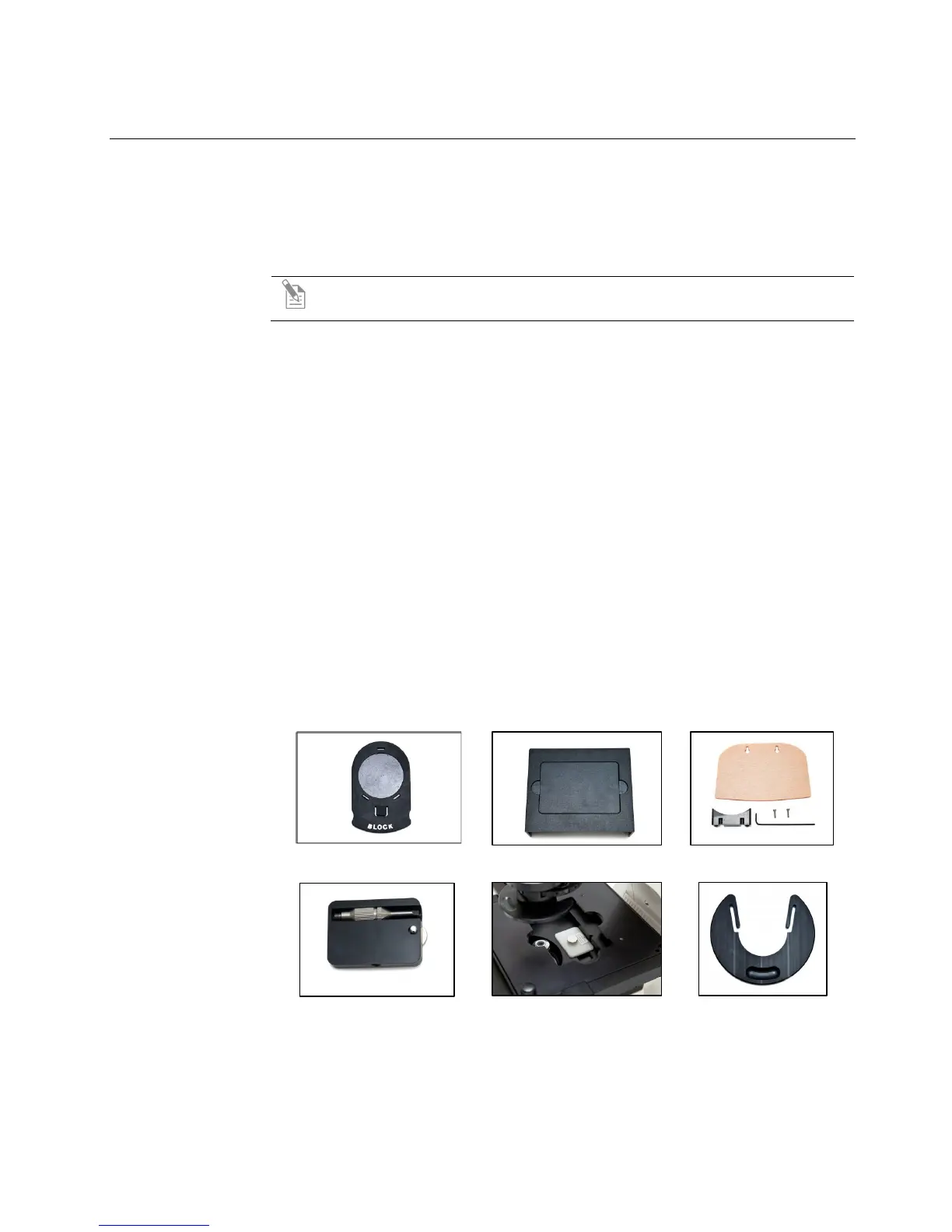
• Sliders
• Light Shield Box
• UV Shield Assembly (includes mount, shield, screws, and L-shaped hex
key)
• Light Cube Access Cover (includes LED light cube installation tool; must
be installed before using the EVOS)
• LED Light Cube Lock
• Condenser Shield
Sliders
Light Shield Box
UV Shield Assembly
Light Cube Access Cover
LED Light Cube Lock
Condenser Shield


 To Next Page