20
EVOS
®
FL and EVOS
®
FL Color User Guide
4. Advanced Operations
Transfection
Note: See “Working with Images” (page Error! Bookmark not defined.)
for more information.
1. Choose a light cube, focus on the sample, and adjust the lighting. See
“Fluorescence Operations” (page 19) for detailed instructions, if needed.
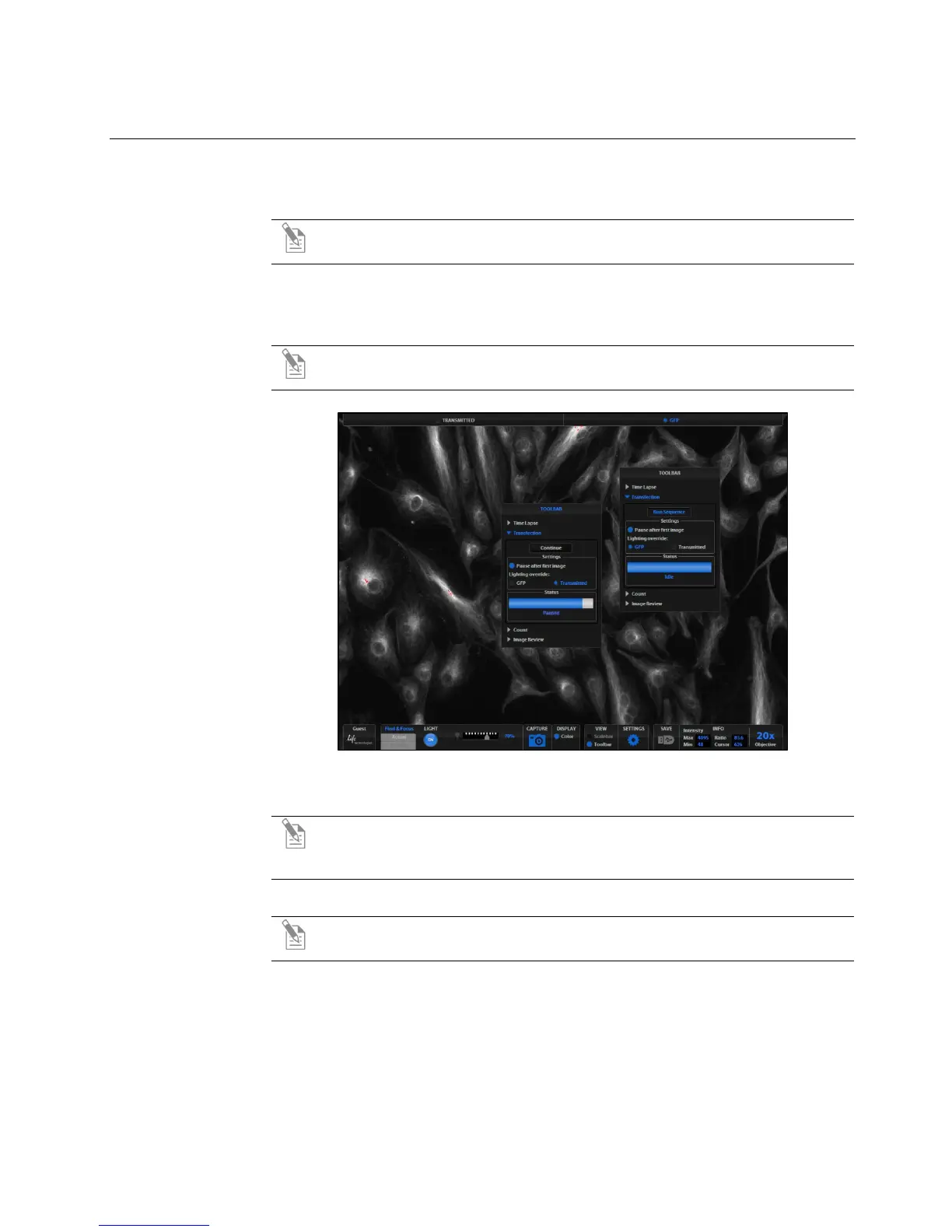
2. Open the Toolbar and expand the Transfection tool (Figure 10).
Note: The “Pause after first image” option allows you to adjust focus, if
necessary, before capturing the transmitted light channel.
Figure 10 Transfection Tool
3.
Click the Run Sequence button.
Note: You will need to check the focus and lighting prior to running the
sequence. The sequence always starts with the fluorescence channel and
finishes with the transmitted light channel.
4. If the Pause option is selected, adjust focus and click the Continue button.
Note: If Pause is deselected, the dual-channel image will display with the
Overlay tab selected.
5. Adjust the brightness and contrast settings as desired, and save the image. See
“Saving” (page 26) for detailed instructions.


 To Next Page