16
EVOS
®
FL and EVOS
®
FL Color User Guide
Ports and Shields
USB Ports
Plug the mouse and the USB flash drive into the USB ports located on the bottom
right of the support arm. You may also plug in a USB keyboard (not included) for
text input.
DVI Output Port
Note: A DVI port is available for output to a projector or other display
(DVI cable not included). This port produces digital output only; EVOS
®
FL
Imaging System is compatible with either a DVI-D or DVI-I display.
Connect the DVI cable to the DVI port on the instrument.
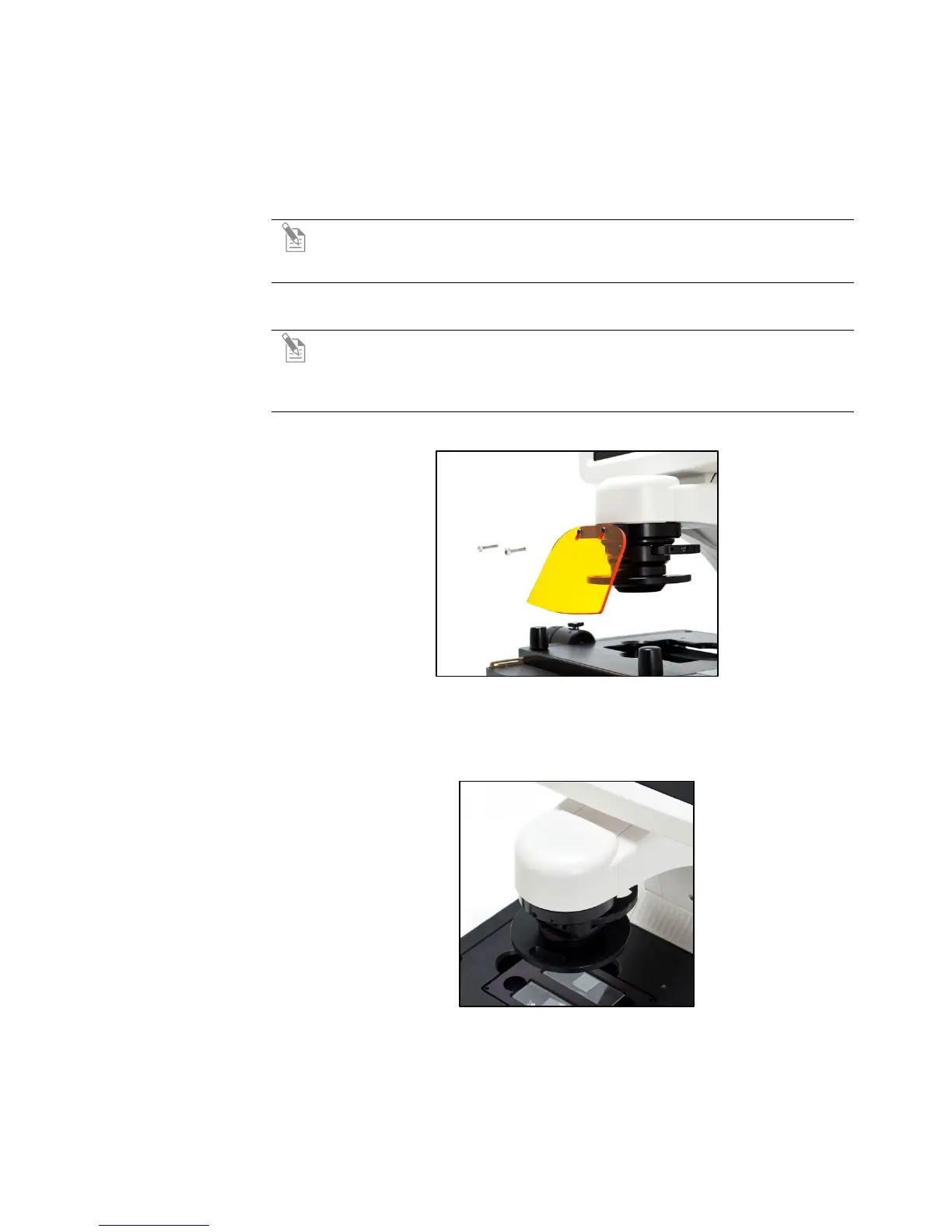
UV Shield
Note: The UV Shield is provided as a safety feature and should always be
installed whenever the unit is in operation. The UV shield is removable for
access to the condenser sliders used in transmitted light mode. Simply
unhook it from the screws on the UV mount.
Secure the shield in place, as shown in Figure 6, below.
Figure 6 UV shield in place
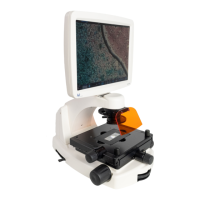
Condenser Shield
The Condenser Shield is shield is pre-installed (Figure 7, below) and helps reduce
the potential effects of overhead lighting on your image.
Figure 7 Condenser Shield, removable
After completing all of the above steps (page 13 to 16), your instrument is ready to
power on. Continue to “Basic Operations” (page 17) to get started.


 To Next Page