EVOS
®
FL and EVOS
®
FL Color User Guide
17
3. Basic Operations
Note: Before using the mechanical stage for the first time, you must
remove the stage lock pin from the back right-hand corner of the stage
plate. For information about adding optional LED light cubes, see
“Changing LED Light Cubes” (page 37).
Brightfield/Phase Operations
1.
Set the magnification using the objective selection wheel on the front of the
instrument.
2. Move light cube selection lever towards you until the active channel on screen
reflects “transmitted”.
3. Turn the phase annuli selector to the position that corresponds to the selected
objective and contrast method.
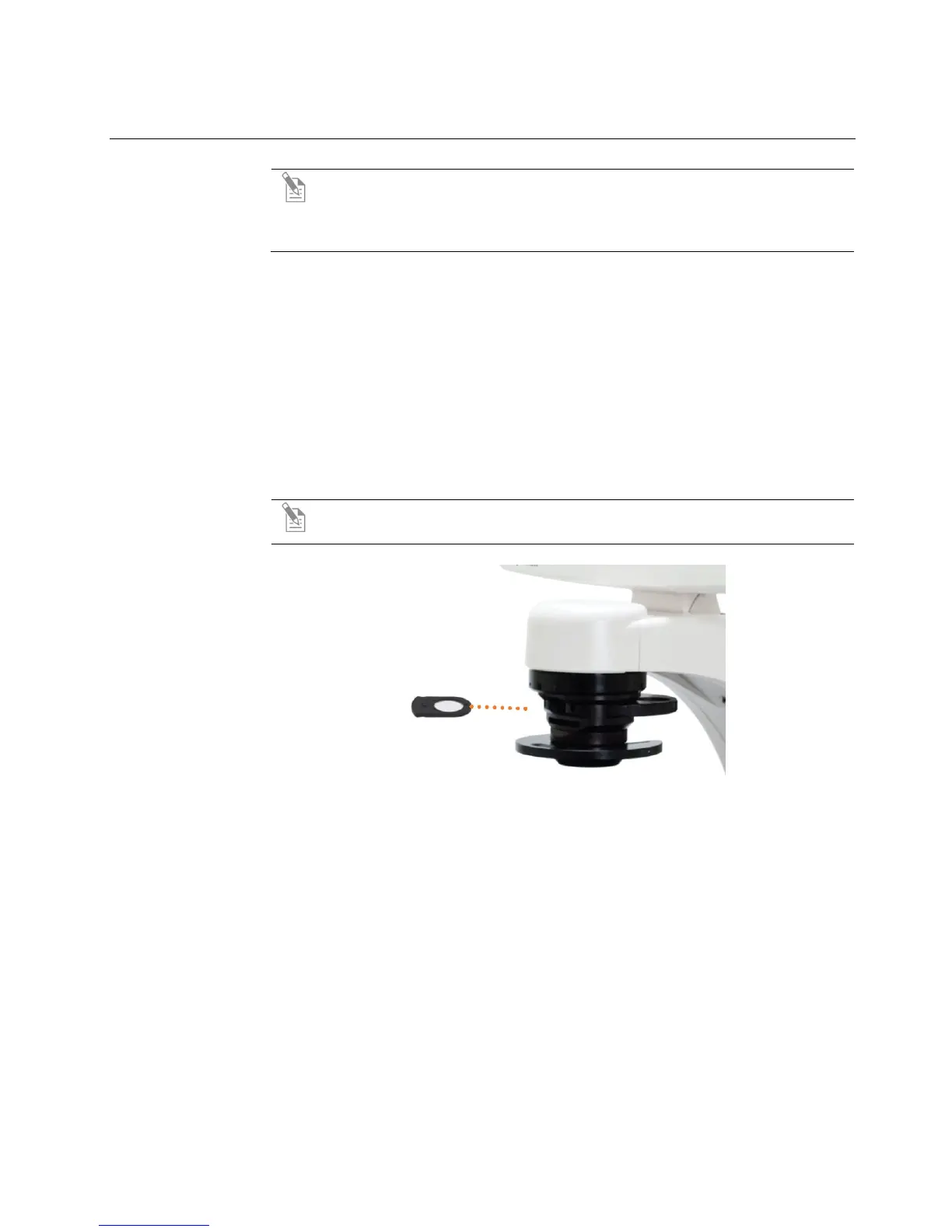
4. Insert the desired condenser slider into the slot on the condenser assembly for
optimal image quality.
Note: A variety of sliders can be inserted into the instrument condenser to
improve image quality (Figure 8).
Figure 8 Insert slider into condenser
5. Turn on illumination using the LIGHT ON button.
6. Focus the sample using the focusing knobs.
7. Adjust the illumination intensity if necessary.


 To Next Page