24
EVOS
®
FL and EVOS
®
FL Color User Guide
Cell Counting
The Count tool streamlines cell counting by marking items with up to 6 labels
onscreen. As you tag items, the system will keep a running tally of counts with
percentages for each label assigned. Document your results simply by saving the
tagged image, with the Count tool displaying the totals.
1. Acquire an image. See “Basic Operations” (page 17).
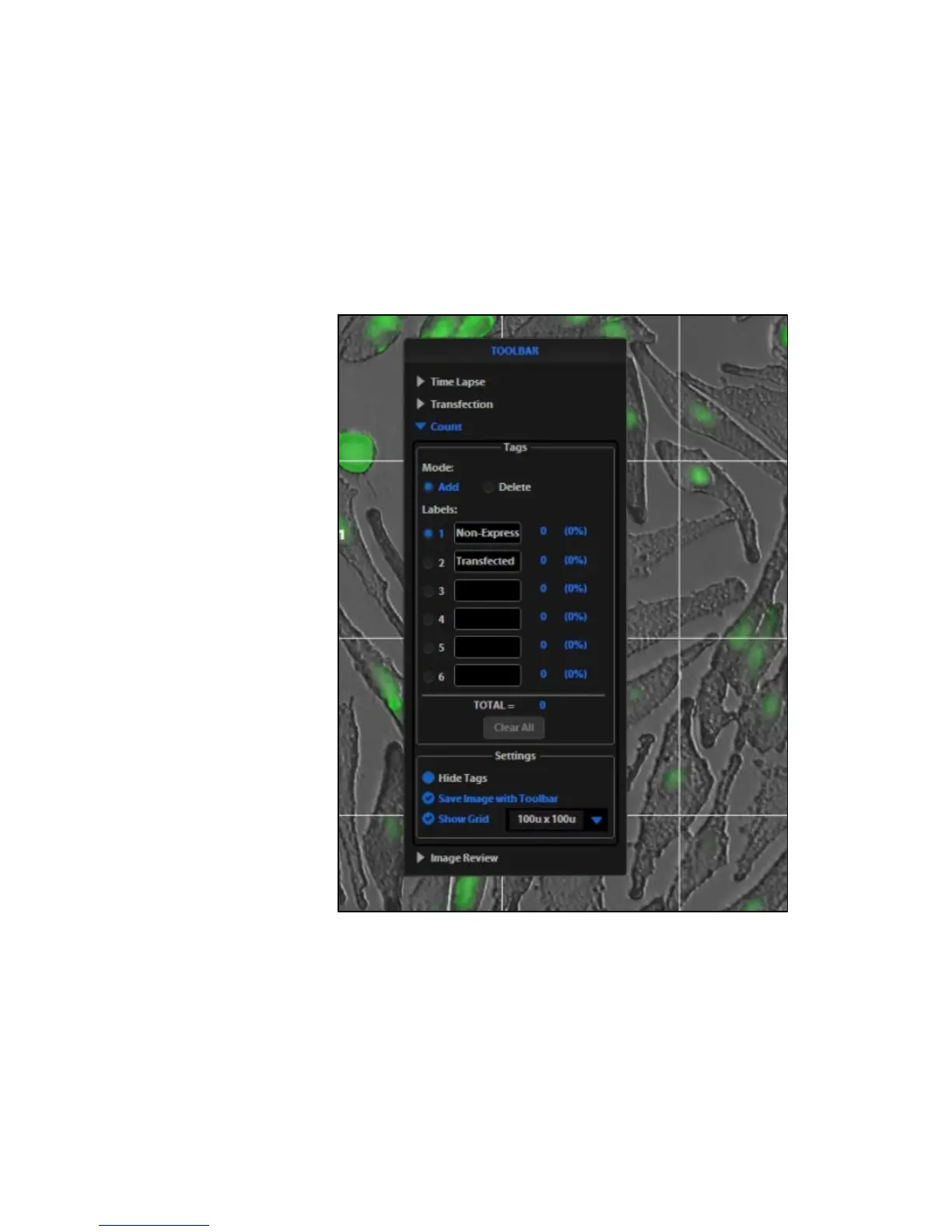
2. Open the Toolbar and expand the Count tool (Figure 13).
3. Click in a text field under the Labels section to name a label. You may use up
to 6 labels (Figure 13).
Figure 13 Count Tool
4.
Under Settings, you may choose a grid size in the drop-down menu or leave
the Show Grid option inactive.
5. Click on the radial button next to the desired label and left-click at each point
onscreen to tag the items for that category. Switch labels as desired; the
instrument will tag as specified for the selected label.


 To Next Page