EVOS
®
FL and EVOS
®
FL Color User Guide
25
Note: To use Digital Zoom while counting cells, first suspend the Count
tool, then select the Hide Tags setting. When the tags are hidden, use the
left mouse button to double-click and Zoom as described in
“Live/Captured Zoom and Scalebar Option” (page 23). After zooming,
reactivate the Count tool by deselecting Hide Tags setting.
6. To move a tag, select and drag it. Left-click anywhere else onscreen to
deselect.
7. To delete a tag, select the Delete radial button under the Mode section, then
left-click the tag to be deleted. You may also use the Clear All button to delete
all tags for all labels.
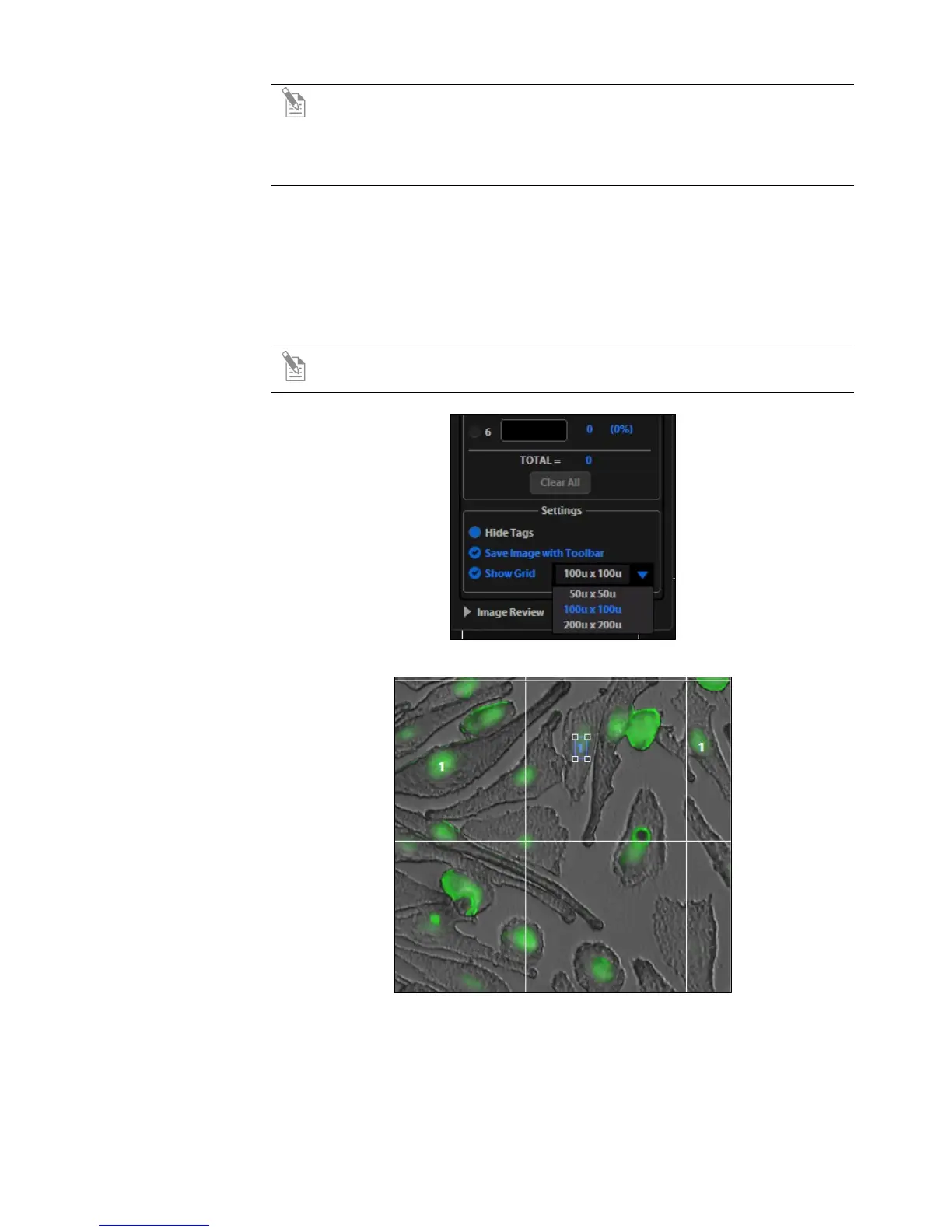
8. To save an image showing the tags on-screen and data recorded in the count
tool, select the Save Image with Toolbar option and click the Save button.
Note: Deselecting this option will produce an image saved with the tags
only.
Figure 14 Detail of grid size menu and Show Grid option
Figure 15 Selected tag; drag to move


 To Next Page