Page 6
8. DRY RUN
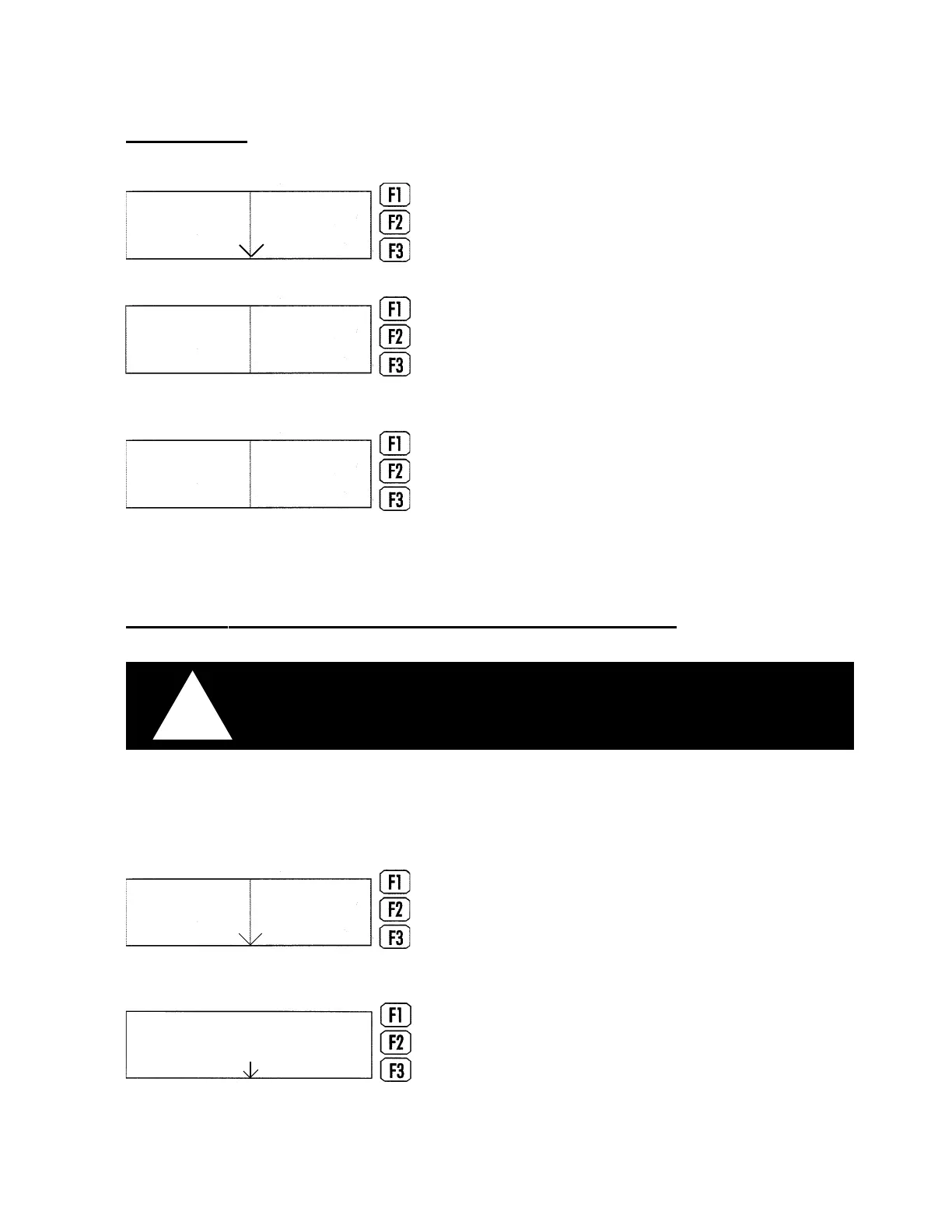
Next press the continue key.
CUT will cause the machine to move to the first piece
and begin cutting.
PIERCES allows to skip to a specific part on the sheet.
To skip forward, enter the piece number.
JOB will cause the machine to start the dry run of the
sheet.
Before cutting the first sheet, the operator may wish to
perform a dry run of the sheet to check the torch cut path.
To execute a dry run, press the DRY RUN key.
Next enter the desired speed. The kerf should be equal to
the value set when the job was downloaded.
Plasma
selected
Cut
MDI
Dry Run
Dry Run
1000.0
0.000
Dry Speed
Dry Kerf
Continue
Plasma
selected
Cut
Pierces
Job
9. OPERATION OF CONTROLLER DURING CUTTING
CAUTION, HAVE ALL PERSONNEL STAND CLEAR OF THE PATH OF
THE CUTTING TORCH WHICH CAN TRAVERSE THE ENTIRE LENGTH
OF THE TABLE(S).
!
NOTE: Pieces of the fittings will be cut in the same order that their identification labels are printed
by the office computer. Place the labels on the corresponding pieces as they are being cut.
BEGIN CUTTING by pressing the CUT key. The torch will
then move to the start point, drop automatically and start
cutting the pieces.
If the job must be interrupted for any reason press the
STOP key. This shuts off the torch and halts the machine
on the cut path. To restart cutting, press the RESUME key.
ESSI 1
00:00:00
Stop
Plasma
selected
Cut
MDI
Dry Run
H. WEISS MACHINERY & SUPPLY
H. WEISS MACHINERY & SUPPLY
PHONE: (718) 605-0395 - www.hweiss.com


 To Next Page