www.longer3d.com support@longer.net
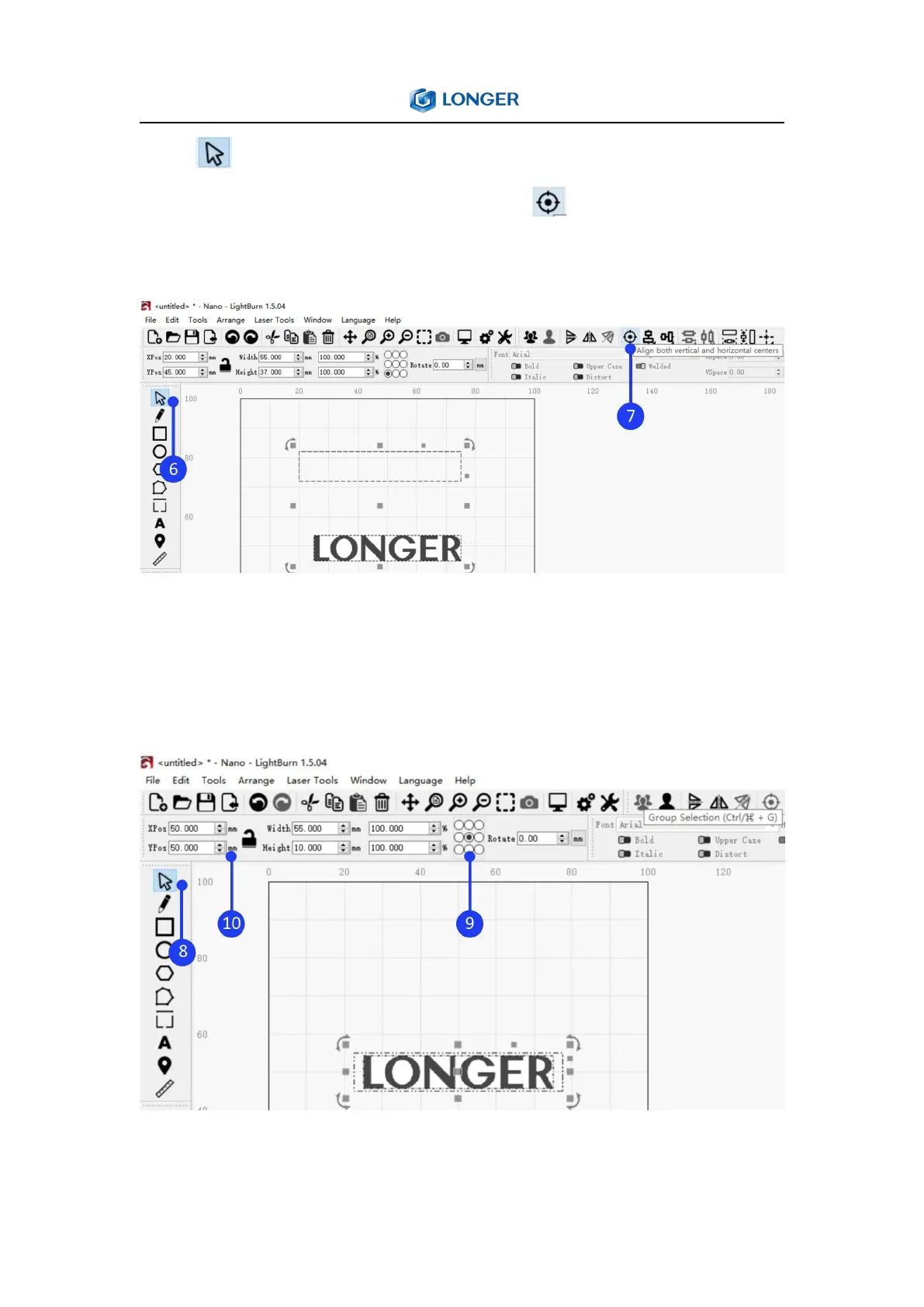
Click Select button, hold down the Shift key on the keyboard,
select the rectangle and image, click the Align Center button on
the toolbar to center align the image and rectangle.
Set the coordinate point at the center of the image and enter the XY
position coordinates as 50, 50 respectively, so the design is moved
to the center of working size.
Click on different layers in Cuts and Layers Window to set the



 To Next Page