14 Bioscience Solutions – 4D-Nucleofector™ Manual
2.8.4 Using a Predened Experiment
A predened experiment can either be a ready-to-use template pre-
installed by Lonza (for X and Y Unit only) or a previous experiment that
was saved by the user.
The use of predened experiments is described showing the X Unit as an
example, but the procedure would be the same for Y or LV Unit.
1. After unit and vessel type selection (see 2.8.2) a screen appears with
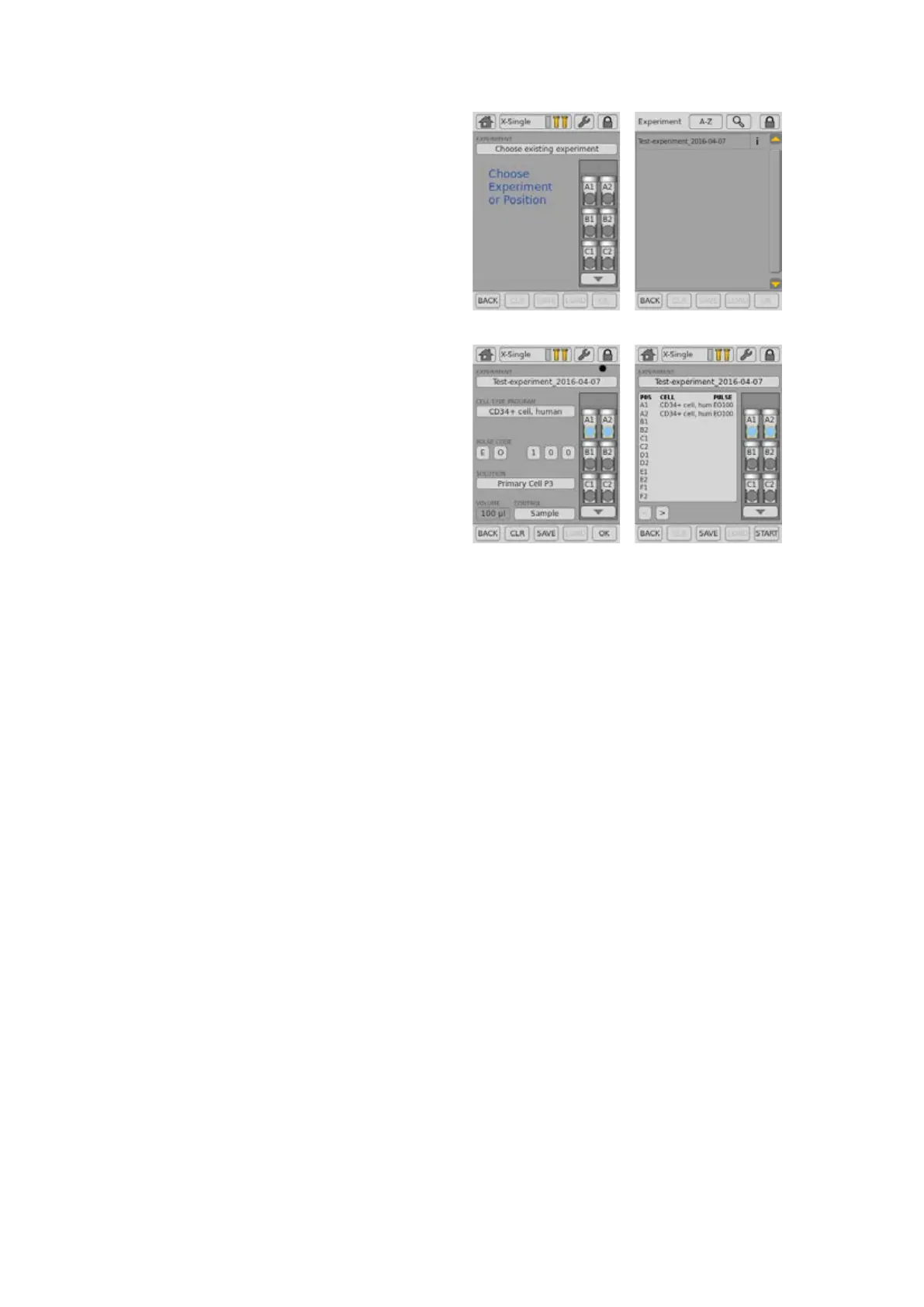
a eld showing “Choose Experiment or Position” (gure 2.11, A).
2. Press on the touch eld labeled “Choose Experiment”
3. A list of predened experiments will appear (gure 2.11, B). The
list comprises experiments pre-dened by Lonza (template les;
blue) and all experiments saved by the user (black).
4. Select the desired experiment by tapping on the appropriate line of
the list. The experiment selected will be highlighted. Conrm your
selection by pressing “OK”.
5. By pressing on the icons displaying the Nucleofection vessels or
wells you can check the settings (“Cell Type Program,” “Pulse Code,”
etc.) for the selected well (gure 2.11, C).
6. In case you want to modify the settings of a predened experiment,
click on the well(s) you want to change and adapt the settings (for
unit-specic details see chapters 2.9, 2.10 or 2.11). An asterisk (*)
will be added to the experiment le name to indicate the deviation
from the original le. You can save the changed experiments under
a new name by pressing “SAVE”. Alternatively you may review the
summary rst (see next step) and then save it.
7. To accept all settings, press “OK”.
8. A summary of the experimental settings will appear (gure 2.11, D).
If the experimental setup is as desired, load the samples (for unit-
specic details see chapters 2.9.1, 2.10 or 2.11).
A B
C D
Figure 2.11: Using a predened experiment (example: X Unit)



 To Next Page