4D-Nucleofector™ Manual – Bioscience Solutions 17
2.9.3 Running the Experiment
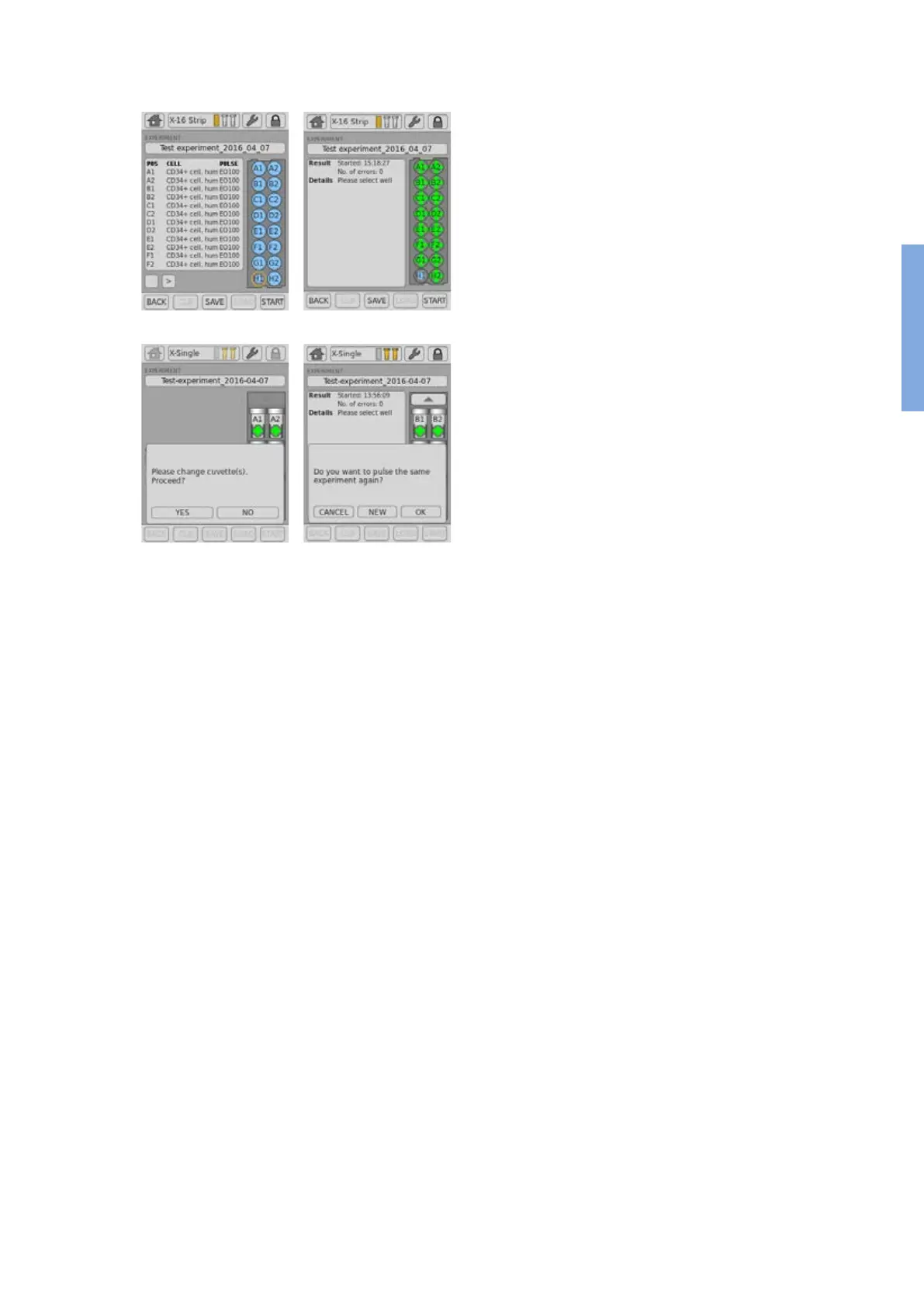
10. After loading the samples press “START” to run the experiment (gure
2.15, A).
11. The progress of the experiment is indicated by changing the color
of the cuvette or well positions (gure 2.15, B) (for color codes see
chapter 4).
NOTE: When working with the single 100 µL Nucleocuvette™ Vessels you
can process two cuvettes at once. If more than two cuvettes have
been dened the drawer opens automatically after each set of
two and a message “Please change cuvette(s). Proceed?” will be
displayed (gure 2.15, C). Load next samples and press “YES” to
continue or press “NO” to interrupt the experiment.
12. When the experiment is complete, a result le summarizing the
Nucleofection process will be displayed (gure 2.15, B).
13. The result le will be saved automatically by the system and can be
reopened as described in chapter 2.12.2.
14. You can repeat the same experiment by pressing “START” again.
A message will appear asking “Do you want to pulse the same
experiment again?” (gure 2.15, D).
15. Press “OK” to start the experiment, “NEW” to return to the “Experiment”
screen and dene a new experiment or “CANCEL” to return to the
“Results” screen.
A
C
B
D
Figure 2.15: Experiment progress (X Unit)
2



 To Next Page