26 Bioscience Solutions – 4D-Nucleofector™ Manual
Once samples have been prepared nalize experiment denition:
26. Continue with entering the volume(s) that you are going to
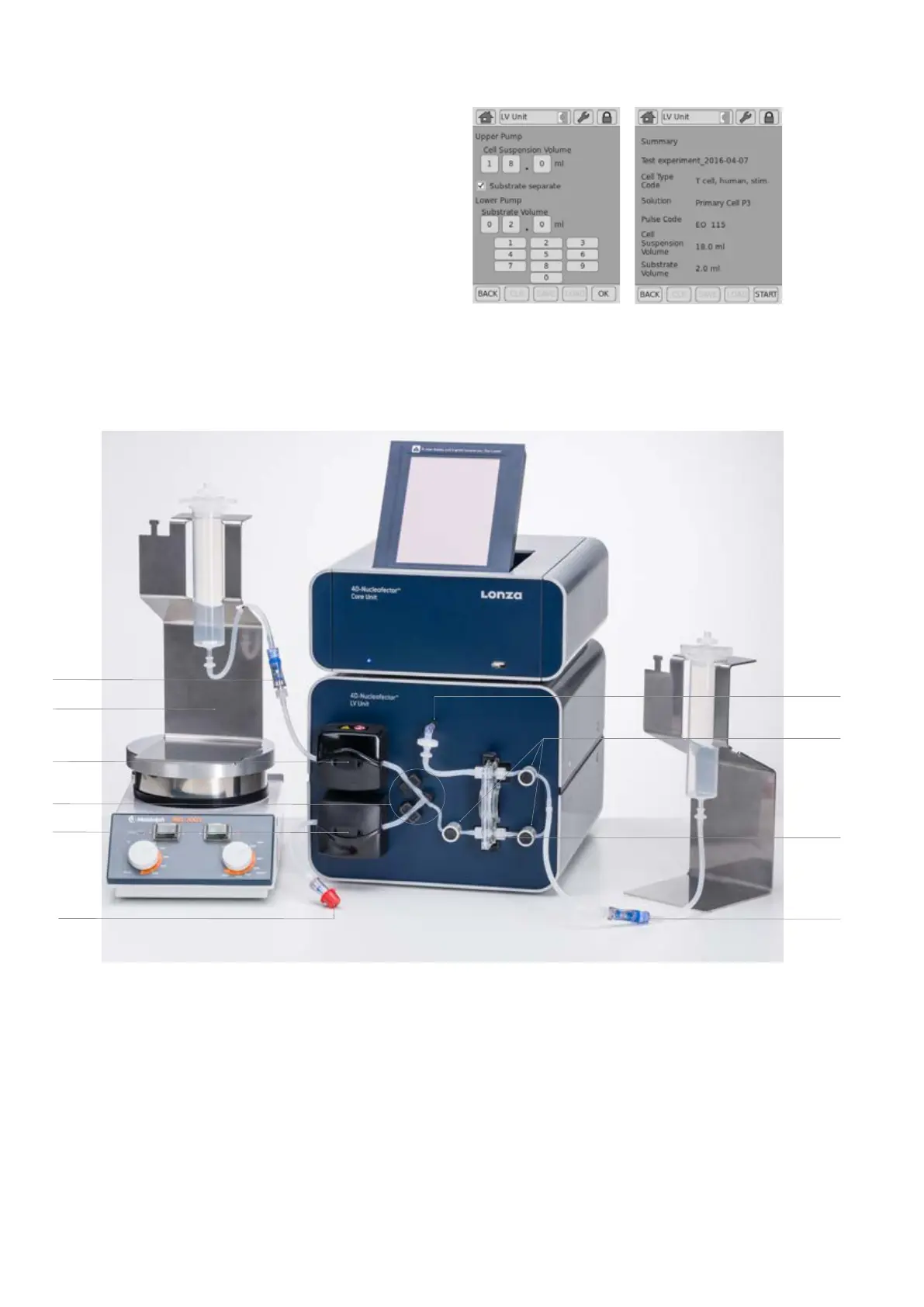
process (gure 2.24, H).
a. If you work with one reservoir (or bag) containing a premixed
suspension of cells and substrate, enter the total volume of the
cell suspension you want to process.
b. In case you work with two reservoirs (or bags) to keep cells and
substrate separate, tick the box “Substrate volume”. Now you can
dene volumes for cells and substrate independently.
Note: The maximum total volume that can be entered is 20 mL.
27. Upon pressing OK a summary of the dened settings will be displayed
(gure 2.24, I). Please check for correctness before pressing “START”.
H
I
Figure 2.25: Setup Checklist for LV Nucleocuvette™ Cartridge
1. Cartridge inserted in slot
2. Short venting tube with lter attached to the male Luer connector on the front plate
3. Tubes inserted in pinch valves (press black round surface of the valves while pulling
tubes fully into the valves)
4. T connector inserted into T connector holder. Two larger diameter tubes completely
inserted into liquid sensors
5. Upper tube (for cell suspension!) inserted into the upper pump. Flap closed.
6. Optional - when feeding substrate separately - lower tube inserted into lower pump.
Flap closed.
7. Holder for cell suspension reservoir placed on a magnetic
stirring platform (stirring speed to approx. 300 rpm)
8. All reservoir-tube connections established to
a. Input reservoir for cell suspension
b. Input reservoir for substrate (optional)
c. Output reservoir
2
8c8b
4
6
5
7
8a
3
Figure 2.24: Continued
1



 To Next Page