p/n 18603-001, Rev. C LTV
®
1200/1150 Ventilator Service Manual Page 8-19
LTM mounting assembly re-installation (current LTM)
Parts required for replacement: Tools required:
• Replacement Screws Kit, P/N 11149
• Phillips screwdriver with torque
meter
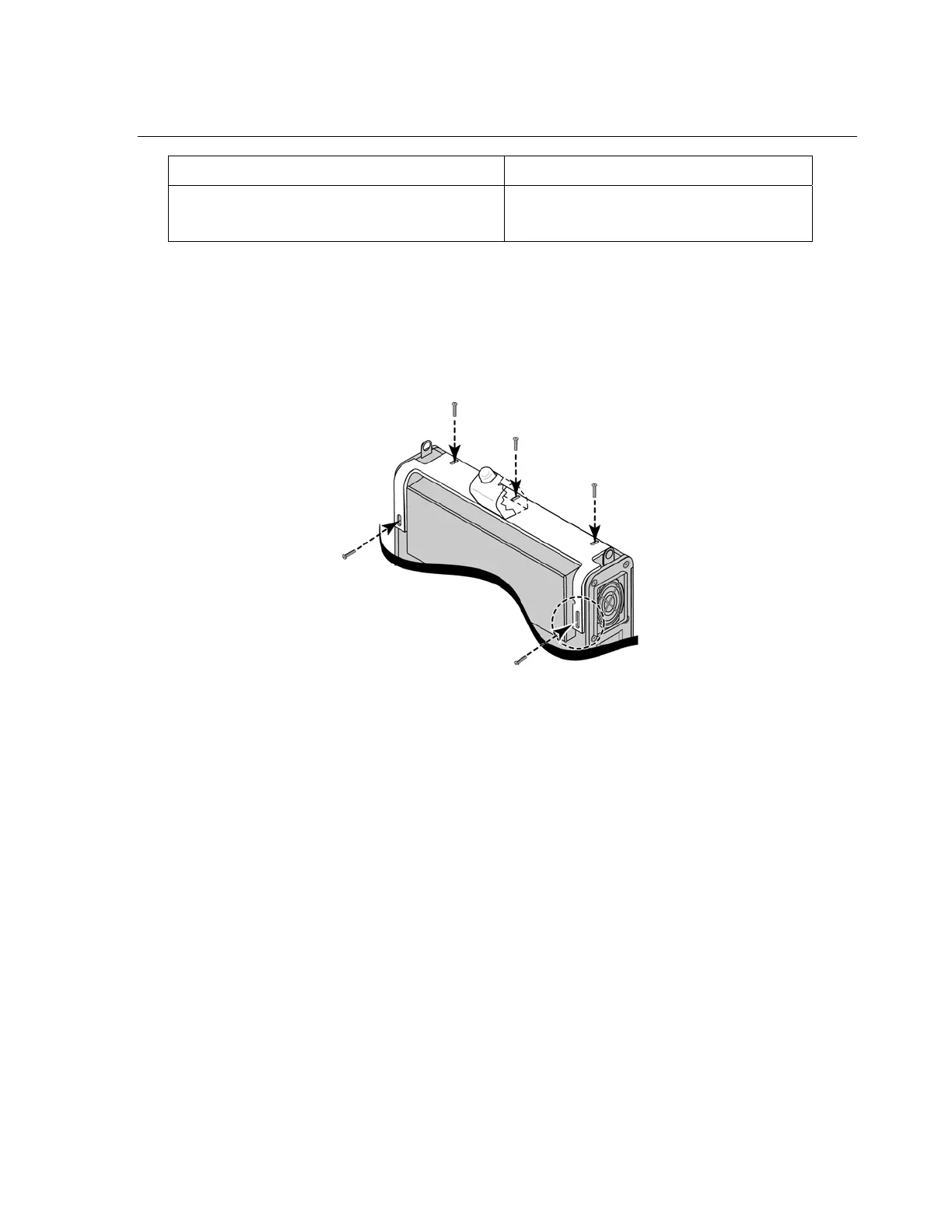
1) Position the ventilator and mounting assembly as shown in the illustration below.
2) Place the mounting assembly onto the ventilator and align the screw slots with the
corresponding screw holes in the ventilator.
3) Insert and thread five #4-40 X 3/8” pan-head screws (P/N 10879) through the screw
slots in the legs and top of the mounting bracket, as indicated in the illustration.
4) Torque tighten all five mounting screws to 60 in-oz (0.42 Nm). You may need to apply
some pressure to the back panel and housing to correctly align the threads and insert
the screws.



 To Next Page