p/n 18603-001, Rev. C LTV
®
1200/1150 Ventilator Service Manual Page 8-23
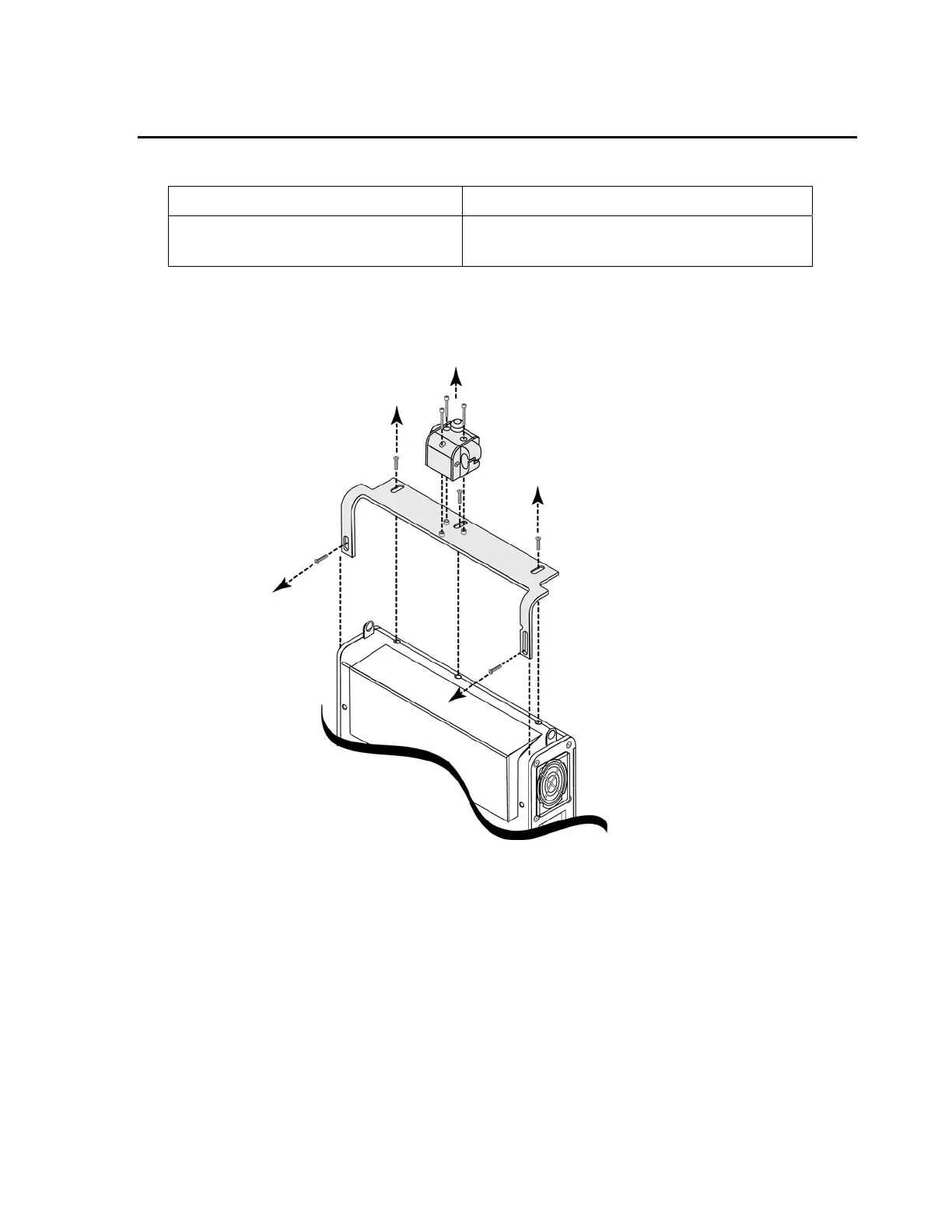
LTM/LTV mounting bracket temporary removal (earlier model LTM)
Parts required for replacement: Tools required:
• None • Phillips screwdriver with torque meter
• 7/64” Allen wrench
To temporarily remove the LTM/LTV mounting bracket:
1) Lay the disconnected ventilator on a clean dry surface. Use a 7/64” Allen wrench to
remove the three mounting block screws and mounting block, as shown below.
• Retain the screws for reuse when the mounting block is reinstalled.
2) Use a small Philips screwdriver and remove the five ventilator back panel mounting
screws and LTM/ LTV
®
mounting bracket, as shown. Retain the screws for reuse when
the Mounting bracket is reinstalled.



 To Next Page