Page 2-10 LTV
®
1200/1150 Ventilator Service Manual p/n 18603-001, Rev. C
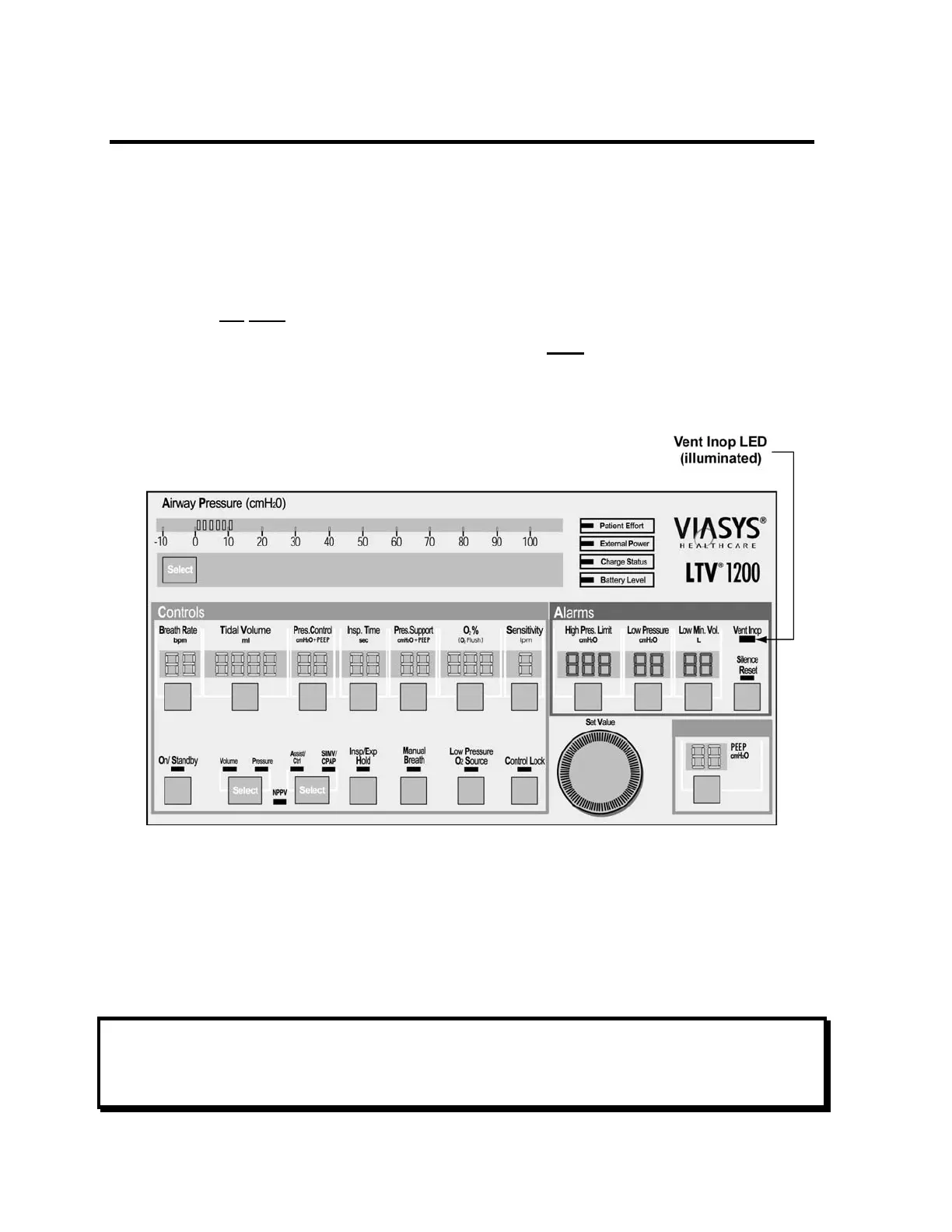
Vent Inop Alarm Test
The Vent Inop alarm test is used to verify that the Vent Inop alarm is working correctly.
To run the Vent Inop alarm test:
1) To run the Vent Inop alarm test, the ventilator must be on (running) for at least 60
seconds.
2) Turn the ventilator off by pressing and holding On/Standby for a minimum of 3
seconds. DO
NOT press Silence Reset.
3) Observe the ventilator for 15 seconds and verify that both
of the following occur;
• The alarm tone sounds continuously for a full 15 seconds.
• The Vent Inop LED illuminates continuously for a full 15 seconds.
4) When the test is complete, silence the alarm by pressing Silence Reset.
5) Verify a confirming audible chirp sounds after the alarm is silenced.
If the ventilator fails the Vent Inop alarm test, see Chapter 7 - Troubleshooting for more
information.
NOTE
Although the LTV
®
1200 Front Panel is shown, the test is applicable to the LTV
®
1150
Ventilator.



 To Next Page