p/n 18603-001, Rev. C LTV
®
1200/1150 Ventilator Service Manual Page 6-5
Entering Vent Maintenance Mode
WARNING
Ventilator Checkout and Maintenance Modes - The LTV
®
1200/1150 ventilator does not
deliver gas during the ventilator Checkout mode (VENT CHECK) or ventilator Maintenance mode
(VENT MTNCE) and should not be used to ventilate a patient during these tests.
The Ventilator Maintenance menu is not enabled when the ventilator is powered up
normally. To enable the Ventilator Maintenance menu:
1) Turn the ventilator off.
2) Place the ventilator in an ESD-safe environment, and use ESD controls.
3) Remove the back panel of the ventilator. For instructions see Chapter 8 - Component
Removal and Replacement.
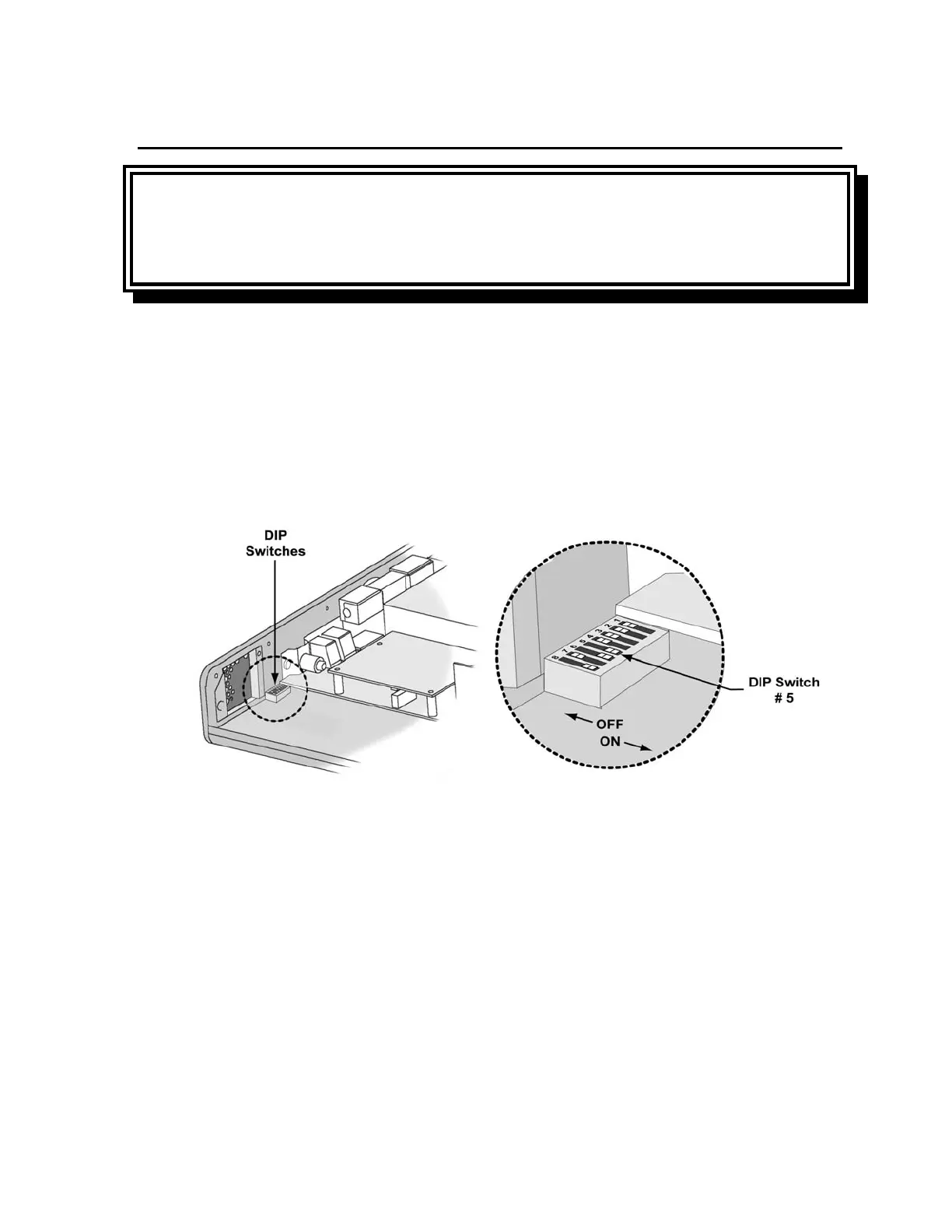
4) Locate DIP switch #5 and set it to ON (see illustration)
5) Turn the ventilator on.



 To Next Page