Page 8-88 LTV
®
1200/1150 Ventilator Service Manual p/n 18603-001, Rev. C
Memory Board
The memory board contains the software that operates the ventilator. The memory board
should need to be replaced only when upgrading the software to a new version. It is a
generally a good practice to upgrade the ventilator software to the most current released
version at the time the ventilator is being serviced. This will ensure the advantage of all new
features and reliability improvements.
CAUTION
Software Version– Never install a version of software lower than the version originally
installed. Erroneous operation may result from the installation of incompatible software.
Generally, LTV
®
ventilator software is designed to be backwards-compatible.
Parts required for replacement: Tools required:
• Programmed Memory PCBA P/N 18301-001 • Phillips screwdriver with torque meter
• Grounded anti-static wrist strap
To remove the Memory Board:
1) Remove the ventilator back panel and disconnect the internal battery cable from the
power board (see instructions on page 8-28).
CAUTION
Anti-static precautions - It is especially important to observe ESD (Electro Static
Discharge) precautions whenever handling the memory board. Always wear a grounded
anti-static wrist strap when handling the ventilator with the case open.
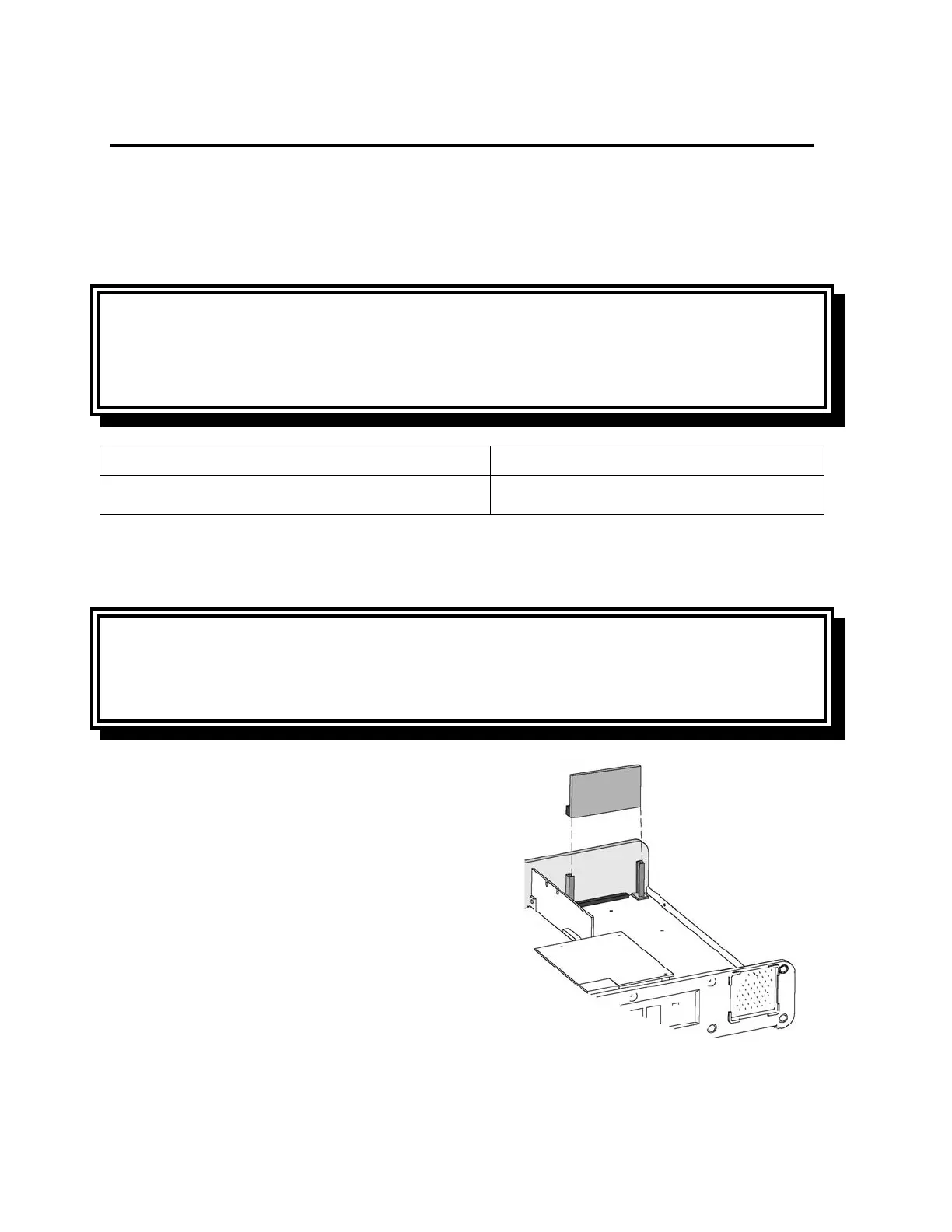
2) Remove the programmed memory PCBA from
its supporting rails by gripping the corners
firmly between two fingers and pulling
upwards.



 To Next Page