Top climate system
with LUBING Touch Controller
Copyright © Lubing System - All rights reserved
32
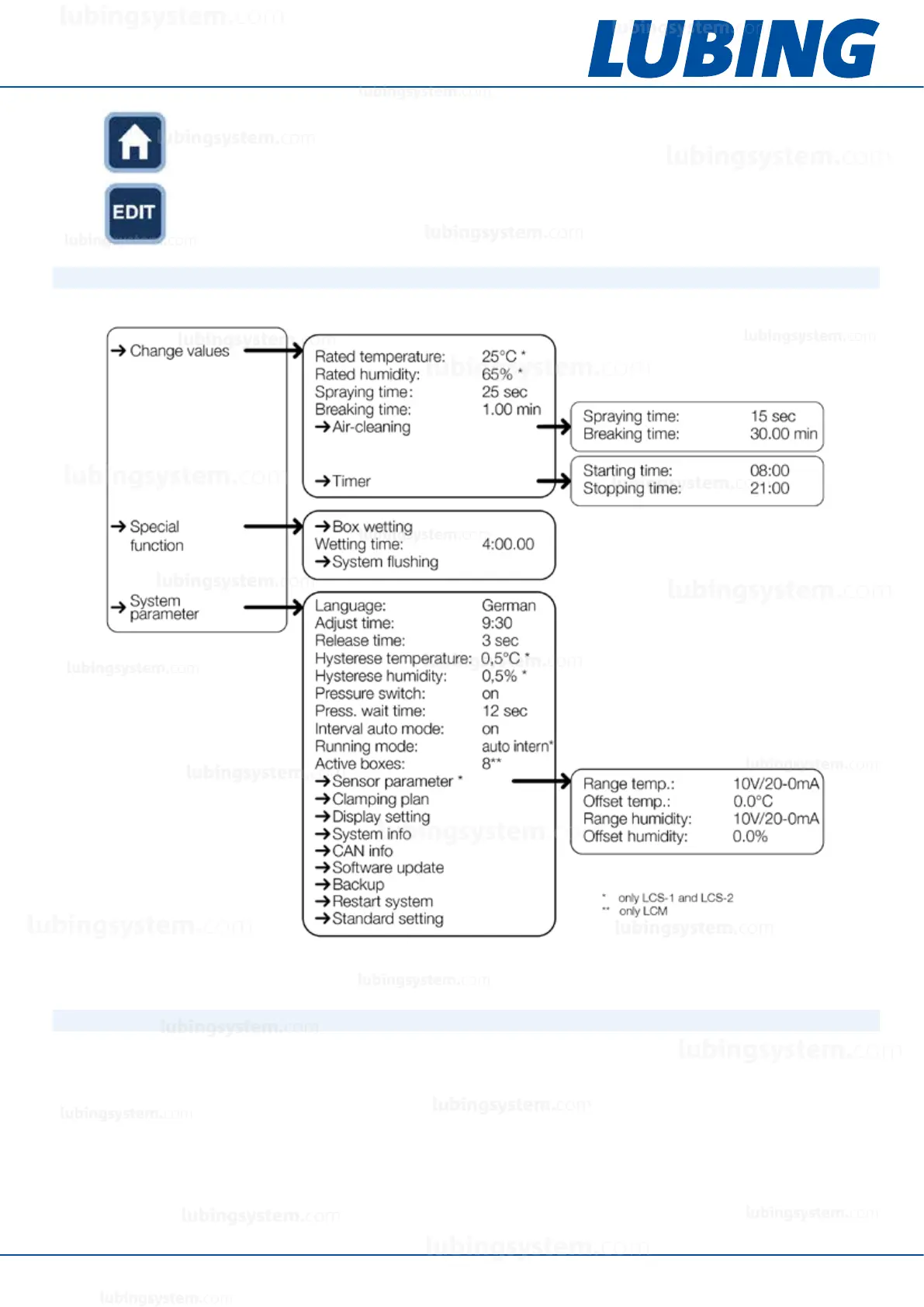
The HOME button returns to the standard screen.
The EDIT key can be used to change variable values.
5.7.2 Menu overview
5.7.3 Start-up
After installation, the controller is immediately ready for operation. You can change the language as required.
Proceed as follows:
1. use the OPTION key to select the third main menu “System parameters”.
2. press the OK key to enter the “Language” menu item.
3. after selecting the menu item (EDIT), the desired language can be set with the “+” and “-” keys.
4. the change must then be conrmed with the OK key.
If you want to use the “Daily timer” function, you have to adjust the time. Proceed as follows:
1. use the OPTION key to select the third main menu “System parameters”.
2. press the OK key to enter the “Adjust time” menu item.
3. after selecting the menu item (EDIT), the time can be set with the “+” and “-” keys.
lubingsystem.com
lubingsystem.com
lubingsystem.com
lubingsystem.com
lubingsystem.com
lubingsystem.com
lubingsystem.com
lubingsystem.com
lubingsystem.com
lubingsystem.com
lubingsystem.com
lubingsystem.com
lubingsystem.com
lubingsystem.com
lubingsystem.com
lubingsystem.com
lubingsystem.com
lubingsystem.com
lubingsystem.com
lubingsystem.com
c
lubingsystem.com
lubingsystem.com


 To Next Page