Page 26 of 60
Diagram 2.5-13
.
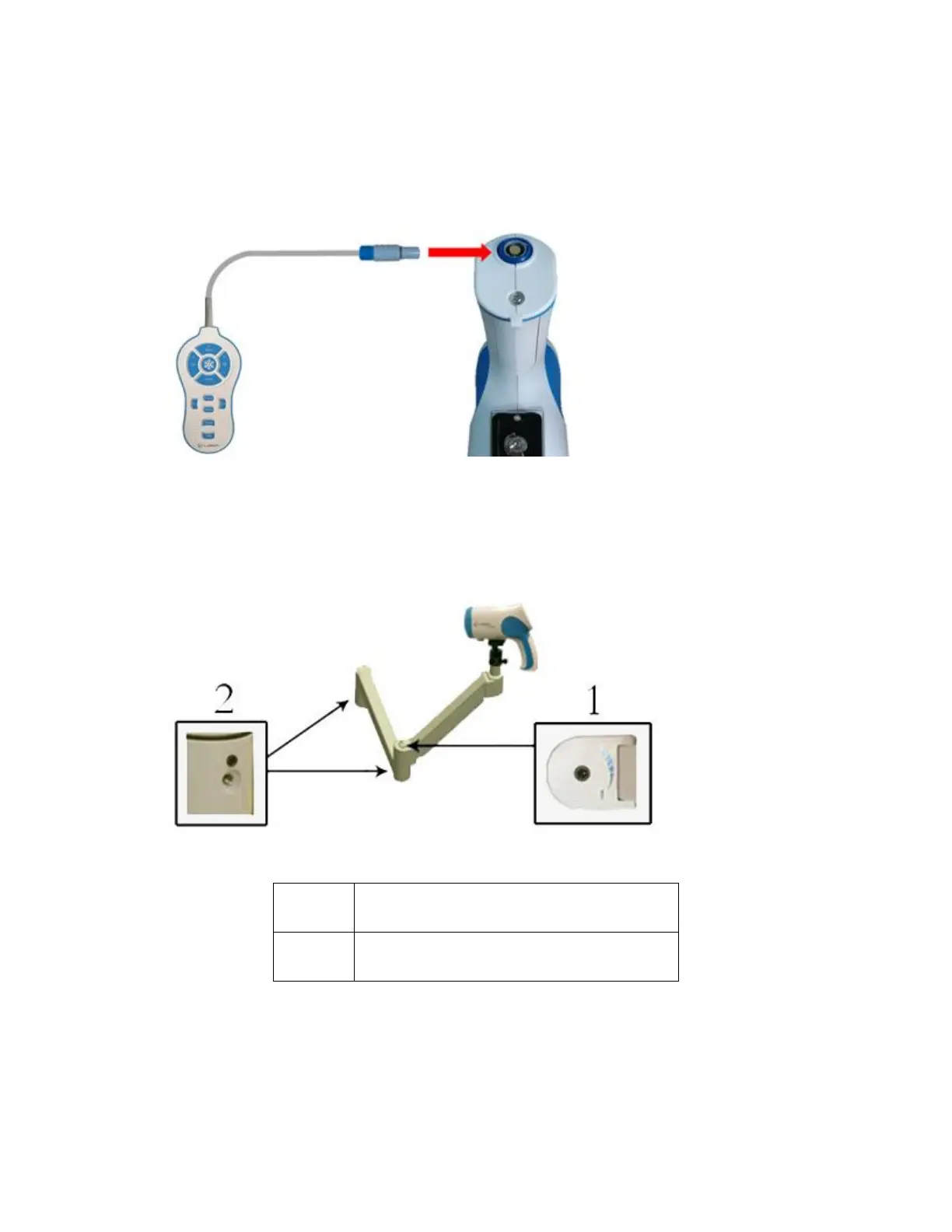
13. Plug the remote into the connector located on the bottom of the colposcope camera handle.
NOTE: There are 2 protruding bars on top of the remote cable connector. These bars will fit into the grooves
on the connector located on the bottom of the colposcope handle. Make sure to match the bars to the
grooves. The cable will plug in easily. Do not force it in.
Diagram 2.5-15
14. Sometimes, the user may wish to change the default tension set for the swing arm. The swing arm is
adjusted to swing and move easily but with enough tension on it so as not to swing wildly. To adjust the
tension of the swing arm, use a M3 hexagonal wrench on the following sections of the swing arm.
Diagram 2.5-16
This area can be adjusted to increase or
decrease the resistance to the up and
down motion of the swing arm.
This area can be adjusted to increase or
decrease the resistance to the left and
right motion of the swing arm.



 To Next Page