Page 35 of 60
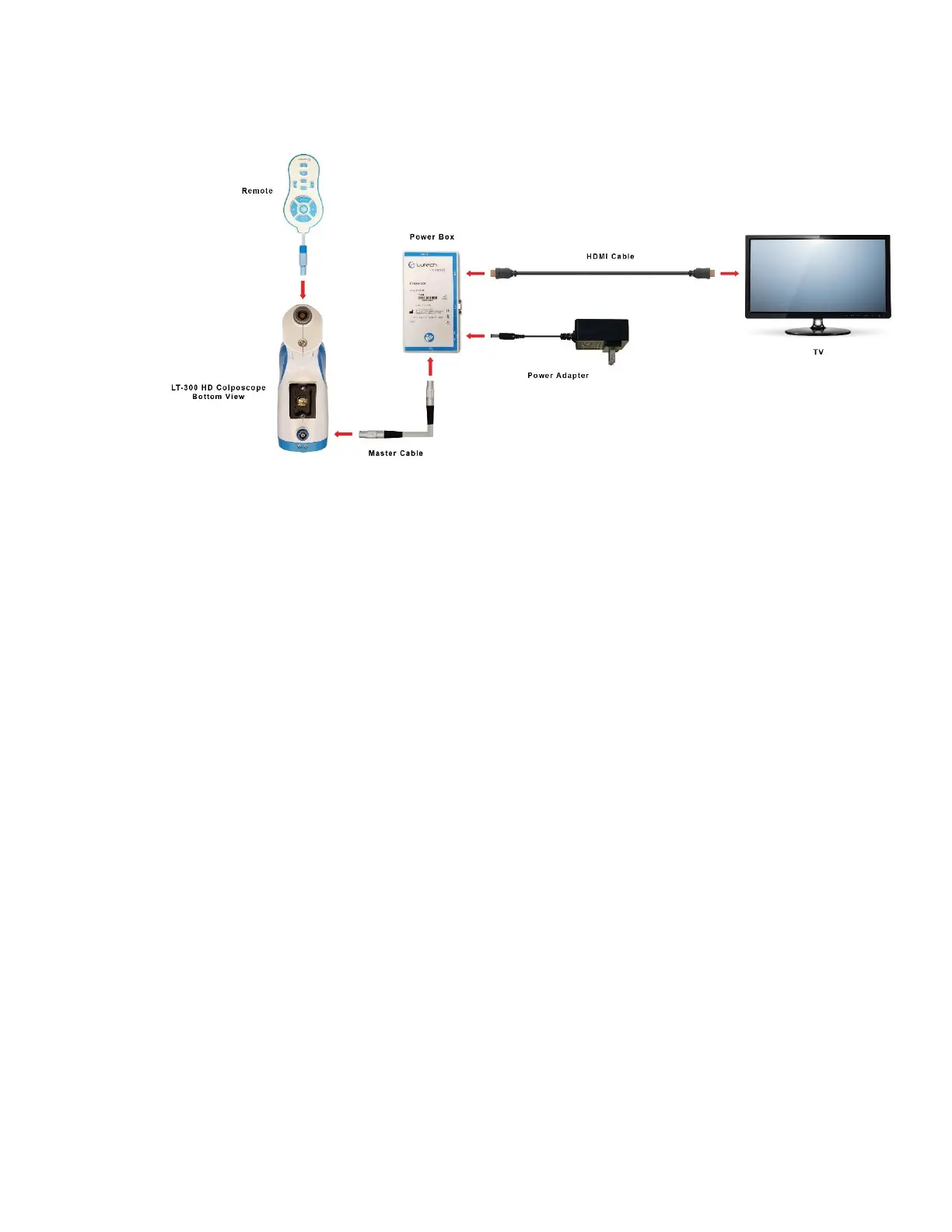
The colposcope is now connected to the TV and is ready for use.
The following is a diagram of the connections:
Diagram 4.1-2
CAUTION:
• Do not disconnect from AC power without first turning the camera and the power box off or you may damage the
camera or power box components.
• Do not disconnect any cables without first turning the camera and the power box off or you may damage the
camera or power box components.
4.2 Computer Setup
If you would like to save pictures or videos and create reports, then the colposcope must be connected to a
computer and the computer must have a video software that can take live streaming video and save it as a
picture or a video.
4.2.1 Connecting the Colposcope to a Computer
NOTE: To use the colposcope with a computer, it must be connected to an AC power source. It will not work
on battery power.
The power box connectors are all labeled in the front.



 To Next Page