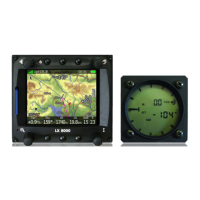
LX 10k
Basic operation
Document name: LX 10KUM
Document revision: R1
3.3 User input
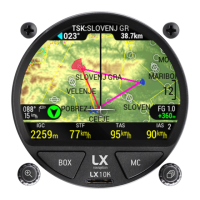
The LX 10k was envisioned to be simple and intuitive to use. There are two buttons and two
push-rotary buttons mentioned in the previous sub-section.
The LX 10k can also be commanded by an LX Joy. Learn more in the LX Joy section of this
manual.
3.3.1 Right push-rotary knob (PAGES)
The right push-rotary is used for the following functions:
• Changing between primary pages, clockwise for next, counter-clockwise for previous.
• Scrolling, turn clockwise for moving down, right or for choosing larger values, counter-
clockwise for moving up, left or cahnging by smaller values.
• Turning while being pressed, acts as noted above, by 10-fold.
• Pressing, acts as ’Confirm’, ’Enter’
• Holding it, while in a navigation page, will open the ’NavBox select’ sub-page
3.3.2 Left push-rotary knob (ZOOM)
The left push-rotary is used for the following functions:
• Zooming, turn clockwise to zoom in, counterclockwise to zoom out
• Scrolling, moving down, right or for choosing larger values, clockwise for moving down
or changing by larger values, by 10-fold
• Pressing, acts as ’Cancel’, ’Exit’
• Turning while being pressed, acts as noted above, by 100-fold.
3.3.3 Right push button (MC)
The right push button is used for opening the MC sub-page, which gives us the MC sub-page,
while in any primary page. This page can be used for setting, Volume, MacCready, Ballast,
Bugs, QNH and Brightness.
3.3.4 Left push button (BOX)
The left push button is used for changing the NavBox lines on all four navigation pages.
Holding it will open the ’NavBox select’ sub-page, and pressing it will slide through the three
dedicated NavBox lines and hide it with the fourth click.
Device manual Public 15


 To Next Page