LX 10k
Advanced operation
Document name: LX 10KUM
Document revision: R1
4.3 Flarm radar page
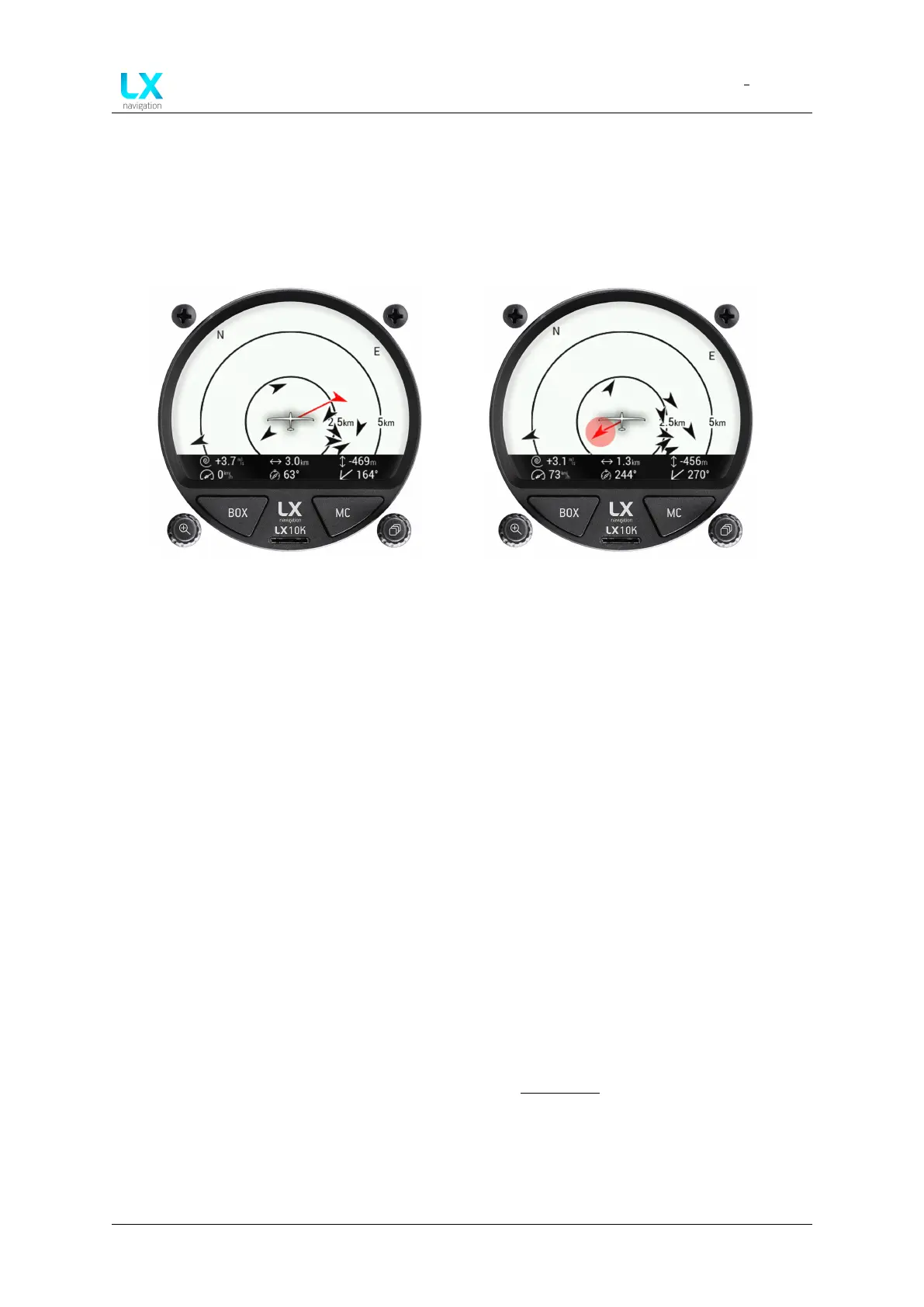
The Flarm radar page shows all surrounding objects reported to the LX 10k by a Flarm device.
If the said Flarm device has an ADS-B module, the LX 10k will show ADS-B objects as well.
Flarm objects are shown on a radar screen with track-up orientation.
Figure 36. Flarm radar screen Figure 37. Flarm radar select circle
Gliders presented as a dot on the screen, are gliders where pilots have intentionally activated
the PRIVACY mode on their Flarm unit. Gliders in privacy mode send limited data strings and
can’t be visualized completely. However, all warnings will appear regardless of privacy mode.
Pressing the right push-rotary knob will invoke the selection of a Flarm object to follow. For a
selected object, relative altitude and vertical speed of object will be displayed on the screen,
as depicted on Flarm radar select circle.
Rotating the left push-rotary knob will change the zoom of the flight radar screen and pressing
it will open the Flarm objects sub-page. In the Flarm sub-page, a list of all visible aircraft is
shown. A green dot next to the name of the object shows which object has been select for
additional info on the Flarm radar page. Object ID and distance is also shown.
By choosing an object and pressing the right push-rotary knob, additional information can be
seen and/or edited, for each object:
• Callsign
• Pilot
• Airfield
• Registration number
• Frequency
• Flarm ID (always non-changeable)
The LX 10k supports FlarmNET database files, check Flarm NET section for additional infor-
mation.
Device manual Public 40



 To Next Page