LX 10k
Vario Indicator Unit
Document name: LX 10KUM
Document revision: R1
7.1 The digital vario unit
The digital vario unit has three main pages:
• Main page
• Thermal assistant page
• Vario setup page
The digital vario unit has a single push-rotary knob, labeled with a loudspeaker. This push-rotary
is used for commanding the indicator in two ways:
• Rotating the push-rotary will change the volume of the vario/SC tune
• Pressing the push-rotary shortly will transition to the Thermal assistant page
• Long-pressing the push-rotary knob for 2 seconds will open the Setup menu on the vario
indicator unit.
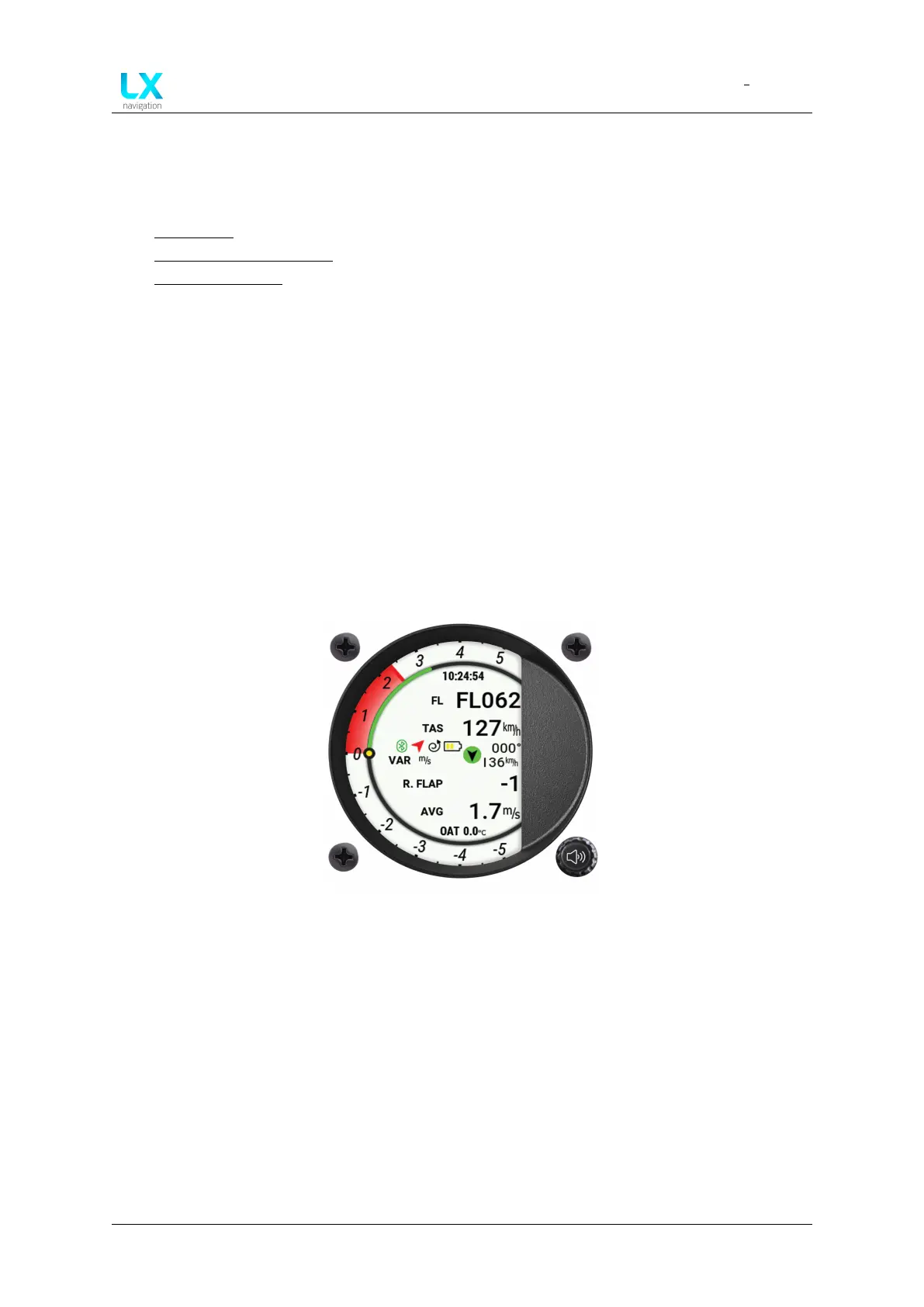
7.1.1 Main page
The main page holds primary flight information. It consists of the digital needle scale, which
is shown on all pages, a clock, either two or four user settable indicators, status indicators, a
wind indicator and an OAT indicator.
Figure 78. Main page overview
7.1.1.1 Digital needle scale
The digital indicator does not use a needle-type pointer for showing values on the circular
scale, but rather a solid colour.
Positive values are shown with a solid red arc, ranging from 0 to the actual value. Negative
values are shown with a solid blue, ranging from 0 to the actual value. The solid arcs with their
large surface and potent colours help show the desired values in a very clear attention-drawing
manner. The impact of solid area digital needles is shown with the two figures below.
Device manual Public 83



 To Next Page