LX 10k
Advanced operation
Document name: LX 10KUM
Document revision: R1
4.5 G-force page
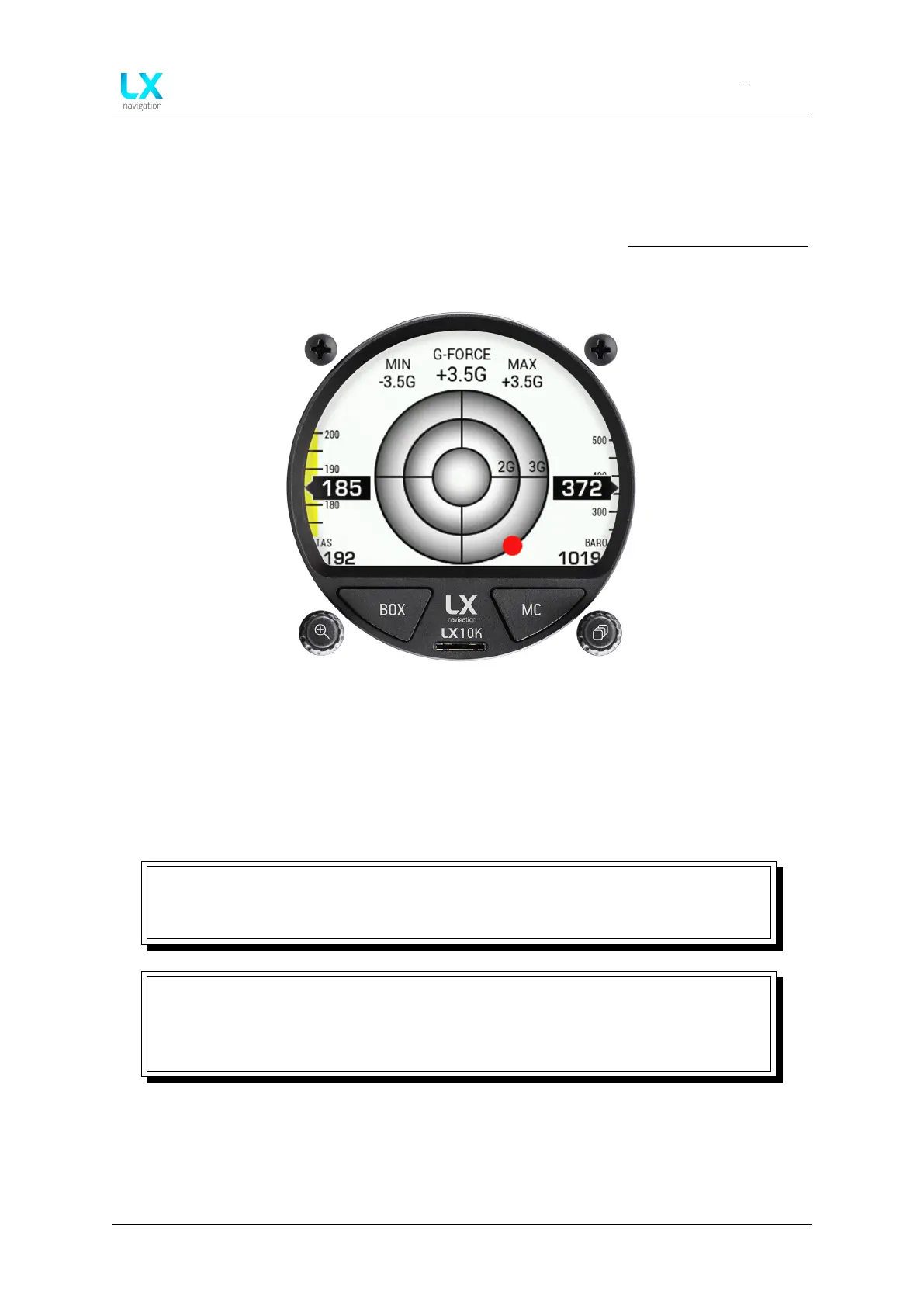
This page utilizes the LX 10k’s internal inertial platform for showing the current, maximum and
minimal G-loading during a flight, both numerically and graphically. The page also shows the
IAS sliding tape, TAS, altitude sliding tape and QNH, as depicted on the Thermal assistant page.
Your current G-load is shown graphically with a red dot.
Figure 43. G-force page overview
Pressing the right push-rotary knob will open the ’G-force options’ sub-page, where you can
reset the Min. and Max. values to zero.
Rotating the left push-rotary knob will change the scale of the G-force circles.
NOTE
1 G corresponds to the average acceleration of the Earth’s gravity field on it’s
surface, or 9, 81m/s
2
.
NOTE
It is important to note, that the LX 10k shows accelerations in the Y-Z plane, as
depicted by Fig. 44., meaning no longitudinal accelerations are shown. If the plane
is experiencing an acceleration of 1 G in the X axis the LX 10k will show 0 G.
Device manual Public 45



 To Next Page