LX 10k
Advanced operation
Document name: LX 10KUM
Document revision: R1
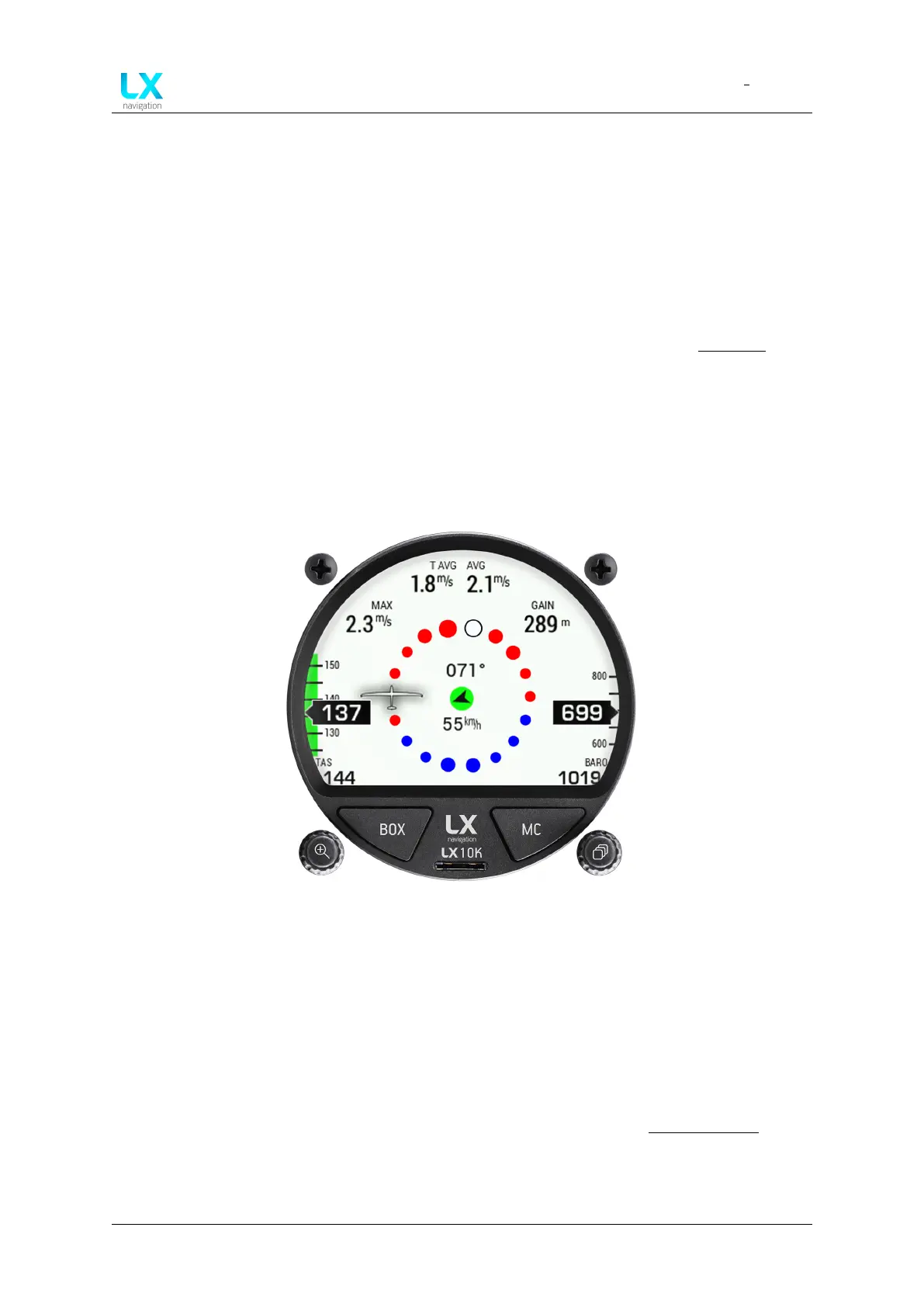
4.2 Thermal assistant page
The Thermal assistant page is a pilot’s best friend while thermalling. It is designed to provide
the pilot with all relevant information while in a thermal.
The TA page incorporates four NavBoxes, showing the following parameters:
• T AVG - shows the average vertical speed for the whole thermal, since the device detected
the start of circling, up to the current point in time
• AVG - shows the integrated vertical speed for the time duration set in the Vario/SC setup
menu
• MAX - the maximum variometer value in the last circle (360 degree turn). This is the same
value as is represented by white dot on TA page.
• GAIN - shows the accumulated altitude from the start of circling. The GAIN NavBox
shows the difference between current altitude and altitude recorded at the start of cir-
cling, which means this value can also be negative.
Figure 34. Thermal assistant page overview
On the left side, the IAS sliding speed tape is present, with the appropriate colour arcs, as well
as the TAS, displayed below the speed tape.
On the right side, the altitude sliding tape is present, as well as set QNH in a box below the
speed tape.
In the middle of the screen, we can see the actual Thermal assistant, embodying the Wind
indicator. The Wind indicator works much the same as already noted in Wind indicator.
The Thermal assistant is an indicator, whose main function is to map the strength of the
thermal in the last full circle and give the pilot an idea of his actual position in the thermal, thus
Device manual Public 38



 To Next Page