www.lynxspring.com
®
USER GUIDE
Lee’s Summit, MO 64086
sales@lynxspring.com
All Rights Reserved
Revised 2/1/2019
JENE-EG534-V2
Page 15 of 31
Figure 3-9 Select Onyxx Driver input type for each universal input
For most I/O platforms, any of the following are valid universal input choices:
• VoltageInputPoint - NumericPoint that reads a 0-to-10Vdc input signal and produces either a voltage
value or linear scaled output value
• ResistiveInputPoint - NumericPoint that reads a resistive signal within a 0-to-100K ohm range and
produces either an ohms value or linear scaled output value
• ThermistorInputPoint - NumericPoint that reads a Thermistor temperature sensor (Type 3, or other) signal
and produces a scaled output value
• CurrentInputPoint - NumericPoint that reads 4mA to 20mA and produces an amperage value
• CounterInputPoint - NumericPoint that counts the number of contact closures at the input
• BooleanInputResistive - BooleanPoint that reads the resistive input as one of two boolean states
(equipment status); if the measured resistance level becomes higher than the threshold level, the point will
output false
• BooleanInputVoltage - BooleanPoint that reads the voltage input as one of two boolean states
(equipment status); if the measured resistance level becomes higher than the threshold level, the point will
output true
• BooleanInputCurrent - BooleanPoint that reads the current input as one of two boolean states
(equipment status); if the measured resistance level becomes higher than the threshold level, the point will
output true
Selecting any Type other than Boolean creates a standard NumericPoint, with a specified OnyxxInputProxy
extension. Selecting BooleanInputPoint creates selections result in a BooleanPoint with an
OnyxxBooleanInputProxy extension. For more details, see “About Onyxx Driver Proxy points” on page 16.
Note: After adding an Onyxx Proxy point, the name, port address, conversion, and facets are all editable; type
is not. To change type, the point must be deleted and added again, selecting from the Type drop-down
menu, as shown in
Figure 3-9. The ResistiveInputPoint and ThermistorInputPoint are identical, except for the
conversion type used in the ProxyExt.
Output type selection notes
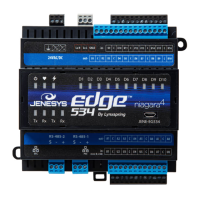
JENEsys Edge 534 devices and Onyxx extender modules have 10 digital outputs (DO) and 8 analog Output (AO)
terminals. For any discovered output I/O terminal, the Add dialog preselects the appropriate writable OnyxxPoint
type, as either:
• BooleanOutputWritable: A standard BooleanWritable point, with an OnyxxBooleanOutput Proxy
extension
• VoltageOutputWritable: A standard NumericWritable point, with an OnyxxVoltageOutput Proxy extension


 To Next Page
 Loading...