www.lynxspring.com
®
USER GUIDE
Lee’s Summit, MO 64086
sales@lynxspring.com
All Rights Reserved
Revised 2/1/2019
JENE-EG534-V2
Page 5 of 31
Pg. 50 – 51 - Connecting to a serial system shell:
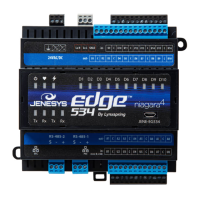
Set the Bits Per Second to 115200 for the JENEsys-Edge 534. (Step 5)
Steps 6 and 7 are not applicable to the JENEsys-Edge 534.
In Step 8, the movement of a jumper is not applicable to the JENEsys-Edge 534.
Platform Guide Addendum
Please note the following amendments to Niagara Documentation “docPlatform” in regards to the operation of the
JENEsys Edge 534:
Pg. 40 - Downgrading a JACE:
While there is a clean dist file for the JENEsys Edge 534 to restore it to a factory-like default, downgrading
beyond 3.8.111 is not available.
Pg. 41
1st Note:
The clean dist file for the JENEsys Edge 534 is only available on Lynxspring’s website.
2nd Note:
The JENEsys Edge 534 – AX is only available in builds 3.8.111 and 3.8.401, as of the date this
document was published.
Pg. 43 - Upgrading a JACE:
The JENEsys Edge 534 – AX can only be upgraded from 3.8.111 to 3.8.401. Lynxspring’s custom core files
and Onyxx drivers are required.
Pg. 47 - GPRS Modem Configuration:
The JENEsys Edge 534 does not support GPRS.
Pg. 95 - Wi-Fi Configuration:
At the time of publication of this document, the JENEsys Edge 534 does not support Wi-Fi.
Pg. 145 - Driver Types:
Some drivers are not supported by the JENEsys Edge 534.


 To Next Page
 Loading...