EasyManua.ls Logo

Magnetrol Eclipse 706 - User Manual

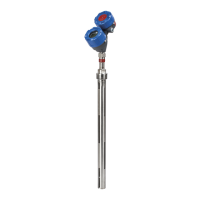
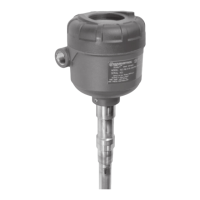
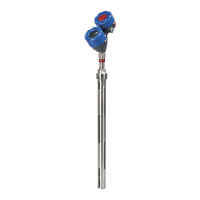
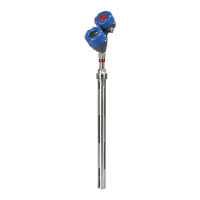
Magnetrol Eclipse 706
68 pages
Print Icon
To Next Page IconTo Next Page
Loading...


 

Software Version 1.x
High Performance, 4th Generation
Guided Wave Radar
Level Transmitter



Table of Contents

Questions and Answers

  • K
    Kevin HarringtonSep 6, 2025
    What to do if my Magnetrol Eclipse 706 Transmitter shows 'EoP Above ProbeEnd'?
    • G
      Gary HaleSep 7, 2025
      To fix an 'EoP Above ProbeEnd' error on your Magnetrol Transmitter, check the following settings: Probe Length, Decrease Sensitivity, and Increase Blocking Distance. View the Echo Curve.
  • N
    Nicholas CampbellAug 22, 2025
    What to do if I get a software error on my Magnetrol Transmitter?
    • A
      Adam ThomasAug 22, 2025
      If you encounter a software error with your Magnetrol Transmitter, it is recommended to contact MAGNETROL Technical Support for assistance.

  • M
    Matthew JonesSep 4, 2025
    How do I resolve a Low Elec Temp error on my Magnetrol Transmitter?
    • N
      Nicole PierceSep 4, 2025
      To address a Low Elec Temp issue with your Magnetrol Transmitter, insulate the transmitter or locate it remotely in a cooler area.
  • A
    ayoungSep 2, 2025
    What does it mean when my Magnetrol Eclipse 706 says 'No Fiducial'?
    • J
      Johnny MasseySep 2, 2025
      If your Magnetrol Transmitter is showing a 'No Fiducial' error, torque the HF nut and clean the gold pin on the transmitter and socket on the probe. Also, check the following settings: Fiducial Gain, HF Cable Length, Window Increase, and Fid Gain. If problems continue, contact MAGNETROL Technical Support.
  • T
    Tyler WatkinsSep 1, 2025
    How do I troubleshoot a High Volume Alarm on my Magnetrol Transmitter?
    • L
      Laura PottsSep 1, 2025
      If your Magnetrol Transmitter is showing a High Volume Alarm, check the settings for Vessel Dimensions and Custom Table entries.
  • K
    Krystal ClaytonAug 30, 2025
    What should I do if my Magnetrol Transmitter displays a 'No Probe' error?
    • K
      Kara FordAug 30, 2025
      If your Magnetrol Transmitter is showing a 'No Probe' error, ensure that the 'Model 706 Style' probe is attached. Torque the HF nut, and clean the gold pin on the transmitter and the socket on the probe. If problems continue, contact MAGNETROL Technical Support.
  • D
    daniel78Aug 29, 2025
    What to do if my Magnetrol Transmitter has an Echo Lost error?
    • J
      Joshua NicholsAug 29, 2025
      To address an Echo Lost issue on your Magnetrol Transmitter, check the following settings: Upper Dielectric, Blocking Distance, and Sensitivity. Ensure the Upper Level is below the blocking distance. Also, view the Echo Curve.
  • L
    Lawrence BurnsAug 27, 2025
    What does 'Calibration Req’d' mean on my Magnetrol Eclipse 706 Transmitter and how do I fix it?
    • G
      grant29Aug 27, 2025
      If your Magnetrol Transmitter displays 'Calibration Req’d', return the transmitter to the factory for recalibration.
  • W
    Walter BaileyAug 27, 2025
    How to fix a High Elec Temp error on Magnetrol Eclipse 706?
    • M
      Mario CoxAug 27, 2025
      To resolve a High Elec Temp issue with your Magnetrol Transmitter, shield the transmitter from the heat source or increase air circulation. Alternatively, locate the transmitter remotely in a cooler area.
  • C
    connie57Aug 25, 2025
    What to do if Totalizer Data is lost on Magnetrol Eclipse 706 Transmitter?
    • L
      Luis WagnerAug 25, 2025
      If the Totalizer Data is lost on your Magnetrol Transmitter, it is recommended to contact MAGNETROL Technical Support for assistance.

Summary

1.0 FOUNDATION Fieldbus

1.1 Overview

Digital communications system for interconnecting field devices, similar to DCS but with differences in wiring and control distribution.

1.2 Device Description (DD)

Technology for interoperability, providing extended descriptions for each object and information needed by the host system.

1.3 Link Active Scheduler (LAS)

Controls communication on a FOUNDATION fieldbus segment, maintaining the 'Live List' and coordinating timing.

1.4 Intrinsic Safety

Supports Intrinsic Safety applications with bus-powered devices via barriers or galvanic isolators.

2.0 Standard Function Blocks

2.1 Overview

Describes function blocks used in FOUNDATION fieldbus devices to provide control system behavior, including RB, TB, AI, and PID blocks.

2.1.1 Universal fieldbus Block Parameters

General descriptions of parameters common to all function blocks, such as ST_REV, TAG_DESC, STRATEGY, ALERT_KEY, MODE_BLK, BLOCK_ERR.

2.2 Resource Block (RB)

Describes device characteristics like name, manufacturer, serial number; has no control function.

2.2.1 Resource Block Parameters

Lists and explains parameters specific to the Resource Block, including mode, revision, and features.

2.2.2 Additional Resource Block Parameters

Parameters for NE-107 to aid in communicating device conditions, such as FD_VER, FD_FAIL_ACTIVE, FD_OFFSPEC_ACTIVE.

2.3 Transducer Block

Custom blocks containing parameters pertinent to the transmitter itself, used for level, volume, and flow.

2.3.1 Transducer Block Parameters

Discusses universal parameters and device-specific parameters like UPDATE_EVT, BLOCK_ALM, DEVICE_STATUS.

2.3.2 Password Parameters

Details local and host system password protection for configuration changes; default password is 1.

2.3.3 Model 706 FF Configuration Parameters

Highlights the advantage of pre-configured devices for the Model 706 FF GWR transmitter.

2.3.4 Device-Specific Configuration Parameters

Refers to the I/O Manual BE 57-606 for detailed device-specific configuration parameters.

2.4 Analog Input Block

Takes transmitter input data by channel number and makes it available to other function blocks.

2.4.1 AI Block Parameters

General descriptions of parameters common to all function blocks, applicable to AI blocks.

2.4.2 AI Block Diagnostics

Lists conditions that can cause an AI block to display a BLOCK_ERR diagnostic.

2.4.3 Local Display of Analog Input

Describes the feature allowing Analog Input block Out values to be displayed on the local LCD.

2.4.3.1 AI Out Display Screens

Explains how Analog Input Block Out values can be conditionally displayed on the LCD, including format and examples.

2.4.4 AI Block Configuration

Provides examples of typical AI Block configurations, illustrating probe length, offset, scaling, and L Type.

2.4.5 Simulation Feature

Explains the Simulate feature in the Analog Input block and the required hardware jumper.

2.5 PID Block

Contains logic for PID control, including filtering, set point limits, and feed-forward support.

2.5.1 PID Block Parameters

Lists parameters for the PID block, such as ACK_OPTION, ALARM_HYS, ALARM_SUM, ALERT_KEY, BAL_TIME.

3.0 Advanced Function Blocks

3.1 Integrator Block (IT)

Integrates one or two variables over time, compares to limits, and generates discrete output signals.

3.1.1 Integrator Block Parameters

Lists parameters for the Integrator block, such as TOTAL_SP, INTEG_OPTIONS, CLOCK_PER, PRE_TRIP.

3.2 Arithmetic Block (AR)

Provides range extension and applies nine arithmetic types for compensation or augmentation.

3.2.1 Arithmetic Block Parameters

Lists parameters for the Arithmetic block, such as ARITH_TYPE, BAL_TIME, BIAS, GAIN, OUT_HI_LIM.

3.3 Input Selector Block (IS)

Selects the first good, maximum, minimum, or average of up to four inputs and propagates signal status.

3.3.1 Input Selector Block Parameters

Lists parameters for the Input Selector block, such as SELECT_TYPE, MIN_GOOD, SELECTED, OP_SELECT.

3.4 Signal Characterizer Block (SC)

Approximates an input/output relationship using up to 21 X, Y coordinates for interpolation.

3.4.1 Signal Characterizer Block Parameters

Lists parameters for the Signal Characterizer block, such as CURVE_X, CURVE_Y, SWAP_2, GRANT_DENY.

4.0 Transmitter Configuration

4.1 Configuration Information

Outlines the key information required for configuration using the QuickStart menu for Level Only applications.

4.2 Menu Traversal and Data Entry

Details the four push buttons and hierarchical menu structure for navigation and data entry.

4.2.3 Entering Numeric Data Using Digit Entry

Describes the keystrokes for inputting numeric data like probe length or level offset using digit entry.

4.2.4 Entering Numeric Data Using Increment;Decrement

Explains how to input data using increment/decrement for parameters like Failure Alarm Delay.

4.2.5 Entering Character Data

Details the method for alphanumeric character entry, such as for tags.

4.3 Password Protection

Outlines the three levels of password protection for restricting access to menu structures and configuration values.

4.4 Model 706 Menu: Step-By-Step Procedure

Provides a guide to configure the transmitter based on measurement type (Level, Interface, Volume, Flow).

4.4.1 Home Screen Presentation

Describes the Home Screen sequence of Measured Values, showing device tag, value, status, and bar graph.

4.4.2 Main Menu and Navigation

Explains how to access the Main Menu from the Home Screen, showing DEVICE SETUP, DIAGNOSTICS, MEASURED VALUES.

4.5 Configuration Menu - Device Setup

Presents the configuration menu tree for Device Setup, including Quick Start, Identity, Basic Config, etc.

5.0 Troubleshooting and Diagnostics

5.1 Diagnostics Overview

Covers how the measurement engine runs self-tests and reports fault operations via the STATUS INDICATOR parameter.

5.1.2 Diagnostic Indication Simulation

Explains how to manipulate diagnostic indicators for verifying configuration and connected equipment.

5.1.3 Diagnostic Indicator Table

Lists Model 706 diagnostic indicators, priorities, explanations, and recommended remedies.

5.1.4 Diagnostic Help

Describes how to access diagnostic explanations and remedies via the DIAGNOSTICS menu on the LCD.

5.2 Diagnostic Parameters

Assigns proposed values for Quality, Sub-status, and Limit for various diagnostic conditions.

5.3 FOUNDATION fieldbus Segment Checklist

Lists requirements for establishing communication on a FOUNDATION fieldbus segment.

Appendices

Appendix A: Block Mode Operation (OOS)

Shows example screens indicating when a block should be set to Out of Service (OOS).

Appendix B: Transducer Block Tables

Contains tables listing parameters for Transducer, Volume, and Flow blocks.

Magnetrol Eclipse 706 Specifications

General IconGeneral
ModelEclipse 706
CategoryTransmitter
TypeGuided Wave Radar
TechnologyGuided Wave Radar (GWR)
ApplicationLiquid level measurement
Output Signal4–20 mA with HART, FOUNDATION Fieldbus, or Profibus PA
Power Supply9-32 V DC (Fieldbus)
Process ConnectionFlanged
Material316L stainless steel
Enclosure RatingIP67
ApprovalsATEX, IECEx, FM, CSA, SIL 2/3
Accuracy±1 mm or 0.1% of distance to target (whichever is greater)

Related product manuals