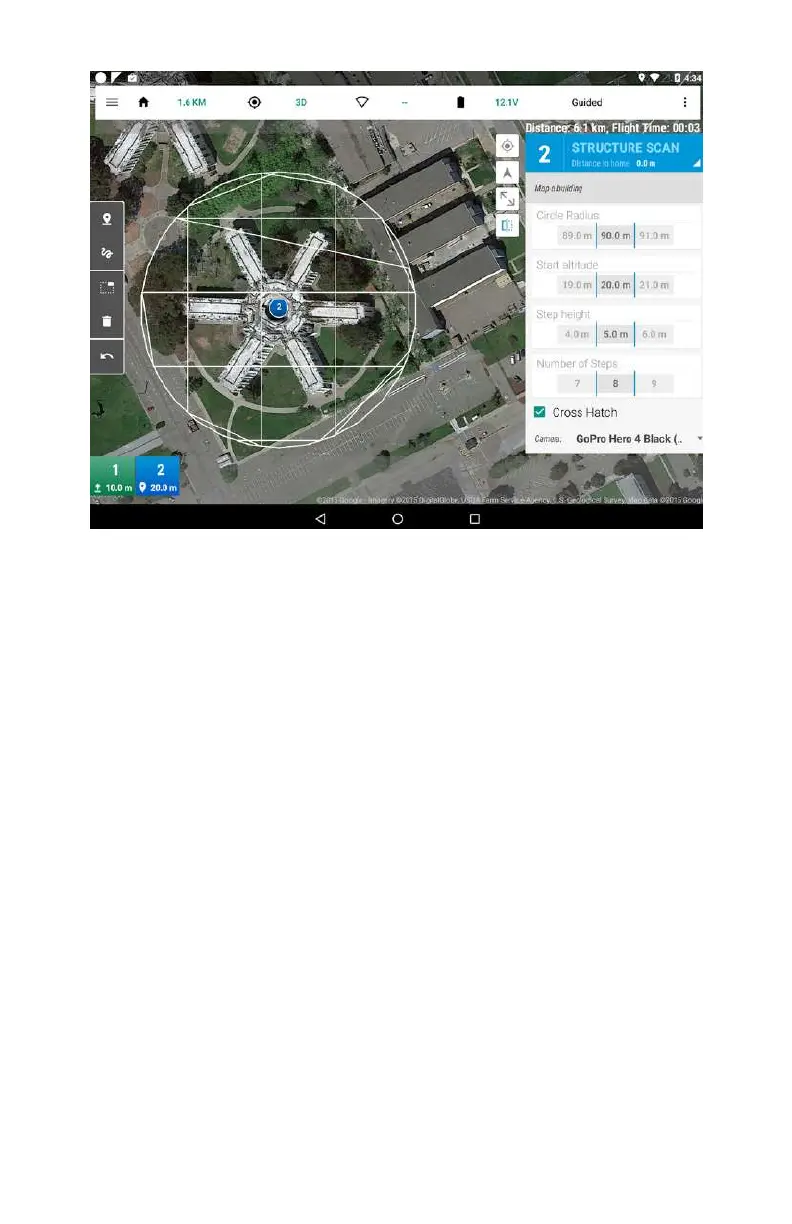
Figure 4-2. The Tower flight controller app from 3D Robotics
running on an Android tablet.
Step-by-Step Build Instructions
For this portion of the build, you will need:
•
One inch of foam double-sided tape
•
Scissors
•
Fine-point paint pen or Sharpie
•
Small zip ties
Step 1: Mount the Flight Controller
The APM flight controller will be mounted on the bottom plate of
the clean frame. Use two small pieces of double-sided tape at
either end of the flight controller to attach it firmly to the frame
(see Figures 4-3 and 4-4). Avoid using one large piece of tape,
which can be dicult to remove later. The tape does have some
vibration isolation qualities, so generally the thicker tape you
can find, the better (up to a degree; there’s no need for 1/2-inch
Flight Controller 83



 To Next Page