70
1.7. Complete the rmware updating
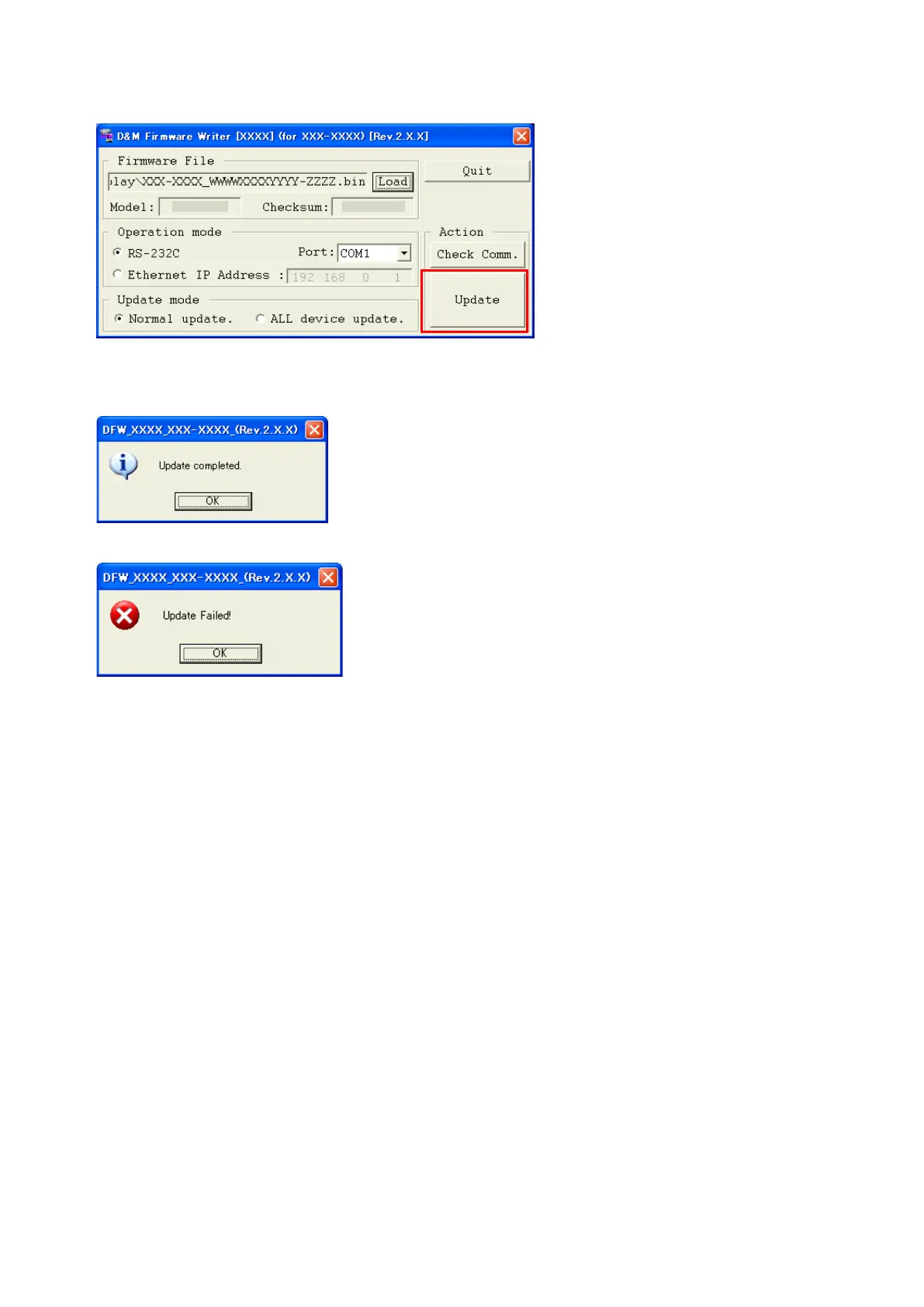
(1) Click the "Update" button.
(2) Whenwritingofthermwareiscompleted,thepowerofAVreceiverturnsonautomaticallyandyoucanseethe
"Update completed" message.
(3) Ifyoucan’tcompletethermwareupdate,pleaseretrythermwareupdatefrom"1.3.TurnontheAVreceiver".
1.8. Notice:
Pleasekeepthefollowingnoticeforrmwareupdate.
(a) Keep the PC environment
(b) Avoid the communication cable from the electrical noise source.
(e.g.telephonecable,ACline,auorescentlight)
(c) Don’t remove cable during update.
(d) Don’t turn off the power during update.
(e) Don’t run other PC application during update.
(f) Stop the resident program on PC (Virus checker and System check utility, etc.)
(g) Stop the screen saver on PC.
(h) Stop the power save ability on PC.
(i) In case of laptop PC, Use the AC adaptor.
Conrming the rmware’s number after upgraded
Afterupdatingthermware,checktheversion.Referto"
1. μcom/DSP Version display mode
" (22 page ).
XXXXXXX
XXXXXXXX



 To Next Page