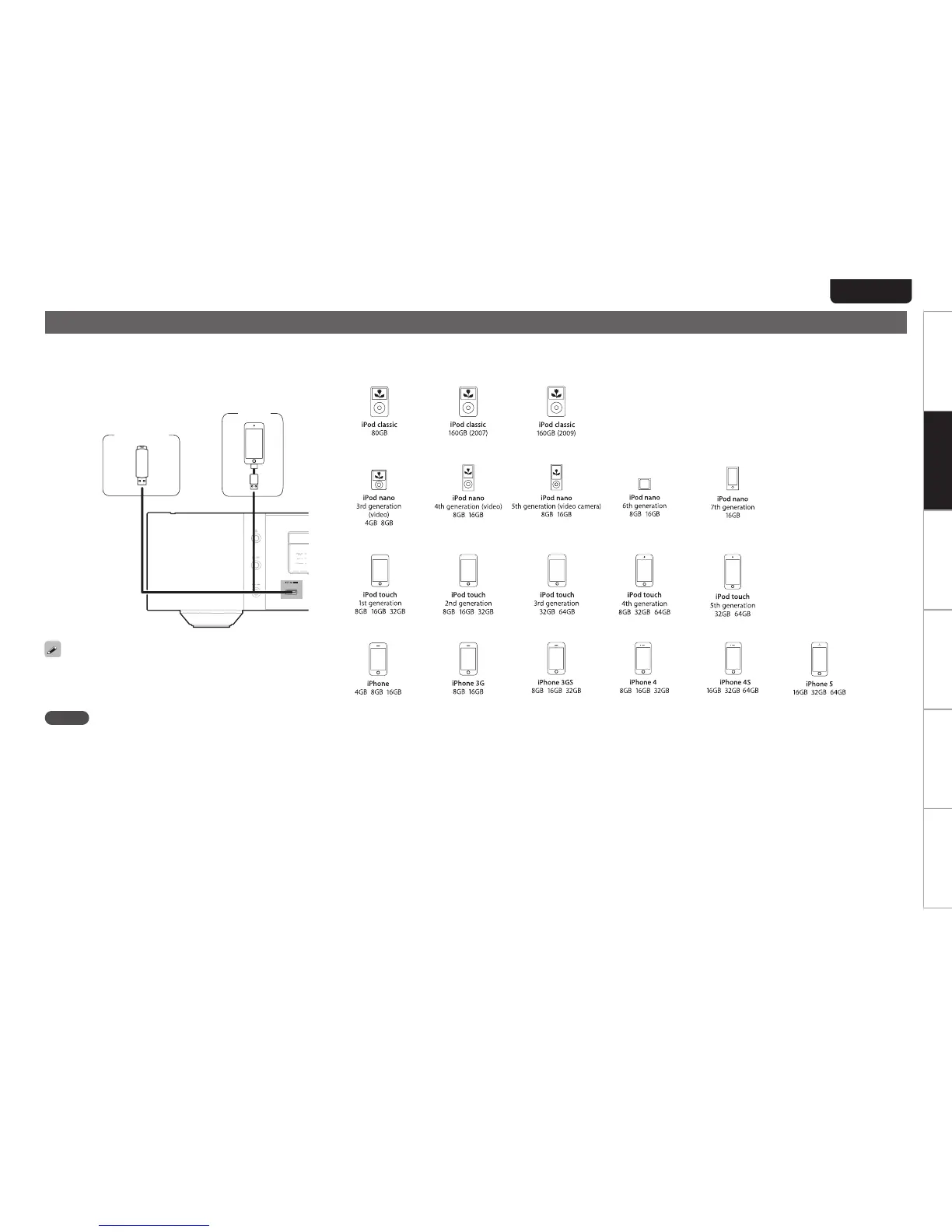
Connecting an iPod or USB memory device to the USB port
YoucanenjoymusicstoredonaniPodorUSBmemorydevice.
•ToconnectaniPodtothisunit,usetheUSBadaptercable
thatwassuppliedwiththeiPod.
•Foroperatinginstructionssee“PlaybackiPod”(vpage18)
or“PlayingaUSBmemorydevice”(vpage19).
USB
memory
device
iPod
iPodcable
(soldseparately)
or
MarantzdoesnotguaranteethatallUSBmemorydeviceswill
operateor receive power. When using a portable USB hard
disk drive (HDD) which came with an AC adapter, use that
device’ssuppliedACadapter.
NOTE
•USBmemorydeviceswillnotworkviaaUSBhub.
•Itisnotpossibletousethisunitbyconnectingtheunit’sUSB
porttoaPCviaaUSBcable.
•Do not use an extension cable when connecting a USB
memory device. This may cause radio interference with
otherdevices.
n Supported iPod/iPhone models
•iPod classic
•iPod nano
•iPod touch
•iPhone



 To Next Page