Error
Code
Details of Error code Display Coping strategies
14
The rewriting of block data failed
when Main CPU was rewritten.
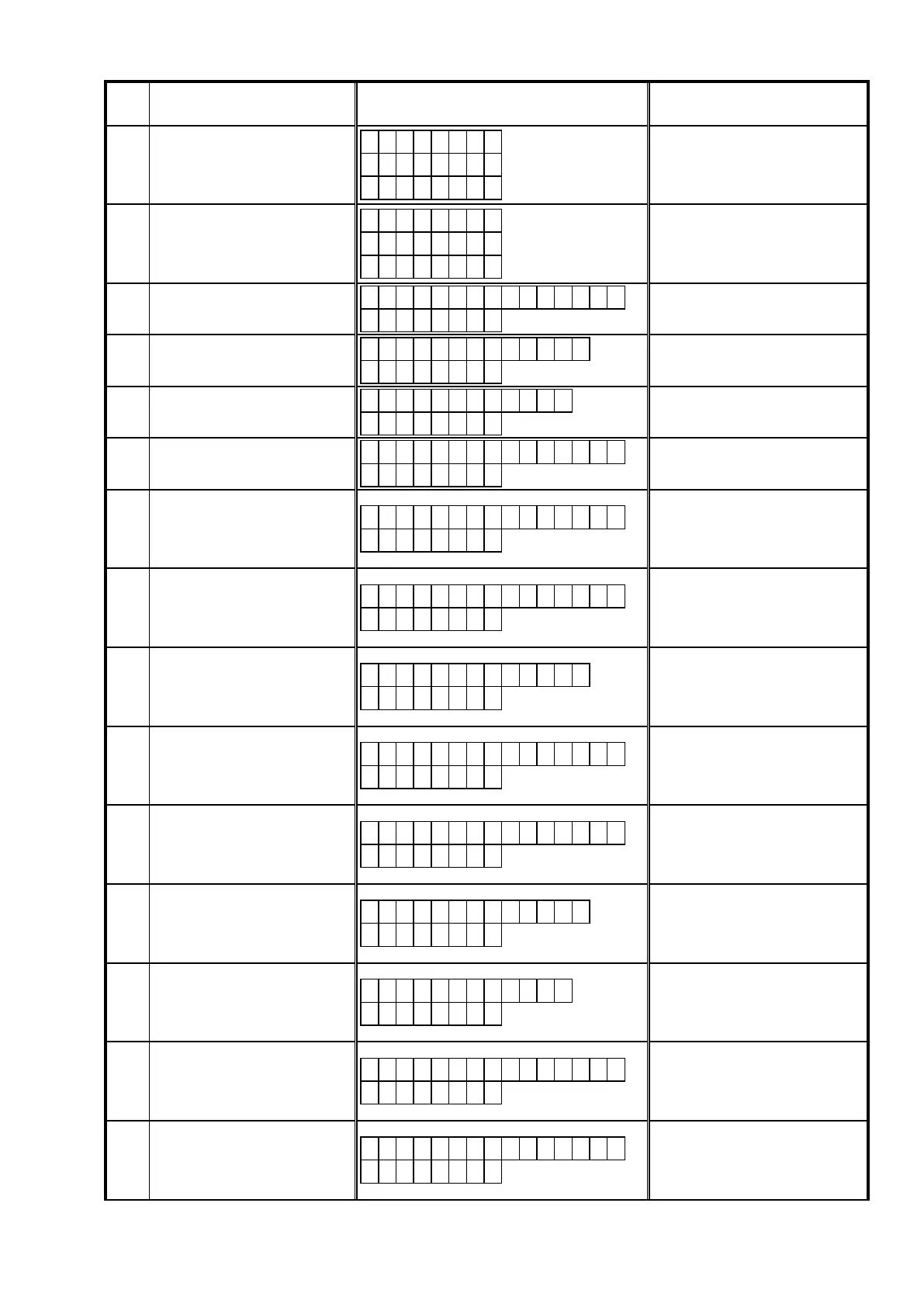
M a i n 1 4
U p d a t i n g
f a i l e d
This unit automatically retries several
times. Wait until the FL display stops.
If the FL display stops at the Error
display, press and hold the
"ON/
STANDBY (
X
)"
buttonforveseconds.
15
Thedatavericationwasinvalid
after Main CPU was rewritten.
M a i n 1 5
U p d a t e
C h e c k N G
This unit automatically retries several
times. Wait until the FL display stops.
If the FL display stops at the Error
display, press and hold the
"ON/
STANDBY (
X
)"
buttonforveseconds.
20
Failure to acquire (Boot Loader
Mode) IP address before rewriting
DM860A (AutoIP).
C o n n e c t i o n f a i l
2 0
Disconnect and connect the USB
memory.
21
Failure to acquire (Boot Loader
Mode) IP address before rewriting
DM860A (when timed out).
F i l e s N o t F o u n d
2 1
Disconnect and connect the USB
memory.
22
Log-in to DPMS failed.
N o t M a t c h F i r m
2 2
Check the supported Model name/area
for the FirmwareFile.
23
Line, etc., is busy when logging into
DPMS.
C o n n e c t i o n F a i l
2 3
Disconnect and connect the USB
memory.
24
Connection to DPMS failed.
C o n n e c t i o n f a i l
2 4
This unit automatically retries several
times. Wait until the FL display stops.
If the FL display stops at the Error
display, press and hold the
"ON/
STANDBY (
X
)"
buttonforveseconds.
25
Mode change failure of DM860A.
C o n n e c t i o n f a i l
2 5
This unit automatically retries several
times. Wait until the FL display stops.
If the FL display stops at the Error
display, press and hold the
"ON/
STANDBY (
X
)"
buttonforveseconds.
26
Data acquisition failed (timed out)
whenrmwareofMainCPUwas
downloaded. Received Package
Version is wrong.
D o w n l o a d f a i l
2 6
This unit automatically retries several
times. Wait until the FL display stops.
If the FL display stops at the Error
display, press and hold the
"ON/
STANDBY (
X
)"
buttonforveseconds.
27
Mode change failure of DM860A.
C o n n e c t i o n f a i l
2 7
This unit automatically retries several
times. Wait until the FL display stops.
If the FL display stops at the Error
display, press and hold the
"ON/
STANDBY (
X
)"
buttonforveseconds.
36
Log-in to DPMS failed when Main
CPU was rewritten.
C o n n e c t i o n f a i l
3 6
This unit automatically retries several
times. Wait until the FL display stops.
If the FL display stops at the Error
display, press and hold the POWER
buttonforveseconds.
37
Line, etc., is busy when logging
into DPMS when Main CPU was
rewritten.
F i l e s N o t F o u n d
3 7
This unit automatically retries several
times. Wait until the FL display stops.
If the FL display stops at the Error
display, press and hold the
"ON/
STANDBY (
X
)"
buttonforveseconds.
38
Connection to DPMS failed when
Main CPU was rewritten.
N o t M a t c h F i r m
3 8
This unit automatically retries several
times. Wait until the FL display stops.
If the FL display stops at the Error
display, press and hold the
"ON/
STANDBY (
X
)"
buttonforveseconds.
39
Connection to DPMS timed out
when Main CPU was rewritten.
C o n n e c t i o n f a i l
3 9
This unit automatically retries several
times. Wait until the FL display stops.
If the FL display stops at the Error
display, press and hold the
"ON/
STANDBY (
X
)"
buttonforveseconds.
3A
Error (NG) message was received
when
rmwarewasdownloadedor
Main CPU was rewritten.
C o n n e c t i o n f a i l
3 A
This unit automatically retries several
times. Wait until the FL display stops.
If the FL display stops at the Error
display, press and hold the
"ON/
STANDBY (
X
)"
buttonforveseconds.
71



 To Next Page