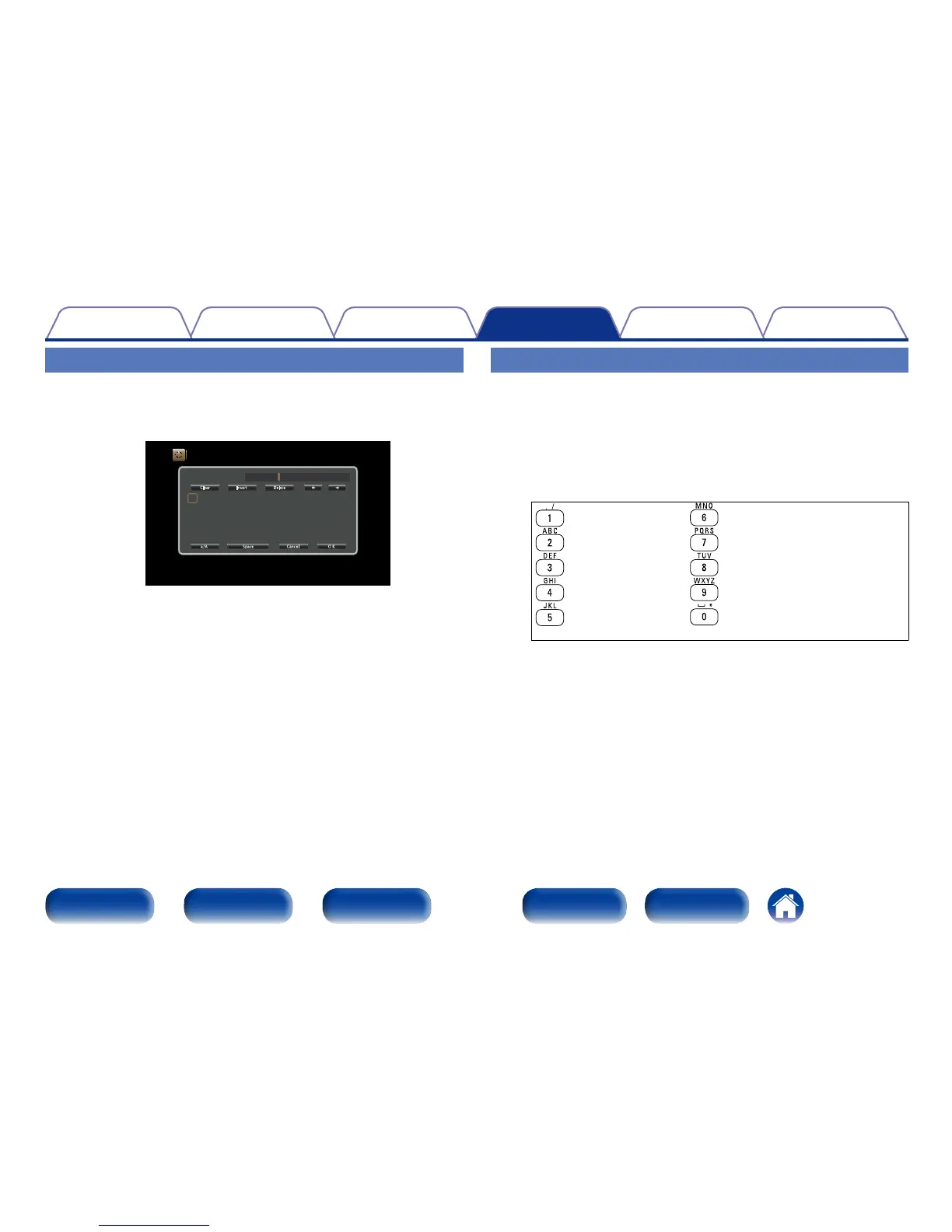
Using the number buttons
1
When the keyboard screen is displayed, press 0 – 9.
The 10 key input screen is displayed.
2
Place the cursor at the character to be changed with o
p and press the number button (0 – 9) until the desired
character is displayed.
•The types of characters that can be input are as shown below.
1 . @ - _ / : ˜ M N O m n o 6
A B C a b c 2 P Q R S p q r s 7
D E F d e f 3 T U V t u v 8
G H I g h i 4 W X Y Z w x y z 9
J K L j k l 5
0 (Space) ! “ # $ % & ‘ ( ) z + ,
; < = > ? [ \ ] ^ ` { | }
3
Repeat step 2 to change the name then press ENTER to
register it.
Using the keyboard screen
1
Display the screen for inputting characters.
GExampleH Source Rename screen
Inputs/Source Rename
Change the display name for this source
CBL/SAT
A
N
0
$
B
O
1
%
C
P
2
&
D
Q
3
‘
E
R
4
(
F
S
5
)
G
T
6
*
H
U
7
+
I
V
8
,
J
W
9
;
K
X
!
<
L
Y
“
=
M
Z
#
>
CBL/SAT
Clear Insert Delete
a/A Space Cancel O K
2
Select a character to be changed.
q Use uio p to select “,” or “.”.
w Press ENTER to place the cursor at the character to
be changed.
Each time ENTER is pressed, the cursor moves by one character.
3
Select a character to be input with uio p then press
ENTER.
4
Repeat steps 2 and 3 to change the name.
5
Use uio p to select “OK”, then press ENTER.



 To Next Page