Remotely control a Marantz Blu-ray Disc
player by the Marantz Remote App
Marantz Blu-ray Disc player of newer generation also can be controlled
via a network receiver unit using the Marantz Remote App. Please ensure
REMOTE CONTROL system of the receiver unit and the Blu-ray Disc
player is set up as shown in the previous section.
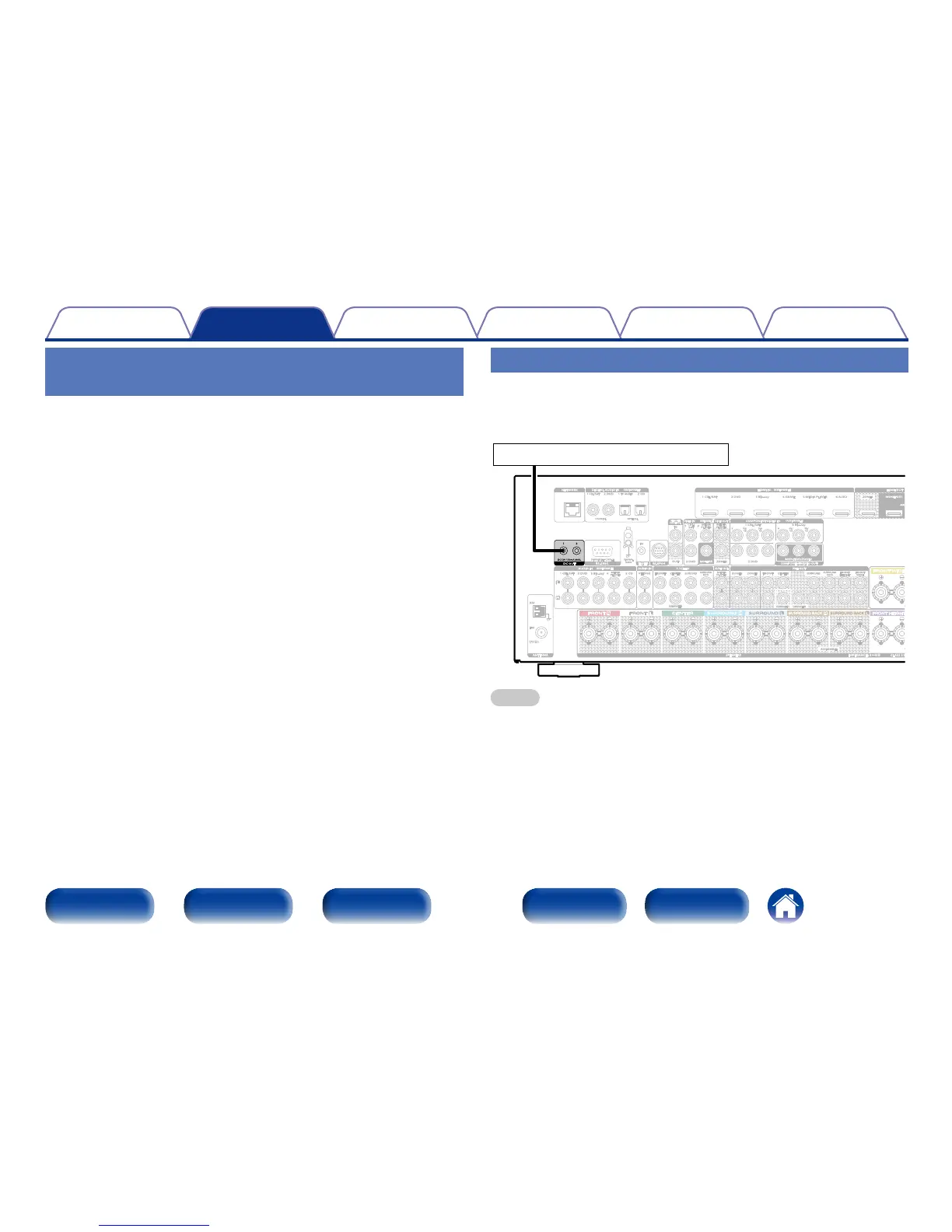
DC OUT jack
When a device with DC IN jack is connected, the connected device’s
power on/standby can be controlled through linked operation to this unit.
The DC OUT jack outputs a maximum 12 V/150 mA electrical signal.
FRONT
SUBWOOFER
SURROUND
SURROUND
BACK
CENTER
FRONT
SURROUND
FRONT
HEIGHT
FRONT
WIDE
SURROUND
BACK
CENTER
1 CBL/SAT
2 DVD 3 Blu-ray
MEDIA
PLAYER
MEDIA
PLAYER
5 CD
4
PHONO
AM
(75Ω)
FM
1
CBL/SAT
2
DVD
1
TV AUDIO
2 CD
1 CBL/SAT 2 DVD 3 Blu-ray 4 GAME 5 MEDIA PLAYER 6 AUX2
SIGNAL
GND
STRAIGHT CABLE
IN
P
R
/
C
R
P
B
/
C
B
Y
P
R
/
C
R
P
B
/
C
B
Y
CBL/
SAT
MEDIA
PLAYER
MEDIA
PLAYER
ZONE2
1 CBL/SAT
3 Blu-ray
2 DVD
1 3
IN
OUT
ZONE2 ZONE3
HDMI OUTNETWORK
RS-232C
FLASHER
REMOTE
CONTROL
VIDEO OUT
COMPONENT VIDEO OUT
7.1CH IN
AUDIO OUT
PRE OUT
M-XPort
ANTENNA
DIGITAL AUDIO IN
(
ASSIGNABLE
)
COAXIAL OPTICAL
AUDIO IN
(
ASSIGNABLE
)
AUDIO IN
2 DVD
VIDEO IN
(
ASSIGNABLE
)
MONITOR
COMPONENT VIDEO IN
(
ASSIGNABLE
)
MONITOR/ZONE2
HDMI IN
(
ASSIGNABLE
)
MONITOR1
DC12V 150mA MAX.
DC OUT
1
2
12 V/150 mA trigger-compatible device
NOTE
•Use the monaural mini-plug cable for connecting DC OUT jacks. Do not use the
stereo mini-plug cable.
•If the permissible trigger input level for the connected device is larger than 12
V/150 mA, or has shorted, the DC OUT jack cannot be used. In this case, turn o
the power to the unit, and disconnect it.



 To Next Page