EasyManua.ls Logo

Marantz SR7008 - And Compatible with the ARC (Audio Return Channel)

Marantz SR7008
286 pages
Print Icon
To Next Page IconTo Next Page
To Previous Page IconTo Previous Page
Loading...
40
Appendix
TipsSettingsPlayback
Contents
Front panel Display Rear panel IndexRemote
Connections
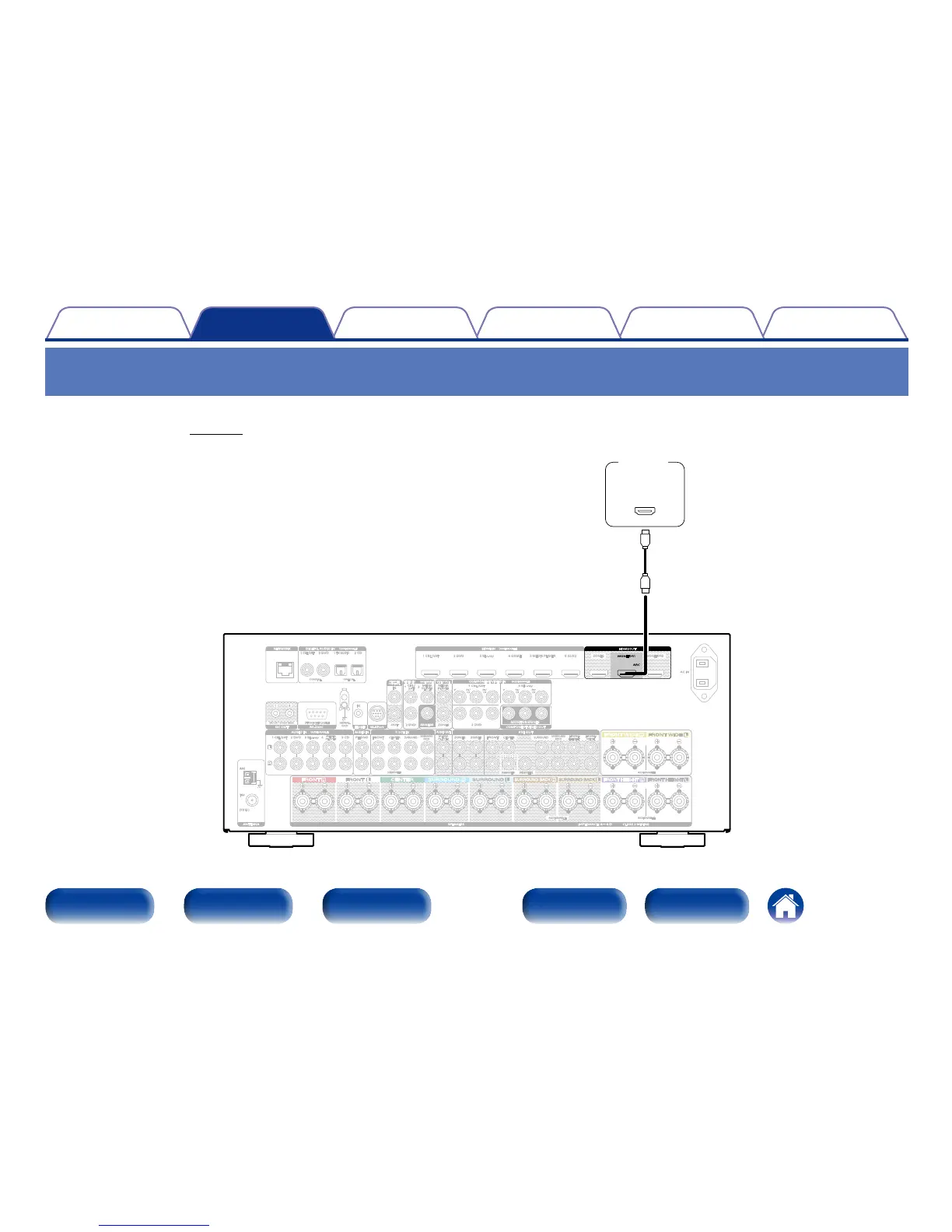
Connection 1 : TV equipped with an HDMI connector and compatible with the ARC
(Audio Return Channel)
Use an HDMI cable to connect a TV that is compatible with the ARC function to this unit.
Set “HDMI Control” (vpage174) to “On” when using a TV that supports the ARC function.
ZONE2 MONITOR2
FRONT
SUBWOOFER
SURROUND
SURROUND
BACK
CENTER
FRONT
SURROUND
FRONT
HEIGHT
FRONT
WIDE
SURROUND
BACK
CENTER
1 CBL/SAT
2 DVD 3 Blu-ray
MEDIA
PLAYER
MEDIA
PLAYER
5 CD
4
PHONO
AM
(75Ω)
FM
1
CBL/SAT
2
DVD
1
TV AUDIO
2 CD
1 CBL/SAT 2 DVD 3 Blu-ray 4 GAME 5 MEDIA PLAYER 6 AUX2
SIGNAL
GND
STRAIGHT CABLE
DC12V 150mA MAX.
IN
P
R
/
C
R
P
B
/
C
B
Y
P
R
/
C
R
P
B
/
C
B
Y
CBL/
SAT
MEDIA
PLAYER
MEDIA
PLAYER
ZONE2
1 CBL/SAT
3 Blu-ray
2 DVD
1 3
IN
OUT
ZONE2 ZONE3
NETWORK
RS-232CDC OUT
FLASHER
REMOTE
CONTROL
VIDEO OUT
COMPONENT VIDEO OUT
7.1CH IN
AUDIO OUT
PRE OUT
M-XPort
ANTENNA
AC IN
DIGITAL AUDIO IN
(
ASSIGNABLE
)
COAXIAL OPTICAL
AUDIO IN
(
ASSIGNABLE
)
AUDIO IN
2 DVD
VIDEO IN
(
ASSIGNABLE
)
MONITOR
COMPONENT VIDEO IN
(
ASSIGNABLE
)
MONITOR/ZONE2
HDMI IN
(
ASSIGNABLE
)
CLASS 2 WIRINGSPEAKERS IMPEDANCE : 68Ω
SUBWOOFER1
SUBWOOFER2
1
2
ASSIGNABLE ASSIGNABLE
ASSIGNABLE
ARC
MONITOR1
HDMI OUT
(ARC)
IN
HDMI
TV

Table of Contents

Other manuals for Marantz SR7008

Related product manuals