OP32 – Installation manual
White LED on Start and Stop transmission
WHITE
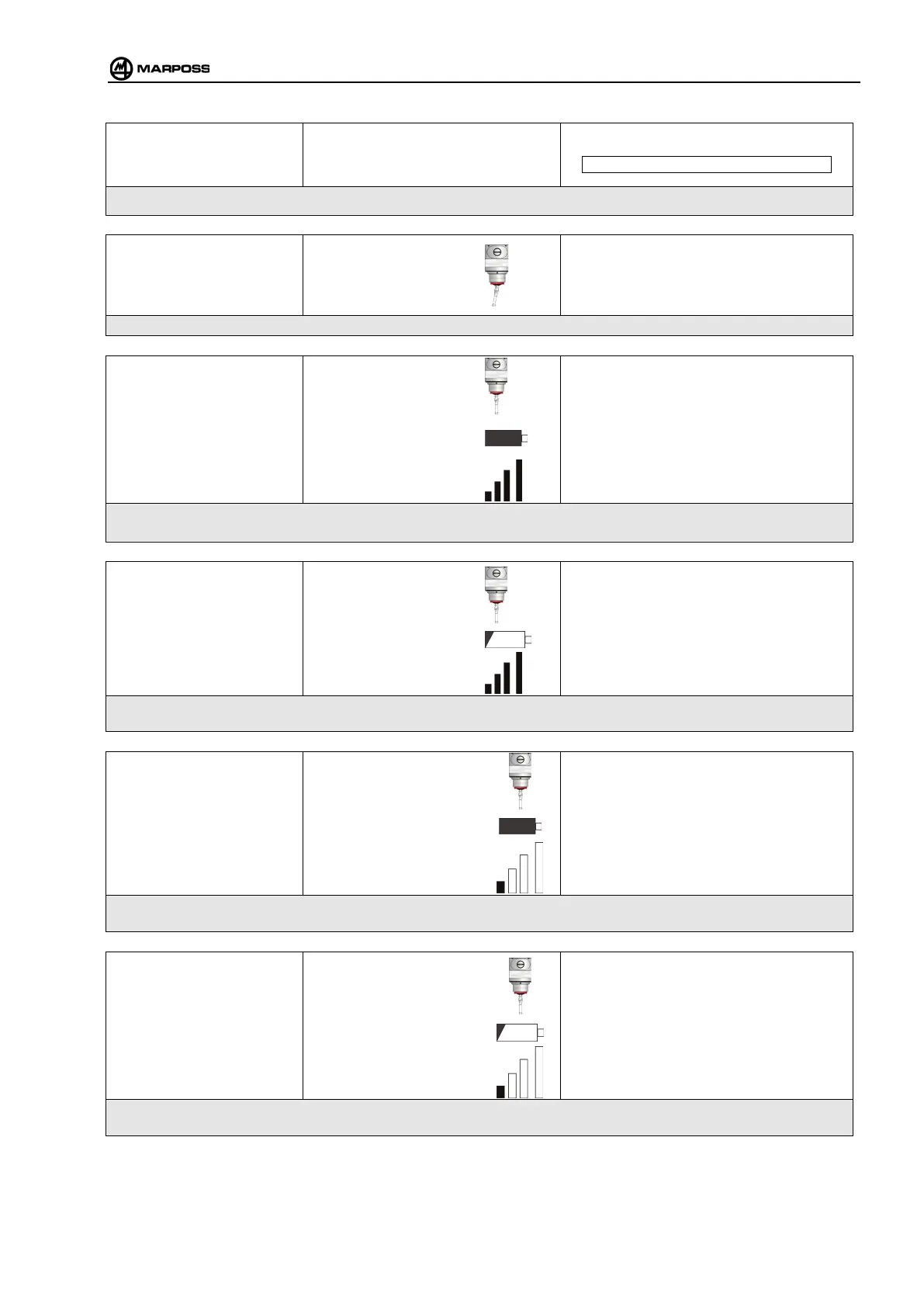
This indication appears while the activate or deactivate signals are being transmitted.
Yellow LED on
Probe deflected
YELLOW
This indication appears during reception of the probe deflected status
Green LED on
Probe at rest
GREEN
Battery OK
Signal level high
This indication appears during reception of the probe at rest status when the battery is not discharged and the signal
level is good
Green LED with flashing red
(128ms)
Probe at rest
GREEN RED GREEN RED GREEN
128ms 128ms
Signal level high
This indication appears during reception of the probe at rest status when the battery is discharged and the signal level
is good
Cyan lamp
Probe at rest
CYAN
Battery OK
Signal level low
This indication appears during reception of the probe at rest status when the battery is not discharged and th
level is low
Cyan LED with flashing red
(128ms)
Probe at rest
CYAN RED CYAN RED
128ms 128ms
Battery KO
Signal level low
This indication appears during reception of the probe at rest status when the battery is discharged and the signal level
is low



 To Next Page