24 P3-100 user manual
2.C Manually adding panels and adjusting display address numbers
The Quick Addressing Tool described on page 20 is fast and easy, but if you prefer to set display address
numbers manually, or if you need to adjust address numbers at any point, you can follow this alternative
procedure:
1. Set panels to display the Device Num test pattern so that all physical panels
display their address number.
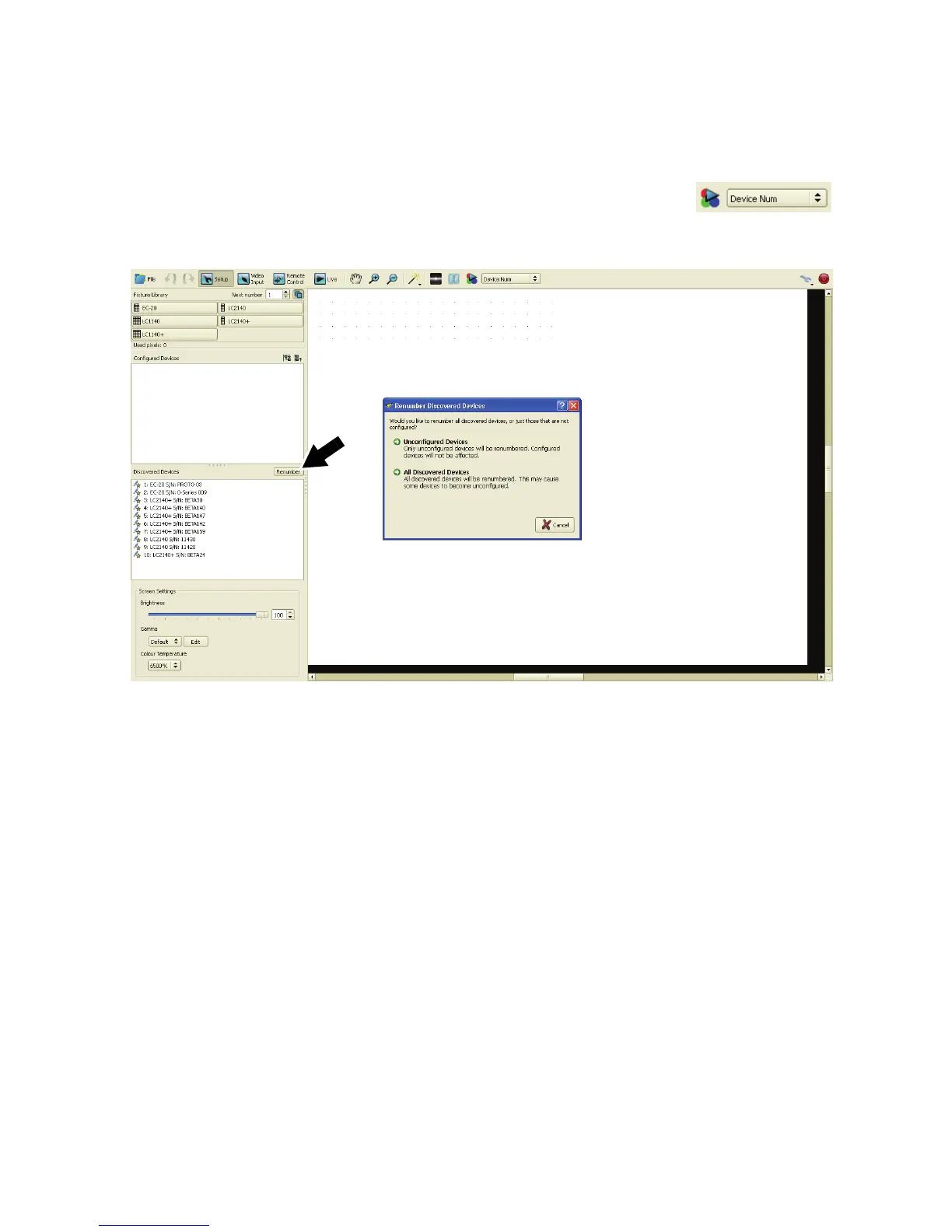
2. Before you start manually numbering panels, you can reset all panel address
numbers by using the Renumber button (see Figure 22).
3. See Figure 23. If any panels are listed under Configured Devices, click on the plus symbol next to each
panel so that you can see each panel’s serial number (arrowed), then click on each panel’s serial number
to select that physical panel. Each time you select a physical panel’s
serial number, its Device
Properties will appear at the bottom of the Setup window.
Figure 22: Renumbering video panels













 To Next Page