Setup 37
5. Using multiple P3-100s
Redundant P3-100 system
You can build a redundant P3-100 setup with an additional P3-100 and a DVI and/or Analog Video Splitter
(plus a DMX Splitter such as the Martin™ Optosplitter™ if using DMX control). This protects your system
from an accidental P3-100 powerdown or crash. The backup P3-100 will take over in only 5 seconds.
Both P3-100s must be running exactly the same configuration. The easiest way to ensure this is to build the
configuration on one P3-100 and then copy it via a USB stick to the other P3-100.
The P3-100 that is connected to panels and powered on first will act as the primary controller. The next
P3-100 that is connected to panels and powered on will act as the secondary controller.
If panels stop receiving video for more than 5 seconds from the primary P3-100 that is currently controlling
them, they will automatically start listening to the other, secondary P3-100. When the primary P3-100 starts
to operate normally again, it will act as backup for the secondary P3-100.
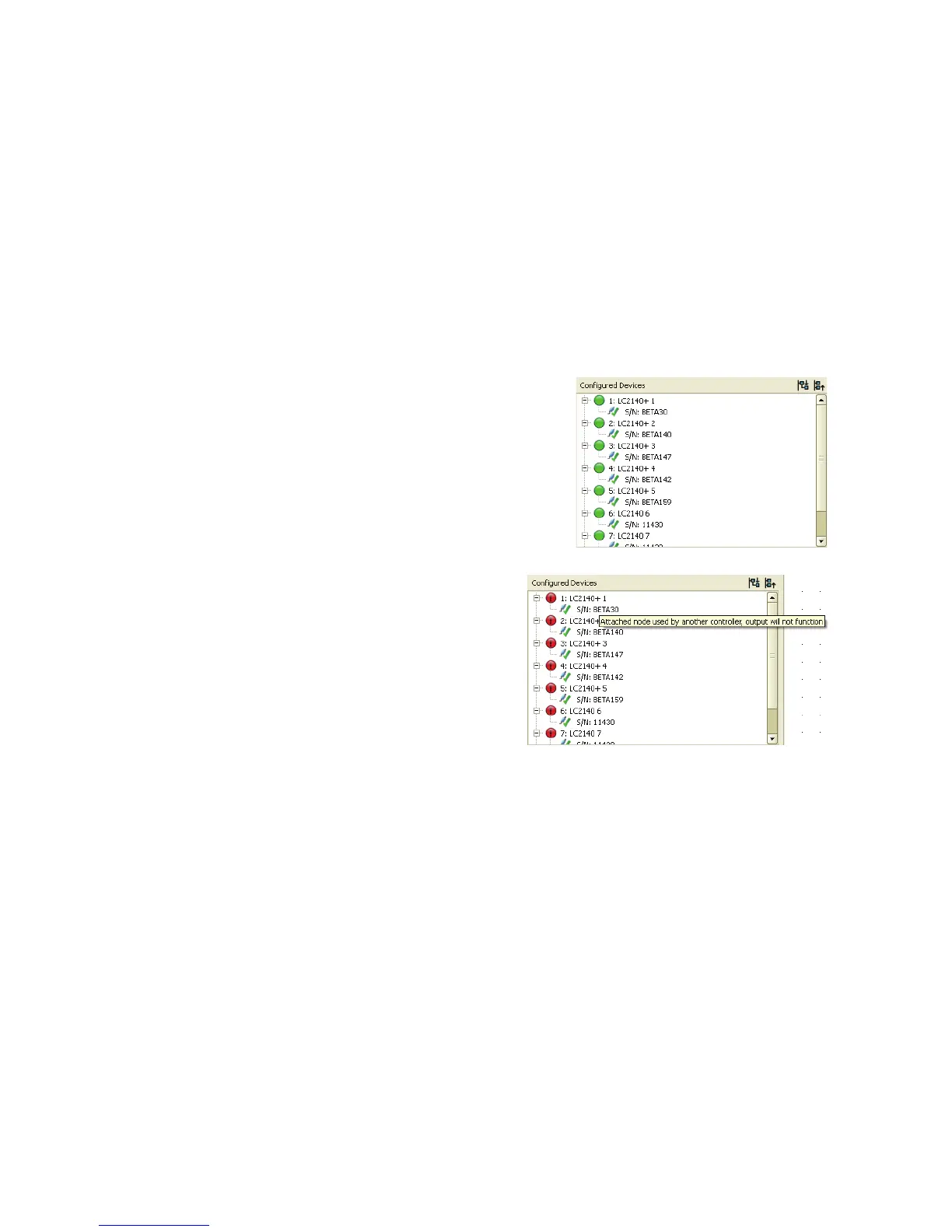
The P3-100 that is currently controlling the panels will
display them in the Configured Devices window as shown
on the right:
The P3-100 that is not controlling the panels will
display them in the Configured Devices window as
shown on the right:













 To Next Page