26 P3-100 user manual
Panel status troubleshooting
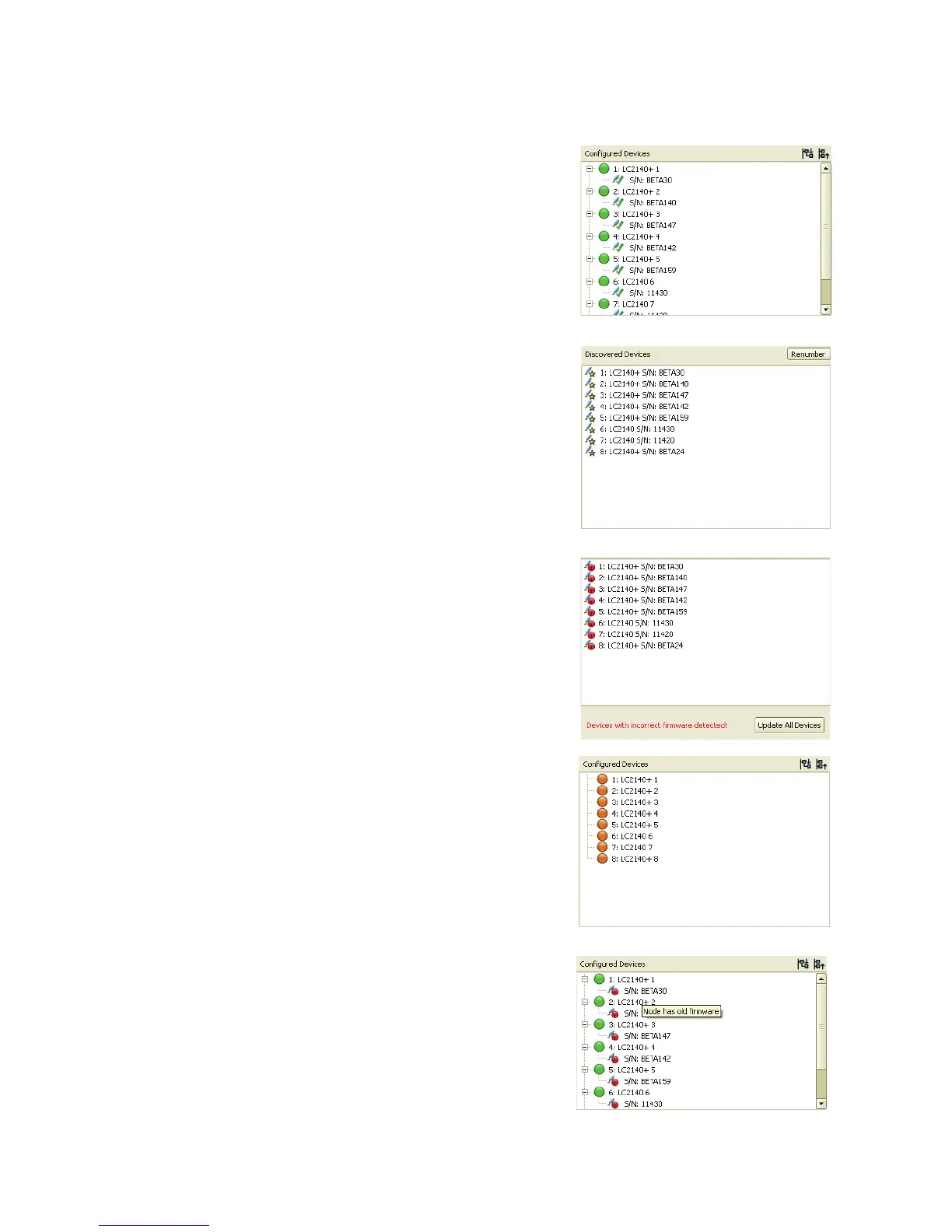
Below is a list of panel states and what you should do in each case.
1. Panel is configured in the virtual display and connected:
The panels should be running normally. No intervention
required.
2. Panel is connected and discovered but not included in
current configuration:
Drag panels onto the canvas or use one of the wizards to
include them in the current configuration.
3. Panel is connected and discovered but running incorrect
firmware:
Drag panels onto the canvas or use one of the wizards to
include them in the current configuration.
Update panel firmware by clicking on the Update All
Devices button.
4. Panel is configured in the virtual display but not
connected:
Connect the panel to the P3-100 and if necessary adjust
its address.
5. Panel is configured in the virtual display and connected
but running incorrect firmware:
Update panel firmware by clicking on “Update All Devices”
button.













 To Next Page