Setup 31
the installation. If you click on New and enter a name for any gamma curve you edit, it will be saved as a
preset gamma curve when you click on the Close button.
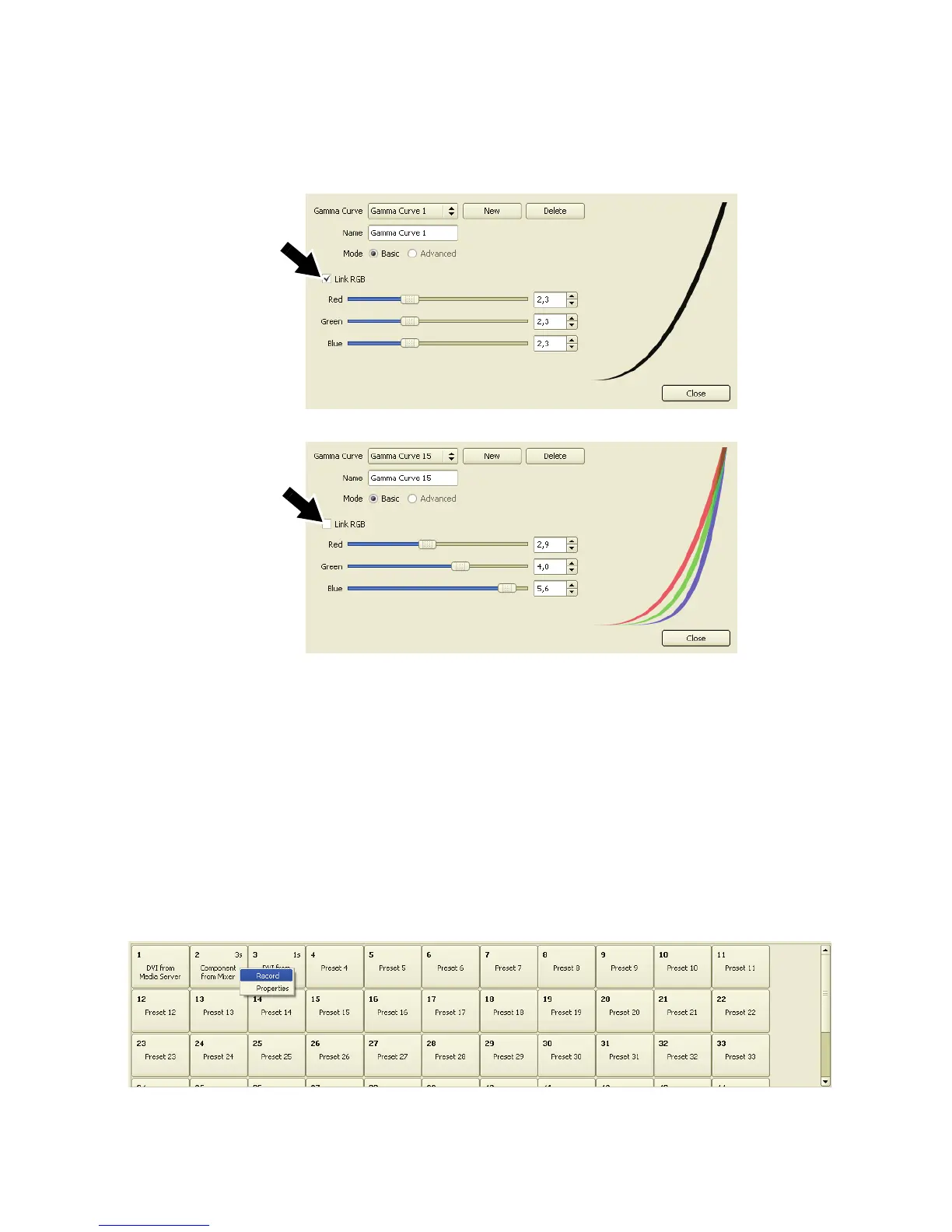
5. If you open the Gamma Curve Edit window, with the Link RGB checkbox (arrowed) checked, you can
adjust the gamma curve for all three colors together. If you uncheck the Link RGB checkbox, you can
adjust the gamma curve separately for each color.
Video setup and input presets
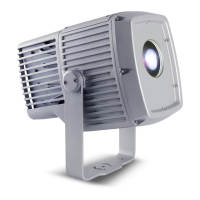
See Figure 32. At the bottom of the Video Input window is a list of presets that allow you to save and recall
video configuration data.
Important! Save your video settings to a preset, even if you do not plan to use multiple presets. This will allow
you to recall your video settings if they are lost (they can be lost at power off/on and will definitely be
lost if another type of video input is selected and adjusted).
Use video settings presets as follows:
1. See Figure 32. Right-click on a preset button and select Record to save the current Video Input
configuration to that preset.
Figure 31: Gamma curve editor
Figure 32: Video setup and input presets













 To Next Page