Service 49
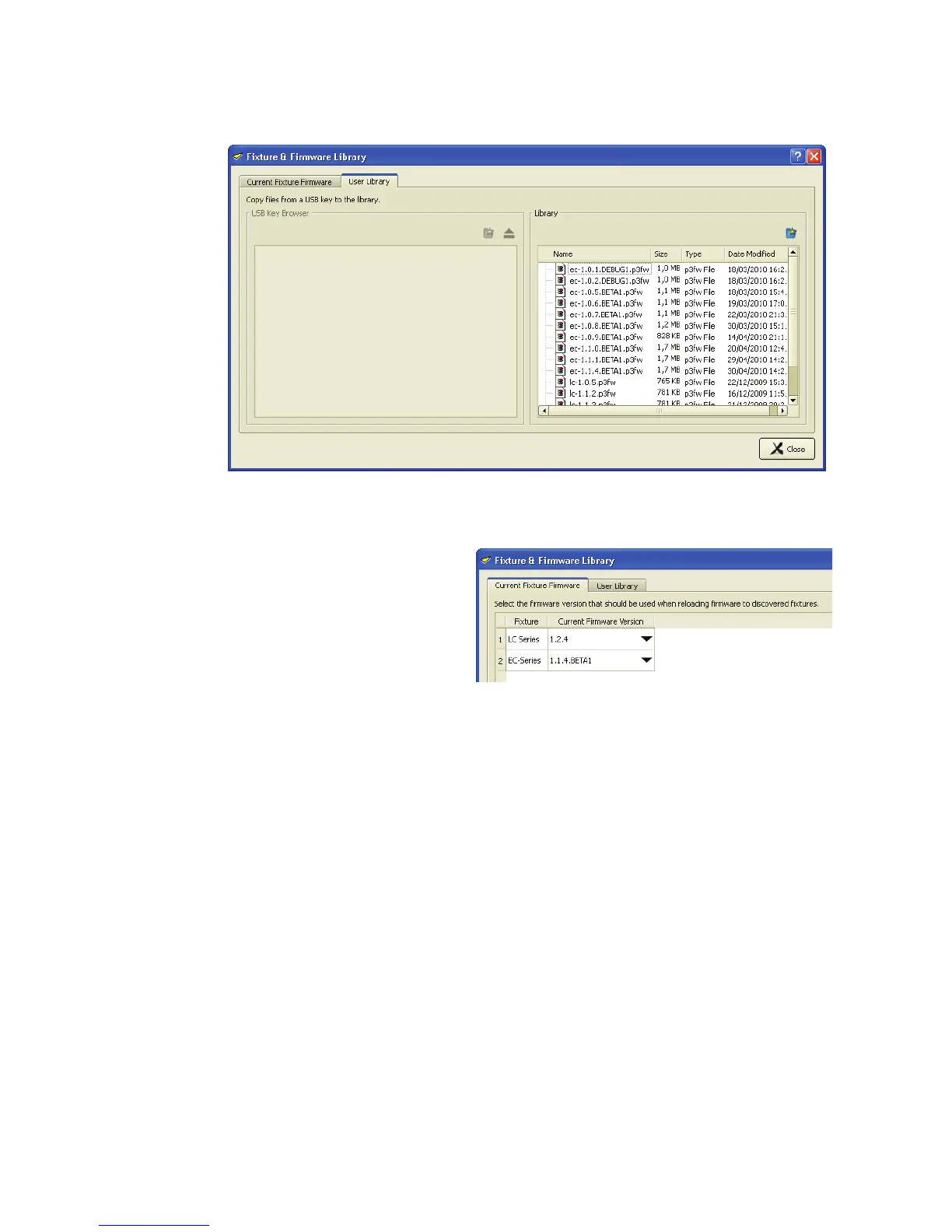
5. See Figure 48. Click on the User Library tab of this window. To update the user library, drag files from the
USB Key Browser pane on the left to the Library pane on the right. This will store them in the P3-100’s
internal memory.
See Figure 49. Finally, open the Current
Fixture Firmware tab, select a firmware
version
for each panel series from the
drop-down lists, and allow the P3-100 to
update each panel series with the desired
firmware version.
Figure 48: User Library tab
Figure 49: Current Fixture Firmware tab













 To Next Page